
15 Best AI Tools for Teachers for Your Classroom in 2026
Between grading essays, differentiating lessons, writing report card comments, and somehow finding time to actually teach, your to-do list never seems to shrink. You’ve heard AI can help, but with hundreds of options flooding the market, finding the best AI tools for teachers feels like another task you don’t have time for.
That’s exactly why I put this list together. At The Cautiously Optimistic Teacher, I’ve spent years testing educational technology and building AI-powered tools specifically designed for classroom realities, not Silicon Valley fantasies. I know what actually works when you have 30 students with 30 different needs and approximately zero extra minutes in your day.
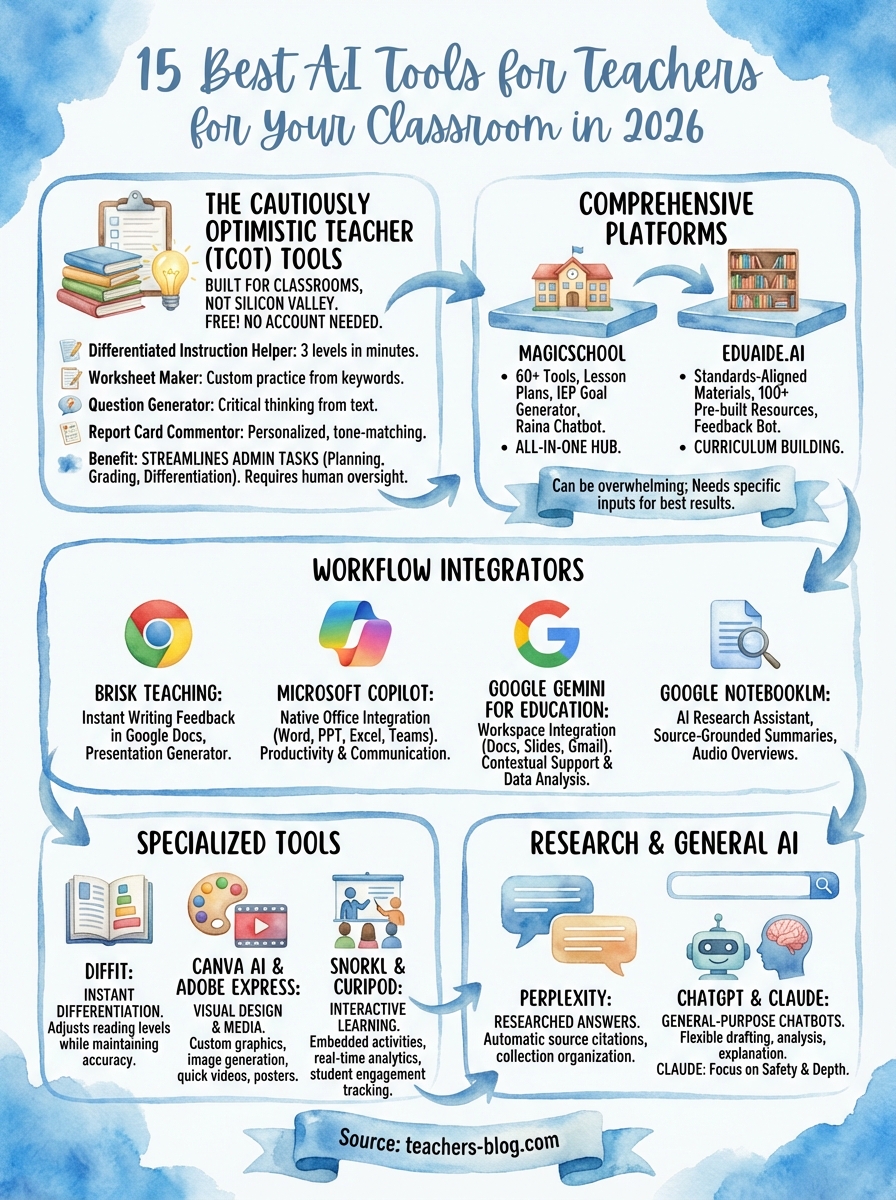
This guide covers 15 AI tools that deliver real results for lesson planning, grading, differentiation, and administrative tasks. Each recommendation comes from hands-on testing and considers what matters most: ease of use, practical application, and genuine time savings. Whether you’re AI-curious or ready to overhaul your workflow, you’ll find options that fit your comfort level and budget. Let’s cut through the hype and find the tools that will actually make your teaching life easier.
1. The Cautiously Optimistic Teacher AI tools
I’m starting with my own suite because I built these tools specifically for classroom teachers who need quick, practical solutions without a learning curve. The current collection includes the Differentiated Instructor, Worksheet Generator, Leveled Text Creator, Writing Feedback Generator, Report Card Assistant, PEEL Paragraph Assistant, and Mythology Flash Fiction Assistant. Each tool tackles a specific time-drain that keeps you at school past dismissal or working through your weekends.
What it does best
The Cautiously Optimistic Teacher AI tools excel at administrative tasks that eat your planning periods. The Report Card Assistant stands out because it generates personalized comments that sound like you actually wrote them, not a robot. You input student strengths and areas for growth, and the tool crafts comments that meet your district’s tone requirements while staying genuinely helpful for parents. The Differentiated Instruction Helper takes your existing lesson and creates three versions (below level, on level, above level) in minutes instead of hours.
These tools transform tasks that typically take 30-45 minutes into 5-minute sprints without sacrificing quality.
Standout features for teachers
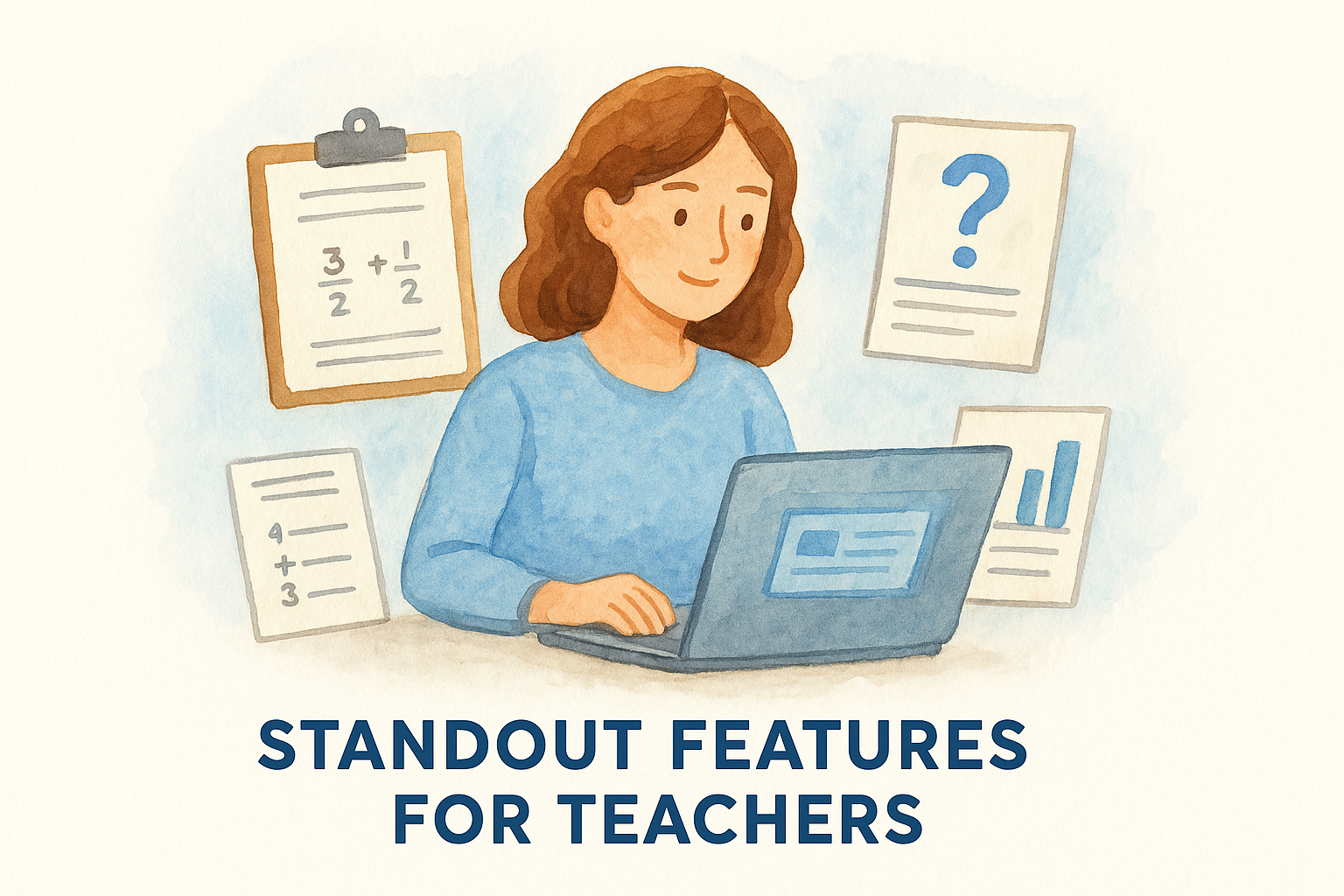
The Worksheet Maker generates custom practice materials from simple keyword inputs. You type "fraction addition word problems" and specify grade level, and you get a ready-to-print worksheet with answer keys. The Question Generator analyzes any text you paste (articles, textbook chapters, videos) and creates critical thinking questions at different Bloom’s Taxonomy levels. These features work together seamlessly because they’re designed as a connected ecosystem, not isolated tools thrown together.
Limits and watch-outs
These tools require human oversight and editing. The AI occasionally suggests differentiation strategies that won’t work for your specific classroom dynamics or generates questions that need tweaking for clarity. You’ll still need to review and adjust outputs to match your teaching style and student needs. The platform also focuses on planning and administrative tasks rather than student-facing activities or real-time classroom management.
Pricing and access
The current tools are available for free on The Cautiously Optimistic Teacher website. Simply visit the site, select your tool, and start generating materials immediately. This makes them among the best AI tools for teachers who want to test AI capabilities without financial commitment or complicated onboarding processes.
2. MagicSchool
MagicSchool consolidates over 60 AI-powered tools into a single platform designed exclusively for educators. You access everything from a central dashboard, which means you’re not juggling multiple logins or learning different interfaces. The platform covers lesson planning, assessment creation, communication, and differentiation tasks that typically fragment across separate applications.
What it does best
MagicSchool shines at generating lesson plans and instructional materials that align with specific standards and grade levels. You select your objective, input relevant details, and the platform produces structured lessons with activities, discussion questions, and assessment ideas. The tool understands educational frameworks and terminology, so outputs feel appropriate for classroom use rather than generic content that requires extensive translation into teacher-speak.
Standout features for teachers
The platform includes an IEP goal generator that helps you craft measurable, specific goals for students with disabilities. You also get tools for creating accommodation suggestions, behavior intervention plans, and parent communication templates. MagicSchool’s Raina chatbot acts as an AI teaching assistant that answers questions and helps you navigate the platform’s extensive toolkit, making it genuinely accessible even if you’re new to AI.
MagicSchool’s comprehensive approach makes it one of the best AI tools for teachers who want multiple solutions in one place.
Limits and watch-outs
The platform’s breadth becomes overwhelming when you’re trying to identify which tool fits your immediate need. With 60+ options, you’ll spend time exploring and testing before finding your go-to features. Some outputs also lean generic despite customization inputs, requiring your expertise to add classroom-specific details that make materials truly effective.
Pricing and access
MagicSchool offers a free tier with limited monthly generations and access to core features. Paid plans start around $99 annually for individual teachers and include unlimited generations plus advanced tools. District licenses provide bulk pricing and administrative controls for schools implementing AI across multiple classrooms.
3. Brisk Teaching
Brisk Teaching functions as a Chrome extension that integrates directly into your existing workflow through Google Docs, Google Classroom, and other platforms you already use daily. Instead of switching between tabs or copying content into separate AI tools, you access Brisk’s features right where you’re working. This approach eliminates the friction that makes many AI tools feel like extra work rather than genuine time-savers.
What it does best
Brisk excels at providing instant feedback on student writing directly within Google Docs. You click the extension icon, select the type of feedback you want (grammar, organization, content development), and Brisk generates specific suggestions that appear as comments students can review and address. The tool understands assignment requirements you specify, so feedback aligns with your rubric expectations rather than generic writing advice.
Brisk’s seamless integration makes it one of the best AI tools for teachers who live in Google Workspace.
Standout features for teachers
The platform includes a presentation generator that transforms any topic into slideshow outlines complete with talking points and discussion prompts. You also get quiz builders that pull questions from uploaded materials, lesson plan templates that populate based on standards you select, and email drafters for parent communication. Brisk’s "Inspect Writing" feature detects AI-generated content in student submissions, helping you identify work that needs conversation rather than automatic zeros.
Limits and watch-outs
The Chrome extension requirement means Brisk only works in browser-based environments. You can’t use it with desktop applications or platforms outside Google’s ecosystem. Feedback quality varies depending on assignment complexity and student writing level, occasionally missing nuanced issues that require human expertise to identify and address effectively.
Pricing and access
Brisk offers a free tier with limited monthly uses across all features. Premium plans cost approximately $100 annually for individual teachers and include unlimited generations plus priority support. Schools can purchase site licenses that provide administrative dashboards and usage analytics for implementation tracking.
4. Eduaide.AI
Eduaide.AI positions itself as a comprehensive resource library combined with generative AI capabilities that help you build curriculum-aligned materials from scratch or customize existing templates. The platform provides over 100 pre-built resource types ranging from lesson plans to assessment rubrics, all designed around educational best practices and state standards you select during setup.
What it does best
Eduaide.AI excels at creating standards-aligned instructional materials that meet specific curriculum requirements across subjects and grade levels. You input your content standards, learning objectives, and student demographics, and the platform generates materials that reflect research-based pedagogical approaches. The tool understands differentiation needs beyond simple reading level adjustments, considering factors like language acquisition stages, special education accommodations, and gifted extensions.
Standout features for teachers
The platform includes a feedback bot that reviews your existing materials and suggests improvements for clarity, engagement, and alignment. You upload lesson plans, worksheets, or assessments you’ve already created, and Eduaide.AI provides actionable revision recommendations rather than starting from scratch. The resource library saves you search time because everything lives in one searchable database organized by subject, grade, and standard, making it one of the best AI tools for teachers building curriculum coherence.
Limits and watch-outs
Eduaide.AI requires detailed input to generate quality outputs, which means you’ll invest time upfront specifying standards, objectives, and student characteristics. The platform also assumes familiarity with educational terminology and frameworks, potentially creating a steeper learning curve for early-career teachers or those transitioning from non-teaching backgrounds.
Pricing and access
Eduaide.AI offers a free trial with limited generations to test core features. Individual subscriptions cost approximately $120 annually and include unlimited access to all tools and templates. Schools can purchase building or district licenses with administrative controls and professional development resources.
5. Diffit
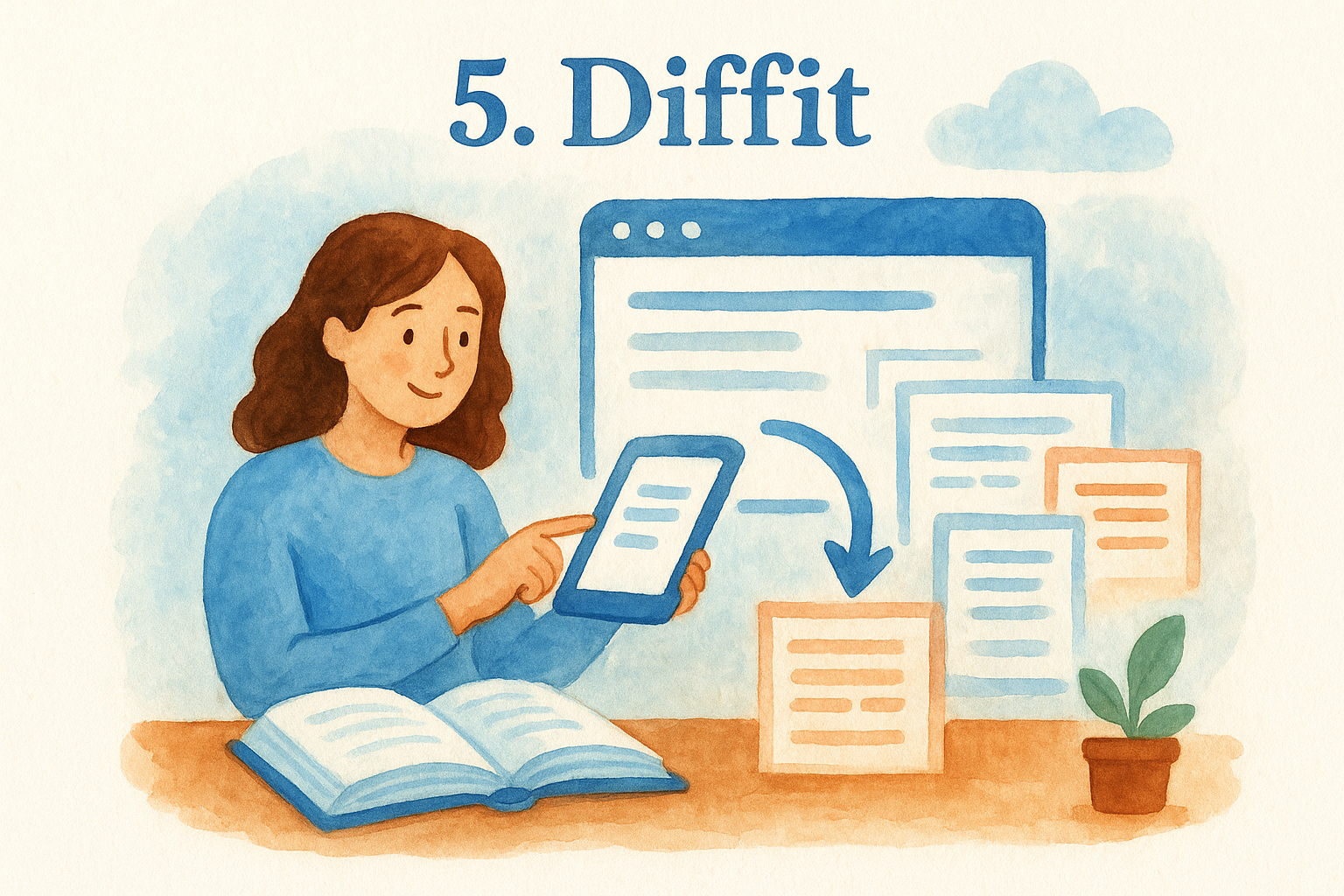
Diffit specializes in transforming any content into differentiated reading materials at multiple reading levels instantly. You paste a link, upload a PDF, or copy text from any source (articles, textbooks, videos), and Diffit generates versions tailored to specific grade levels or Lexile measures you select. This solves the persistent challenge of providing accessible content for students reading below, at, and above grade level without creating three separate lessons from scratch.
What it does best
Diffit excels at maintaining content accuracy while adjusting complexity for different reading levels. The tool preserves key concepts, vocabulary, and information integrity while modifying sentence structure, word choice, and text density. You get materials that cover identical learning objectives across all versions, ensuring every student accesses the same curriculum regardless of reading ability. This approach eliminates the watered-down content problem that often accompanies traditional differentiation attempts.
Standout features for teachers
The platform automatically generates comprehension questions and vocabulary lists aligned with each reading level version. You also get summary activities and discussion prompts that work across differentiated groups. Diffit integrates directly with Google Classroom for seamless assignment distribution, letting you push different versions to student rosters you’ve already organized. The tool supports multiple languages, making it valuable for classrooms with English learners at various proficiency stages.
Diffit’s automatic differentiation makes it one of the best AI tools for teachers managing diverse reading abilities.
Limits and watch-outs
The platform occasionally oversimplifies complex concepts that require nuanced understanding, losing important details in lower-level adaptations. You’ll need to review outputs for accuracy and verify that simplified versions still teach essential content. Diffit also works best with informational text rather than literary analysis or creative writing activities.
Pricing and access
Diffit offers a free tier with limited monthly content generations. Premium plans cost approximately $60 annually for individual teachers and include unlimited conversions plus advanced customization options. Schools can purchase building licenses with administrative features and usage tracking.
6. Google NotebookLM
Google NotebookLM functions as an AI-powered research assistant that analyzes documents, videos, and websites you upload to generate summaries, answer questions, and create study materials. You feed the platform your source materials (lecture notes, textbook chapters, articles), and it becomes an expert on those specific documents rather than pulling from general internet knowledge. This targeted approach ensures responses directly relate to your curriculum content and classroom materials.
What it does best
NotebookLM excels at synthesizing information across multiple sources you’ve uploaded for curriculum planning or professional development. You can upload ten articles about differentiated instruction, and the tool identifies common themes, contrasting viewpoints, and practical applications without you reading every page. The platform creates connections between documents automatically, helping you build comprehensive understanding of topics when preparing new units or researching teaching strategies.
Standout features for teachers
The platform generates podcast-style audio overviews of your uploaded materials, transforming dense academic articles or policy documents into conversational explanations you can listen to during your commute. You also get automatic citation tracking that shows exactly which source supports each generated response, making it one of the best AI tools for teachers building research-based lesson plans or writing grants. NotebookLM creates study guides, FAQs, and timelines from your materials, giving you ready-made resources for students or professional learning communities.
NotebookLM’s source-grounded responses eliminate the hallucination problem that plagues general AI chatbots.
Limits and watch-outs
The platform requires time investment upfront to upload and organize source materials before generating useful outputs. You can’t simply ask random questions and expect quality responses without building your source library first. NotebookLM also lacks direct integration with classroom management systems, meaning you’ll copy and paste outputs rather than pushing materials directly to students.
Pricing and access
Google NotebookLM is currently free to use with a Google account. You access the platform through your browser at notebooklm.google.com without downloads or subscriptions. The free tier includes unlimited document uploads and generations, making it accessible for any budget.
7. ChatGPT
ChatGPT represents the general-purpose AI chatbot that sparked mainstream awareness of generative AI capabilities. You access conversational AI that responds to prompts across virtually any topic, making it infinitely flexible for classroom applications. Unlike education-specific platforms that constrain you to predetermined tools, ChatGPT adapts to whatever challenge you’re tackling, from writing discussion questions to explaining complex concepts in student-friendly language.
What it does best
ChatGPT excels at iterative conversation that refines outputs through back-and-forth dialogue. You start with a basic prompt, review the response, then ask for revisions that better match your needs. The platform remembers context throughout conversations, so you can build on previous responses without repeating information. This conversational approach feels natural compared to tools requiring perfect prompts on the first try.
Standout features for teachers
The platform handles diverse tasks from a single interface that spans lesson planning, content simplification, assignment creation, and professional communication drafting. You also get creative brainstorming support for units, activities, and assessment ideas when you hit planning blocks. ChatGPT’s ability to explain its reasoning and cite sources (in newer versions) helps you evaluate output quality and verify accuracy, making it one of the best AI tools for teachers who want transparent AI assistance.
ChatGPT’s conversational flexibility lets you adapt it to any teaching challenge without learning new tools.
Limits and watch-outs
The platform occasionally generates confident-sounding but inaccurate information that requires verification against trusted sources. You’ll need to fact-check outputs particularly for subject-specific content or current events. ChatGPT also lacks awareness of your specific curriculum, students, or school context unless you provide detailed background in every conversation.
Pricing and access
ChatGPT offers a free tier with access to GPT-3.5 that handles most teaching tasks effectively. ChatGPT Plus costs $20 monthly and provides access to more advanced models, faster response times, and priority access during peak usage periods.
8. Claude
Claude stands out as an AI assistant built with safety and accuracy as foundational principles rather than afterthoughts. You access conversational AI that prioritizes thoughtful, nuanced responses over speed, making it particularly valuable for complex educational tasks requiring careful analysis and reasoning. The platform handles everything from curriculum development to essay feedback while maintaining consistent attention to ethical considerations and content appropriateness for classroom settings.
What it does best
Claude excels at analyzing and synthesizing lengthy documents with impressive accuracy and depth. You can upload entire unit plans, research articles, or student essays (up to 100,000 words), and Claude processes the full context before responding. The platform demonstrates stronger reasoning capabilities for multi-step tasks compared to other general AI tools, making it reliable for complex instructional design challenges that require logical sequencing and pedagogical coherence.
Standout features for teachers
The platform provides extended context windows that remember your entire conversation history, letting you build sophisticated materials through iterative dialogue without repeating background information. You also get artifact generation that displays code, documents, and structured content in separate viewing panels for easier review and editing. Claude’s responses tend toward comprehensive explanations rather than brief summaries, giving you thorough analysis when evaluating curriculum resources or planning differentiated instruction approaches that make it among the best AI tools for teachers tackling complex planning.
Claude’s safety-focused design reduces inappropriate content risks in educational contexts.
Limits and watch-outs
The platform occasionally produces overly cautious responses that decline reasonable requests due to conservative content policies. You’ll find Claude slower to respond than competitors prioritizing speed over thoroughness, which impacts workflow when you need quick answers during planning periods.
Pricing and access
Claude offers a free tier with daily message limits adequate for regular teaching use. Claude Pro costs $20 monthly and provides 5x more usage plus priority access during peak times.
9. Microsoft Copilot
Microsoft Copilot integrates AI assistance directly into Windows 11, Edge browser, and Microsoft 365 applications you already use for lesson planning, grading, and communication. You access the tool through a sidebar that appears alongside Word, PowerPoint, Excel, and Teams, eliminating the need to switch between separate AI platforms while working on classroom materials. This native integration makes Copilot particularly valuable for teachers whose schools have invested in Microsoft’s ecosystem and require seamless workflow continuity.
What it does best
Copilot excels at enhancing productivity within Microsoft applications you use daily for creating classroom materials. You draft parent newsletters in Word and ask Copilot to adjust tone for different audiences, design PowerPoint presentations and request automatic slide generation from your outline, or analyze student performance data in Excel with natural language questions. The tool understands context from your open documents, providing relevant suggestions without requiring you to explain background information repeatedly.
Standout features for teachers
The platform offers real-time collaboration support during Teams meetings that generates meeting summaries, action items, and follow-up suggestions for IEP conferences or parent meetings. You also get intelligent email drafting in Outlook that adapts to your communication style and recipient relationship, making it one of the best AI tools for teachers managing extensive stakeholder communication. Copilot’s "Designer" feature creates professional graphics and layouts for classroom materials without design experience.
Copilot’s deep Microsoft 365 integration eliminates workflow disruption that standalone AI tools create.
Limits and watch-outs
The platform requires Microsoft 365 subscription and compatible versions of applications, limiting accessibility for teachers using older software or personal devices. Copilot also generates outputs that sometimes prioritize Microsoft’s template aesthetics over pedagogical best practices, requiring your expertise to ensure educational appropriateness.
Pricing and access
Microsoft Copilot offers a free tier with basic features in Edge and Windows. Copilot Pro costs $20 monthly and includes integration with Microsoft 365 apps plus priority access to advanced models.
10. Google Gemini for Education
Google Gemini for Education brings conversational AI directly into Google Workspace applications your school likely already uses for daily teaching tasks. You access the assistant through a dedicated panel in Docs, Sheets, Slides, and Gmail, providing contextual support while you work on lesson materials, student communications, or data analysis. The platform understands educational environments and terminology because Google trained it specifically for classroom applications rather than general business use.
What it does best
Gemini excels at generating and refining instructional content within Google applications you already navigate daily. You draft lesson plans in Docs and ask Gemini to suggest differentiation strategies or add formative assessment ideas that appear directly in your document. The tool analyzes your existing materials and provides enhancement suggestions rather than requiring you to start from scratch or switch to separate platforms for AI assistance.
Standout features for teachers
The platform offers real-time collaboration support during Google Meet sessions that generates meeting transcripts, summary notes, and action items for parent conferences or team planning meetings. You also get intelligent summarization of lengthy email threads in Gmail and automated data analysis in Sheets that answers questions about student performance trends using natural language. Gemini’s integration across the entire Google Workspace ecosystem makes it among the best AI tools for teachers committed to Google’s platform.
Gemini’s workspace integration eliminates the context switching that disrupts teaching workflows.
Limits and watch-outs
The platform requires Google Workspace for Education accounts with specific administrative permissions your district controls. You’ll find Gemini occasionally generates suggestions that lack classroom specificity despite its educational training, requiring your expertise to adapt outputs for your particular students and curriculum.
Pricing and access
Google Gemini for Education availability depends on your district’s Google Workspace licensing. Individual teachers cannot typically purchase access independently. Schools must contact Google’s education team for implementation and pricing specific to their institutional needs.
11. Perplexity
Perplexity combines AI-powered search with automatic source citation that provides researched answers to your questions with verifiable references. You type any question or topic, and the platform searches the internet in real time while generating comprehensive responses that cite specific sources for every claim. This approach solves the accuracy problem that plagues general AI chatbots by grounding responses in current, verifiable information rather than training data that becomes outdated or hallucinates facts.
What it does best
Perplexity excels at research tasks requiring current information that traditional AI models can’t access. You need recent statistics about education policy changes or the latest research on specific teaching strategies, and Perplexity searches current sources while synthesizing findings into clear explanations. The platform automatically includes clickable citations throughout responses, letting you verify accuracy and explore original sources without separate searches. This makes it among the best AI tools for teachers building evidence-based curriculum or preparing for professional development presentations.
Standout features for teachers
The platform offers Collections that organize research around specific topics you’re exploring for unit planning or professional growth. You create focused workspaces for different subjects or projects, and Perplexity maintains context across multiple related searches. The tool generates follow-up questions that help you explore topics more deeply, guiding your research process beyond initial queries. Perplexity also provides source diversity, pulling from academic journals, news outlets, and educational resources rather than limiting results to popular websites.
Perplexity’s automatic citations eliminate the verification work that makes research-based planning time-consuming.
Limits and watch-outs
The platform sometimes selects sources that lack educational credibility or peer review, requiring your expertise to evaluate source quality. You’ll find responses occasionally prioritize recent information over authoritative older sources that remain more valuable for established teaching practices.
Pricing and access
Perplexity offers a free tier with limited daily searches using standard AI models. Perplexity Pro costs $20 monthly and includes unlimited searches plus access to advanced models and file upload capabilities.
12. Canva AI
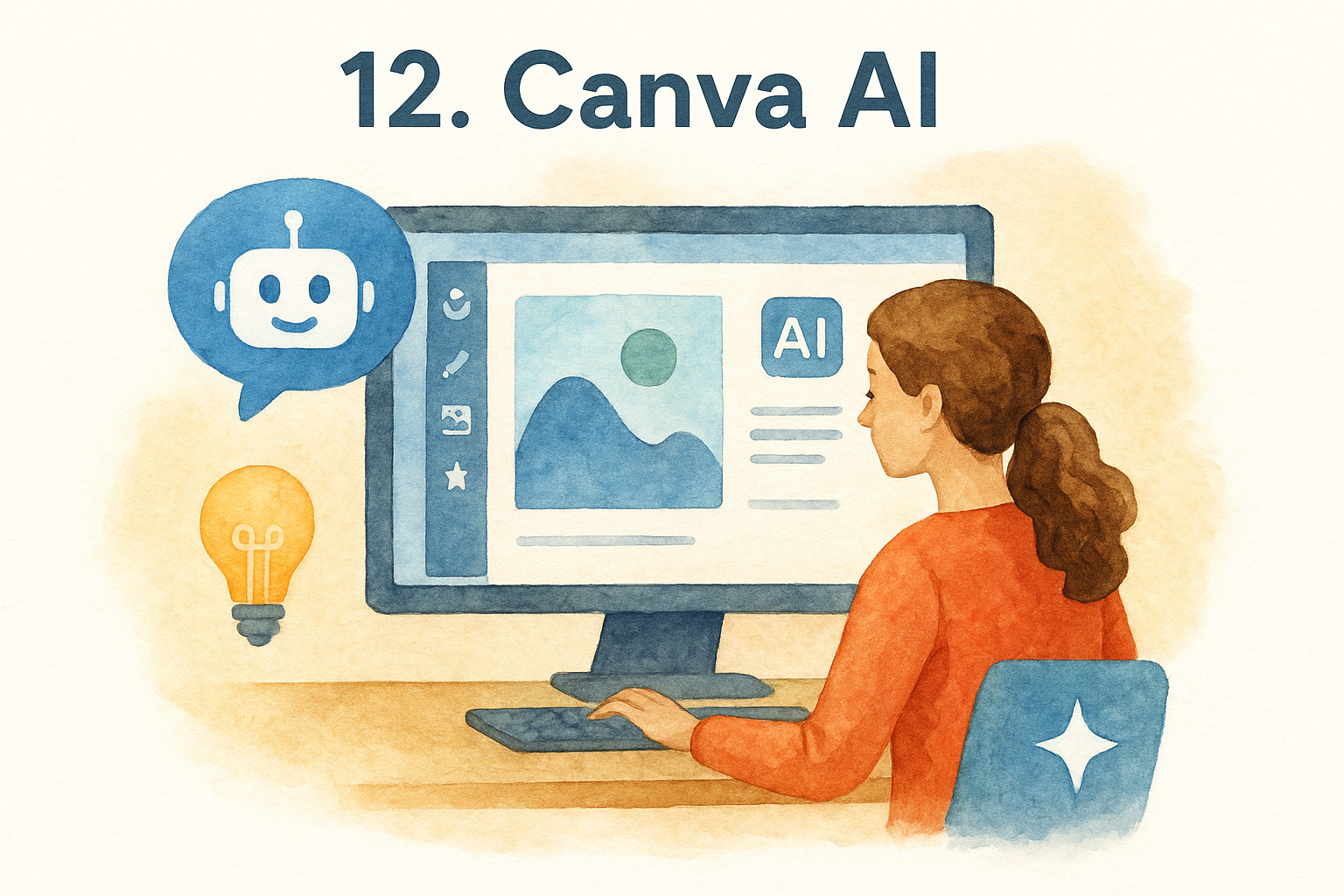
Canva AI integrates artificial intelligence capabilities into the visual design platform millions of teachers already use for creating classroom materials, presentations, and student-facing resources. You access AI-powered features directly within Canva’s interface that generate images, write text, remove backgrounds, and suggest design improvements without leaving your workspace. This integration eliminates the need to switch between multiple tools when creating polished educational materials that engage students and communicate professionally with families.
What it does best
Canva AI excels at generating custom graphics and illustrations from text descriptions when you can’t find suitable images in stock libraries. You type what you need (historical scene visualizations, science concept diagrams, diverse student representations), and the platform creates original images that match your specifications. The tool also transforms basic slide decks into visually appealing presentations by suggesting layouts, color schemes, and design elements that improve readability and student engagement.
Standout features for teachers
The platform offers Magic Write that generates text content for lesson materials, parent newsletters, or student handouts based on your prompts. You also get background removal tools that isolate subjects from images, translation features supporting over 100 languages, and brand kit functionality that maintains consistent formatting across all your classroom materials. Canva’s template library includes thousands of education-specific designs you can customize with AI assistance, making it one of the best AI tools for teachers without graphic design experience.
Canva AI’s design automation transforms amateur classroom materials into professional-quality resources.
Limits and watch-outs
The platform occasionally generates images that contain anatomical inaccuracies or culturally inappropriate elements requiring careful review before classroom use. You’ll find AI-generated text sometimes lacks subject-specific accuracy or grade-appropriate vocabulary, necessitating your expertise to ensure educational quality meets curriculum standards.
Pricing and access
Canva offers a free tier with limited AI generation credits monthly. Canva Pro costs $120 annually for individual teachers and includes unlimited AI features plus premium templates and storage.
13. Adobe Express
Adobe Express combines AI-powered design tools with video and animation capabilities in a platform that competes directly with Canva while leveraging Adobe’s professional creative suite expertise. You access simplified versions of Photoshop, Premiere, and Illustrator features through an intuitive interface designed for non-designers creating classroom content. The platform targets teachers who need polished visual materials without mastering complex professional software or spending hours on design fundamentals.
What it does best
Adobe Express excels at creating quick social media graphics, posters, and short videos for classroom announcements, student recognition, or parent communication. You select from thousands of templates designed by professional creators, then customize them using AI text generation, automatic background removal, and smart layout suggestions. The platform maintains higher design standards than generic template tools because Adobe’s professional design principles inform every automated suggestion and layout recommendation.
Standout features for teachers
The platform offers generative AI that creates custom graphics from text prompts and automatically resizes designs for different formats without manual adjustments. You also get Adobe Firefly integration that generates commercially safe images trained on licensed content, reducing copyright concerns when creating classroom materials. Video editing tools include automatic captioning and music synchronization that transform basic footage into engaging student presentations, making it among the best AI tools for teachers building multimedia content.
Adobe Express bridges professional design capabilities with classroom accessibility through intelligent automation.
Limits and watch-outs
The platform requires Adobe account creation and data sharing that some districts restrict due to privacy policies. You’ll find the free tier limits monthly AI generations and template access, pushing you toward paid plans faster than competitors offer.
Pricing and access
Adobe Express offers a free tier with basic features and limited AI credits. Premium plans cost approximately $100 annually for individual users and include unlimited AI generations plus access to Adobe’s stock library.
14. Snorkl
Snorkl focuses on creating interactive learning experiences that transform passive content consumption into active student participation through AI-generated activities, quizzes, and engagement tools. You upload your teaching materials (videos, articles, presentations), and the platform analyzes the content to generate interactive elements students complete while learning rather than afterward. This approach addresses the attention challenge that plagues traditional lecture formats by embedding accountability checkpoints throughout instruction.
What it does best
Snorkl excels at converting existing video content into interactive lessons with embedded questions, reflection prompts, and knowledge checks that appear at strategic intervals. You take any educational video (your recordings, YouTube content, documentary clips) and Snorkl inserts pause points that require student responses before proceeding. The platform tracks completion and performance data, giving you immediate insight into which students engaged with materials and where comprehension gaps exist without manual grading.
Standout features for teachers
The platform offers real-time analytics dashboards that display student progress through assigned interactive content during class or at home. You also get automatic differentiation that adjusts question difficulty based on student response patterns, providing scaffolded support for struggling learners. Snorkl’s collaborative features let students work through interactive content in pairs or groups while you monitor participation levels, making it one of the best AI tools for teachers implementing blended learning models.
Snorkl’s embedded accountability transforms passive viewing into active learning that you can measure.
Limits and watch-outs
The platform requires students to access technology during lessons, which creates equity concerns in schools with limited device availability. You’ll find content creation takes upfront time investment despite AI assistance for question generation.
Pricing and access
Snorkl offers school-based pricing requiring institutional purchases. Individual teachers contact Snorkl directly for pilot programs or classroom access. Pricing varies based on student count and feature selection.
15. Curipod
Curipod transforms static presentations into interactive learning experiences that embed polls, open-ended questions, word clouds, and drawing activities directly into your slide decks. You build lessons that require active student participation at predetermined intervals rather than passive listening for entire class periods. The platform combines AI content generation with real-time engagement features that give you immediate insight into student understanding and participation patterns without manual data collection.
What it does best
Curipod excels at generating complete interactive lesson presentations from simple topic inputs or curriculum standards. You type your lesson objective, select grade level and subject, and the platform creates slide decks with embedded engagement activities positioned strategically throughout instruction. The tool understands pedagogical pacing, inserting knowledge checks and reflection prompts at intervals that maintain attention without disrupting learning flow. You get ready-to-teach materials that transform teacher-centered lectures into student-centered experiences.
Standout features for teachers
The platform offers AI-powered feedback on student responses submitted through open-ended questions and drawing activities during lessons. You also get real-time moderation controls that let you review student submissions before displaying them to the class, preventing inappropriate content from appearing on your projector. Curipod’s analytics dashboard tracks individual participation rates and response quality, helping you identify students who need additional support or encouragement to engage with classroom discussions, making it among the best AI tools for teachers implementing active learning strategies.
Curipod’s embedded activities transform one-way presentations into two-way conversations you can measure.
Limits and watch-outs
The platform requires reliable internet connectivity and student devices for full functionality, creating equity challenges in schools with limited technology access. You’ll find AI-generated presentations sometimes include activities that don’t align with your specific teaching style, requiring customization before classroom use.
Pricing and access
Curipod offers a free tier with limited monthly AI generations and access to core interactive features. Premium plans cost approximately $100 annually for individual teachers and include unlimited AI lesson creation plus advanced analytics and customization options.
Next steps
You now have 15 vetted AI tools that address real classroom challenges, from grading essays to creating differentiated materials. The key to success isn’t adopting every platform on this list but identifying which two or three tools solve your most pressing time drains. Start with free tiers to test capabilities without financial risk, then expand to paid versions once you’ve confirmed genuine workflow improvements.
These best AI tools for teachers work best when you remember they’re assistants, not replacements for your professional judgment. You’ll always need to review outputs, adjust for your specific students, and inject the personal touch that makes teaching effective. The goal isn’t perfection but reclaiming hours you currently spend on administrative tasks so you can focus on what drew you to teaching in the first place.
Ready to explore more strategies for transforming your classroom? Visit The Cautiously Optimistic Teacher for additional resources, practical teaching tips, and access to free AI tools designed specifically for educators like you.