10 Free Lesson Plan Templates for Teachers to Customize
You’ve got a prep period, a curriculum map, and forty minutes before your next class walks in. The last thing you need is to build a lesson plan format from scratch. If you’ve been searching for a lesson plan template for teachers that’s actually ready to use, not another blank grid you have to fuss with, you’re in the right place.
This roundup gives you templates you can download right now, drop into Google Docs or Word, and start filling in tonight. No sign-up walls, no bloated formatting, just editable structures that hold your objectives, materials, and assessment plans without extra work. Whether you need something for a quick daily lesson or a detailed unit outline, there’s a format here that fits.
Below, you’ll find ten templates covering different teaching styles, from UDL-friendly layouts to simple single-page formats for substitute plans. Each one includes what it’s best for and how to adapt it for your grade level, so you can stop reinventing your planning process every week and get back to actual teaching.
1. Our UDL lesson plan template
Universal Design for Learning asks you to plan for variability from the start instead of retrofitting accommodations after a lesson flops. Our UDL lesson plan template builds that thinking directly into the structure, so you’re prompted to consider the three UDL principles of engagement, representation, and action/expression every time you sit down to plan, not just when you remember to. It’s the template we use ourselves at The Cautiously Optimistic Teacher, and you can see the full UDL lesson plan template with an example and free PDF if you want the reasoning behind each section.
Best for
This format suits teachers working in inclusive classrooms where students have a wide range of reading levels, processing speeds, and attention spans, which by now is basically every classroom. It works especially well for middle and high school teachers juggling IEPs, 504 plans, and English language learners in the same period. If you’ve ever written one lesson and then quietly built three versions of it in your head, this template collapses that extra work into a single planning document.
What’s included
The template is organized into clearly labeled sections so you’re not hunting for where to put what:
- Learning objective and standard alignment, written in plain language
- Multiple means of engagement, with prompts for choice, relevance, and self-regulation strategies
- Multiple means of representation, covering visual, auditory, and text-based delivery options
- Multiple means of action and expression, listing at least two ways students can demonstrate mastery
- Materials and technology checklist
- Formative assessment checkpoint, built in mid-lesson rather than tacked on at the end
- Differentiation notes for specific student groups (IEP, 504, ELL, gifted)
A UDL template earns its keep the moment you stop writing separate plans for the same lesson.
How to customize it
Start by filling in your standard and objective first, then work through the three UDL columns in order rather than skipping to the assessment section. Teachers who try to backfill the engagement and representation boxes after writing the whole lesson tend to leave them thin, which defeats the point.
Once you’ve got the basics down, adjust the template to match your own routine:
- Duplicate the file in Google Docs or Word before editing so you keep a clean master copy.
- Shrink or expand the differentiation notes box depending on your class roster. A section with five IEP students needs more room than one with none.
- Swap the assessment checkpoint for whatever formative tool you already use, such as exit ticket ideas, quick polls, or thumbs-up checks.
- Color-code the three UDL columns if you’re a visual planner. It takes two minutes and makes the plan easier to scan during the lesson itself.
- Save a subject-specific copy for each prep you teach, since a science lab plan and a literature discussion plan will pull different materials and engagement strategies even inside the same template.
According to guidance from the U.S. Department of Education’s Office of Special Education Programs, building flexibility into instruction from the outset reduces the need for retroactive accommodations, which is exactly what this template is designed to do. Once you’ve customized it for one unit, reusing it for the next one takes minutes instead of a whole planning period.
2. Blank universal lesson plan template
Sometimes you don’t need UDL prompts or subject-specific fields, you just need a clean, flexible framework that stays out of your way. A blank universal lesson plan template gives you the standard sections (objective, materials, procedure, assessment) without any built-in assumptions about grade level or teaching style. It’s the format to grab when you want structure without steering.
Best for
This version works best for generalist teachers who move between subjects or grade levels and need one format that flexes with them. Elementary teachers covering multiple content areas in a single day, long-term substitutes, and student teachers building a portfolio all benefit from a template that doesn’t lock them into one pedagogy. It’s also the right pick if you’re mentoring a new teacher and want them to build planning habits before layering on frameworks like UDL or Bloom’s taxonomy.
A blank template isn’t a lack of structure, it’s structure that hasn’t decided what to teach yet.
What’s included
The layout keeps things minimal on purpose, with just enough scaffolding to organize your thinking:
- Lesson title and standard reference
- Objective statement, one sentence, measurable
- Materials list
- Procedure section, broken into opening, instruction, practice, and closing
- Assessment or exit check
- Notes field for reflections after teaching
There’s no built-in differentiation column and no subject-specific prompts beyond the essential lesson plan components, which is exactly the point. You add what your lesson needs instead of working around fields that don’t apply.
How to customize it
Treat this template as a starting skeleton rather than a finished form. Use these steps to shape it around your teaching context:
- Rename the procedure subsections to match your instructional model, whether that’s a workshop format, a gradual release model, or a lab rotation.
- Add a differentiation row manually if your roster calls for it, borrowing language from a more detailed template if needed.
- Insert a timing column next to each procedure step if you tend to run over on transitions.
- Duplicate it once per unit rather than reusing a single file, so your notes field stays useful for reflection instead of getting overwritten.
Unlike heavier formats, this one rewards teachers who already know their routine and just need a container to hold it.
3. Daily lesson plan template
Some days call for less architecture and more speed. A daily lesson plan template strips the format down to what you need for a single class period: a clear, measurable objective, materials, procedure, assessment, done. It’s built for the reality that you’re often planning tomorrow’s lesson tonight, between grading and dinner, not drafting a semester-long masterpiece.
Best for
This format suits teachers planning one period at a time, whether that’s because your district requires daily plans on file, you’re covering for a colleague, or you just think better in single-day chunks than sprawling units. It’s also the template new teachers lean on their first year, since a single-day format keeps the cognitive load low while you’re still learning pacing and classroom management. Substitute teachers benefit too, since a plan built for one day reads clearly to someone walking into your room cold.
A daily template exists so you can plan fast without planning sloppy.
What’s included
The structure fits on a single page, which is the whole point:
- Date and class period
- Standard and objective, one line each
- Warm-up or bell ringer
- Direct instruction notes
- Guided and independent practice
- Closing or exit ticket
- Homework or next-day carryover
Nothing here assumes a multi-day arc. Each field is scoped to what happens between the bell and dismissal.
How to customize it
Adjust the daily format based on how your periods actually run:
- Add time stamps next to each section if your periods are short and transitions eat into instruction time.
- Swap the homework field for a "parent communication" note if you teach younger grades where homework isn’t standard.
- Duplicate one file per week rather than per day, stacking five day-plans in a single document so you can scroll back and see the week’s flow at a glance.
- Highlight the objective line in a bright color if you’re printing plans for a sub folder, so a substitute can find the goal of the lesson in seconds.
This template works best when you resist the urge to cram unit-level detail into it. Save the bigger picture for the weekly or monthly formats below.
4. Weekly lesson plan template
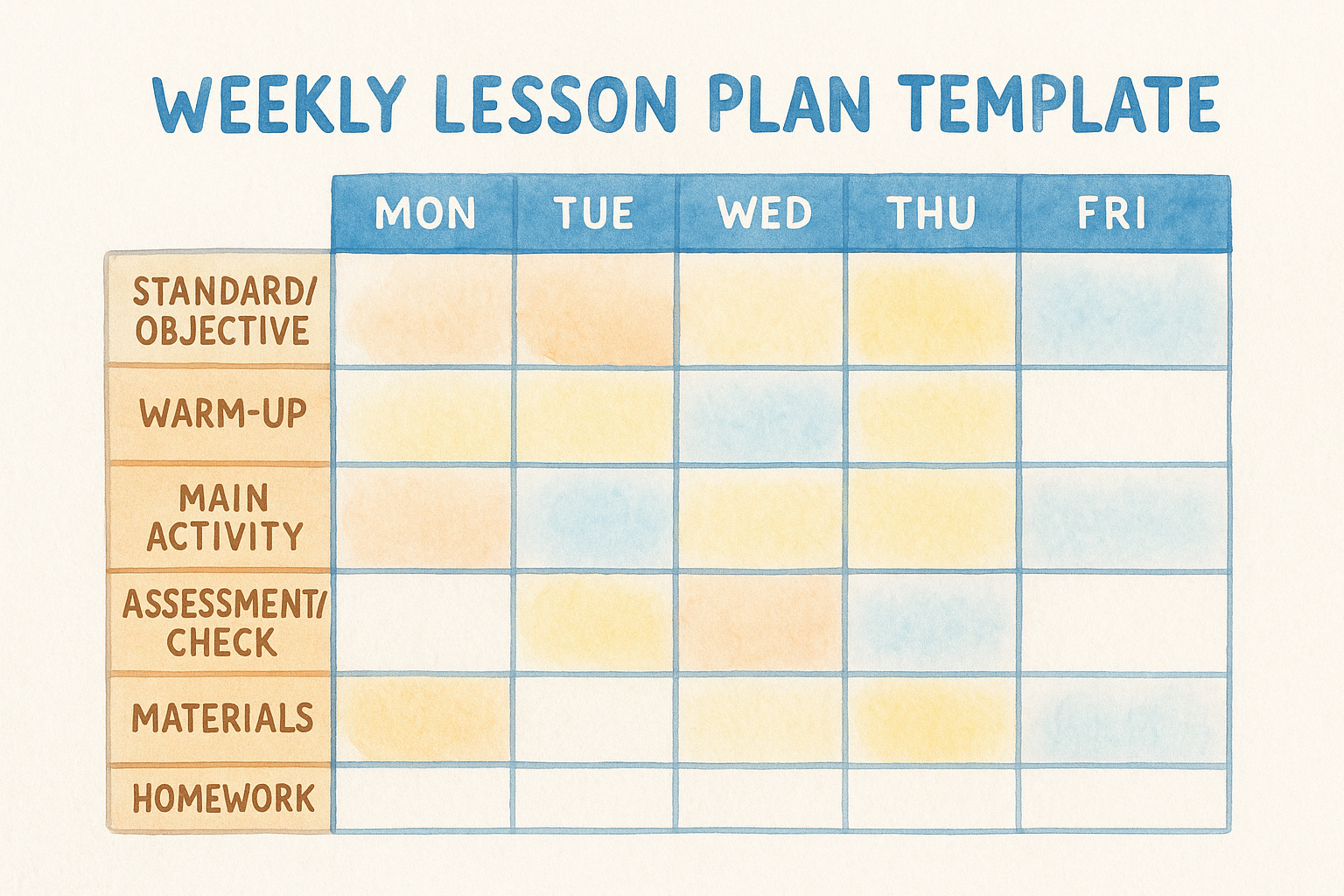
A week is the sweet spot for planning. It’s long enough to see how Monday’s introduction connects to Friday’s quiz, but short enough that you’re not guessing what your class will look like six weeks out. A customizable weekly lesson plan template lays all five days side by side, usually in a grid, so you can spot gaps and repetition before they become a problem in front of students.
Best for
This format works best for teachers who plan in cycles rather than single periods, especially anyone teaching the same course multiple times a day. Middle school teams that meet for common planning lean on this format because it’s easy to share across a grade level. It’s also the template administrators tend to ask for when they want visibility into your pacing without requiring a full unit binder.
A weekly grid turns five separate lessons into one visible pattern you can actually manage.
What’s included
Most weekly templates use a table with days across the top and instructional categories down the side:
| Field | Purpose |
|---|---|
| Standard/objective per day | Keeps each day tied to a measurable goal |
| Warm-up | Quick entry task for each class period |
| Main activity | Core instruction or task for the day |
| Assessment/check | Formative check tied to that day’s objective |
| Materials | Supplies or handouts needed that day |
| Homework | Carryover work, if assigned |
Having all five days in one view makes it obvious if Wednesday is overloaded while Friday is thin, something a stack of daily plans hides.
How to customize it
Build the week around your actual schedule rather than a generic five-day grid:
- Merge cells for any multi-day project so the template reflects reality instead of forcing artificial daily breaks.
- Add a color key for different class periods if you teach the same course to multiple sections with slightly different pacing.
- Insert a standards row at the top so you can confirm coverage across the week at a glance.
- Leave Friday flexible, since review days and quizzes tend to shift based on how the week actually goes.
Once the grid fits your rhythm, duplicating it each Sunday night takes far less time than rebuilding five separate daily plans.
5. Monthly lesson plan template
Zoom out far enough and you can see the whole unit coming together instead of just the week in front of you. A monthly lesson plan template maps four or five weeks at once, usually by week rather than by day, so you can track pacing against your curriculum calendar and spot the weeks where testing, holidays, or assemblies are going to eat into instructional time before they sneak up on you.
Best for
This layout suits department heads and curriculum leads who need to show pacing across a grading period without drowning in daily detail, and it pairs naturally with a curriculum design template download. It also works well for teachers building toward a big project or exam, since a month-long view makes it obvious whether you’ve left enough runway between introducing a concept and assessing it. Veteran teachers who’ve taught a course for years often prefer this format because they already know the daily rhythm and just need the monthly skeleton to hang it on.
A monthly view catches pacing problems a weekly grid is too close to see.
What’s included
Most monthly templates trade daily detail for a broader structure:
- Month and grading period header
- Week-by-week breakdown, four or five rows depending on the calendar
- Unit or topic label for each week
- Major assessments row, flagging quizzes, tests, and project deadlines
- Standards coverage checklist
- Notes column for holidays, early releases, or district testing windows
This format deliberately leaves daily instruction out. You still need the weekly or daily template alongside it for actual classroom delivery.
How to customize it
Adjust the monthly grid to match your school’s calendar rather than a generic four-week block:
- Import your district’s testing dates first, then build instruction around them instead of discovering conflicts mid-month.
- Color-code weeks by unit if you’re teaching more than one topic in the same month.
- Add a review week manually before major assessments, since most templates don’t include one by default.
- Link each week’s row to your weekly or daily template if you’re working digitally, so clicking through takes you straight to the detail.
Once the month is mapped, filling in daily plans becomes a matter of execution, not guesswork.
6. Special education and IEP lesson plan template
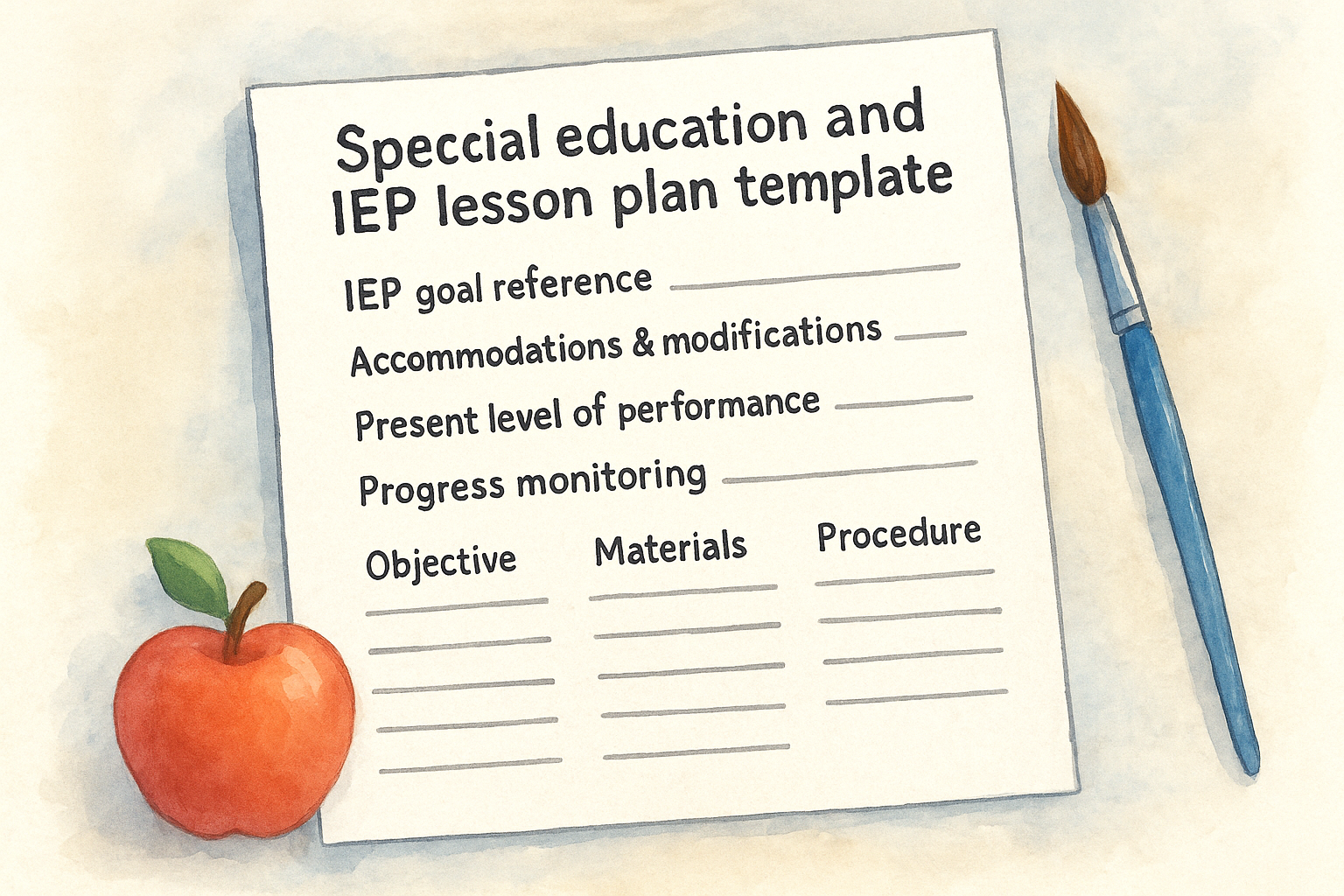
Writing a lesson that serves a student’s IEP goals alongside the rest of the class takes more than a standard objective line. A special education and IEP lesson plan template builds in space for accommodations, modifications, and progress monitoring so you’re not scribbling notes in the margins of a generic form, which is the heart of aligning lessons to IEP goals. It keeps you accountable to the goals written in each student’s plan while still functioning as a real, teachable lesson for the day.
Best for
This format is built for special education teachers, resource room staff, and co-teachers working in inclusion classrooms who need documentation that holds up to review. It also suits general education teachers with one or two students on IEPs who want a single lesson plan template for teachers that tracks accommodations without duplicating paperwork. If you’re preparing for an IEP meeting or an audit, this template doubles as evidence that instruction actually matched the plan on paper.
An IEP-aligned template turns legal paperwork into something you can actually teach from.
What’s included
The layout adds documentation fields most general templates skip entirely:
- IEP goal reference, tied directly to the student’s current objectives
- Accommodations and modifications list, separated so you don’t confuse the two
- Present level of performance notes
- Progress monitoring data field, for quick daily or weekly tracking
- Related service coordination notes, for speech, OT, or counseling overlap
- Standard lesson sections, including objective, materials, and procedure
How to customize it
Start by pulling the exact language from each student’s IEP goals rather than paraphrasing, since accuracy matters if the document gets reviewed. From there, shape the template around your caseload:
- Duplicate one section per student if you’re tracking multiple IEPs in the same class period.
- Color-code accommodations by type (testing, behavior, sensory) for faster scanning.
- Add a case manager column if paraprofessionals or related service providers need visibility into the plan.
Pair it with one of the AI tools built for special education teachers, like our Differentiated Instruction Helper, when you need to tailor the same lesson to several ability levels at once.
7. Preschool and kindergarten lesson plan template
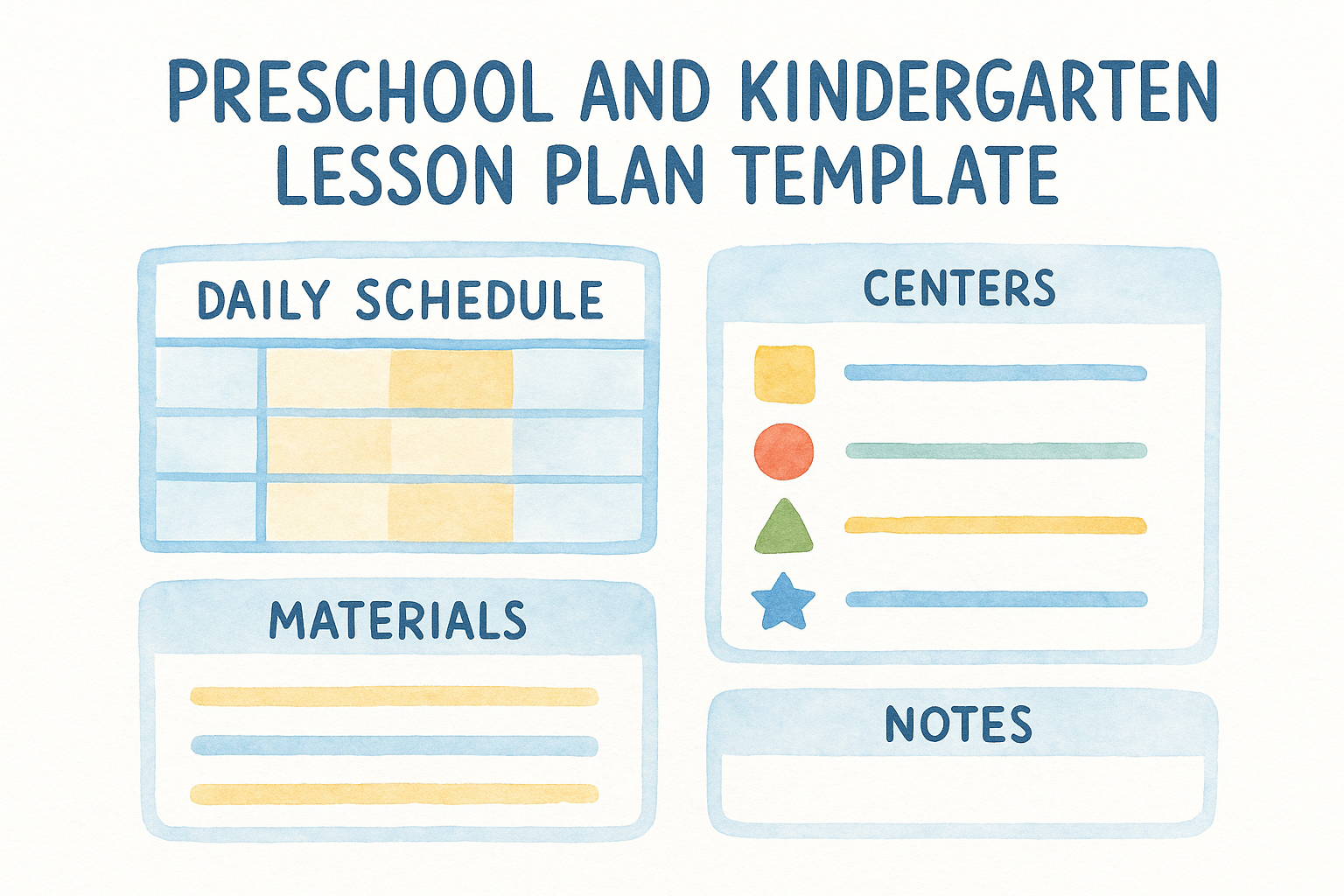
Young learners don’t sit still for a standard objective-and-procedure format, so a preschool and kindergarten lesson plan template trades those sections for play-based structure, movement-based learning activities, and transition cues. Instead of a single 50-minute block, this format breaks the day into short rotations, since attention spans at this age run in minutes, not periods. It’s built around centers, circle time, and the small routines that make up an early childhood classroom, which is exactly what a general lesson plan template for teachers working with older students doesn’t account for.
Best for
This layout suits early childhood educators managing centers, free play, and small-group instruction within the same 30 to 60 minutes. Preschool and kindergarten teachers juggling multiple developmental domains, literacy, motor skills, social-emotional growth, benefit from a format that tracks all three without forcing them into a single academic objective line. It also works well for co-teachers and classroom aides who need a shared reference for who’s leading which rotation.
Young children don’t learn in one block of time, so their lesson plan shouldn’t either.
What’s included
The template swaps traditional sections for ones that match how a preschool day actually runs:
- Daily schedule grid, broken into 10 to 20 minute blocks
- Center rotation chart, listing the activity and adult supervising each one
- Developmental domain tags (literacy, math, motor, social-emotional) attached to each activity
- Materials and sensory prep list
- Transition and clean-up cues
- Observation notes field, for tracking individual milestones informally
How to customize it
Build the schedule around your actual room setup rather than a generic template default:
- Label each center by name (block corner, sensory table, art station) instead of generic terms, so aides and substitutes know exactly where to stand.
- Add icons or color blocks next to each activity if your students are pre-readers, since visual cues help them follow the schedule too.
- Shorten or lengthen rotations based on your group’s actual stamina, adjusting week to week as needed.
- Use the observation field to jot quick milestone notes you can fold into parent conferences later.
A template built for this age group saves you from forcing four-year-olds into a format meant for a much older classroom.
8. Subject-specific lesson plan template
A generic grid works fine until you’re teaching a Socratic seminar on Lord of the Flies or a lab on cellular respiration, and suddenly the standard fields feel like they’re missing half of what you actually need. A subject-specific lesson plan template builds in the vocabulary, structure, and assessment style that a particular discipline actually uses, so English teachers get a space for close reading and Socratic questions while science teachers get one for hypothesis, procedure, and data analysis. It’s less about a single format and more about a family of templates, each shaped around how each subject is really taught.
Best for
This version suits department-level teachers who’ve moved past general planning and want a format that matches their content area’s actual demands. English teachers running discussion-based units, like our To Kill a Mockingbird unit plan or Greek Mythology unit, need room for text evidence and thematic questions that a science lab format doesn’t include. Science and math teachers, meanwhile, need fields for materials safety, procedure steps, and problem sets that an English template skips entirely.
A subject-specific template stops forcing a lab report and a class discussion into the same four boxes.
What’s included
Each subject version swaps in fields matched to how that discipline is taught:
- English/language arts: text citation prompts, discussion questions, writing checkpoint
- Science: hypothesis, materials/safety notes, procedure, data analysis section
- Math: worked example, guided problems, independent practice set
- Social studies: primary source excerpt, discussion or debate prompt, timeline reference
Every version still keeps the core objective, materials, and assessment fields, just reorganized around subject-specific priorities.
How to customize it
Start with the version closest to your subject, then adjust the fields to match your specific unit rather than your whole department’s default:
- Swap the discussion prompt field for a lab procedure box if you’re covering a hands-on unit within an otherwise discussion-heavy course.
- Add a vocabulary bank for units introducing heavy new terminology, like mythology names or scientific processes.
- Pair it with a unit planning template so daily lessons stay tied to the bigger arc instead of drifting from it.
Once built, this format saves you from retrofitting a general template every single unit.
9. Google Docs and Canva editable templates
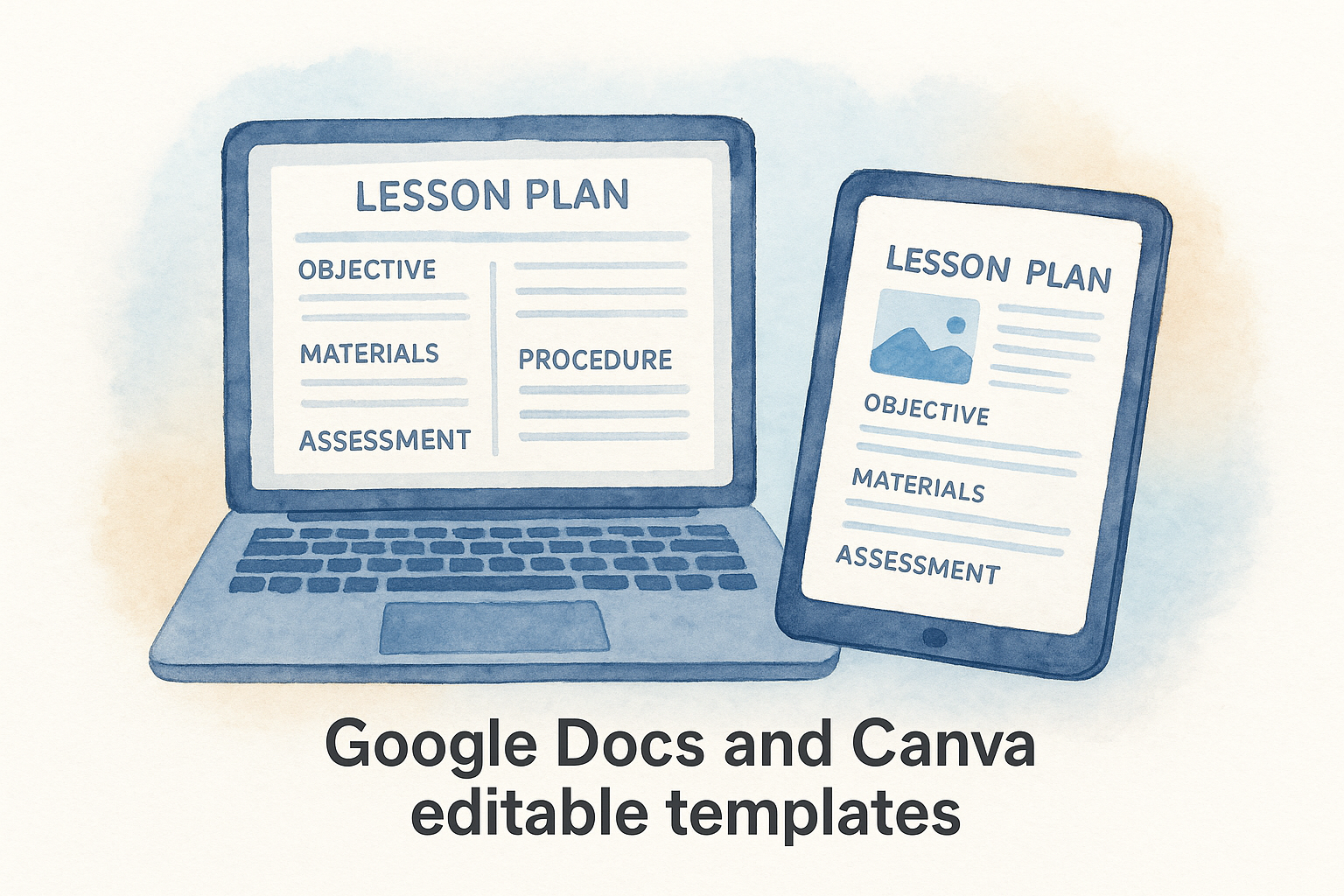
Format matters as much as content once you’re sharing plans with a team or pulling them up on a laptop between classes. Google Docs lesson plan templates and Canva versions solve a problem the printable PDFs above don’t: real-time editing, cloud storage, and layouts that actually look good when you’re building something to share with parents or post in a virtual classroom. These aren’t a replacement for the structural templates already covered, they’re a delivery format, letting you take any of the previous nine and make them collaborative.
Best for
This option suits teachers who plan digitally and want their lesson plans accessible from a phone, a school laptop, or a home computer without emailing files back and forth. It’s especially useful for grade-level teams sharing one planning document, department chairs who need visibility into what everyone’s teaching that week, and anyone who wants a plan that looks polished enough to hand a principal or share with a substitute without extra formatting work.
A cloud-based template means your lesson plan updates itself the moment you do, no version-control headaches required.
What’s included
Most editable versions carry over the same core fields, objective, materials, procedure, assessment, but add features specific to the platform:
- Comment and suggestion tools, so co-teachers can leave feedback directly on the plan
- Drag-and-drop image blocks, useful for visual subjects or younger grades
- Shareable links with view or edit permissions, controlled per document
- Built-in version history, so you can see what changed and roll back if needed
How to customize it
Start by duplicating the template into your own Google Drive or Canva account before editing, so the original stays intact for next term. From there, adjust the sharing settings to match how your team actually works, view-only for administrators, edit access for co-teachers, and comment-only for student teachers observing your planning process. Swap in your school’s color scheme or logo if you’re sharing plans outside your classroom, since a little polish goes a long way when a parent or principal opens the file.
10. AI-generated lesson plan template
Sometimes the fastest lesson plan template for teachers isn’t a template at all, it’s a prompt. A free lesson plan generator now builds a full lesson structure in seconds when you feed it a topic, grade level, and standard, then lets you edit the output instead of starting from a blank page. Our own Differentiated Instruction Helper works this way, generating a lesson skeleton you can reshape for your specific class rather than adapting a generic form to fit.
Best for
This approach suits teachers short on planning time who still want a customized starting point rather than a one-size-fits-all grid. It works especially well for substitute coverage, last-minute unit changes, or any week where three preps collide and you need a draft fast. New teachers also lean on AI generation to see what a solid lesson structure looks like before they’ve built their own planning instincts.
An AI-generated plan isn’t the finished product, it’s the first draft you’d otherwise spend an hour writing yourself.
What’s included
Most AI-generated outputs include the same core sections you’d expect from a manual template, just populated automatically:
- Standard and objective, matched to your grade level and subject
- Warm-up and hook activity, suggested based on topic
- Instructional sequence, broken into teachable chunks
- Differentiation suggestions, for advanced and struggling learners
- Assessment ideas, tied back to the stated objective
- Editable text throughout, since none of it is locked
How to customize it
Treat the AI output as a rough draft, not a finished lesson, and follow a step-by-step process for using AI in lesson planning. Run through these steps before you teach from it:
- Verify every standard reference against your state curriculum, since AI tools sometimes cite outdated or mismatched codes.
- Rewrite the objective in your own classroom language if the generated version reads generic.
- Swap in materials you actually have, replacing any suggested resources that don’t match your supply closet.
- Add your own formative check, since generated assessment ideas often need sharpening for your specific class.
Used this way, AI generation shortens the blank-page problem without replacing your judgment about what your students actually need.
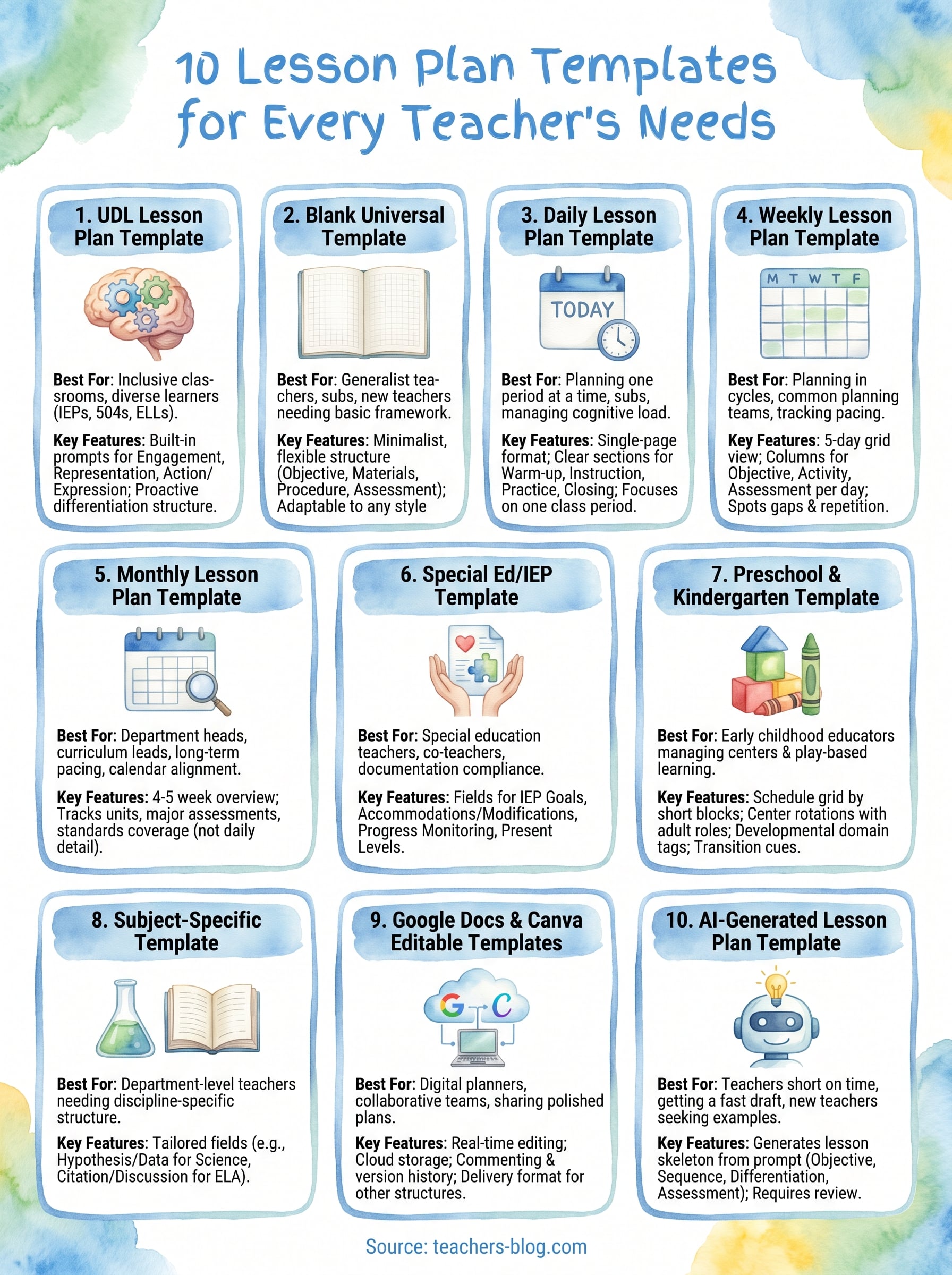
Choosing the right template for your classroom
No single lesson plan template for teachers works for every subject, grade level, or Tuesday afternoon. The right pick depends on what you’re actually planning: a single class period, a full unit, or a format that holds up to an IEP review. Start with whichever template matches your most common planning task, then borrow fields from the others as your needs shift week to week.
Templates only save time once you stop rebuilding them from scratch every term. Pick one, customize it fully, and reuse that same structure until it stops fitting your classroom. That’s the whole point of a reusable planning system: less time formatting, more time actually teaching.
If you want templates that already reflect how real classrooms run, browse the 20 free lesson planning templates for easy classroom prep at The Cautiously Optimistic Teacher and grab whichever one fits your week.