7 Exit Ticket Ideas For Teachers With Quick Lesson Feedback
You’ve got three minutes left in class, and you’re not entirely sure if your students actually understood the lesson, or if they just nodded along convincingly. That’s exactly where exit ticket ideas for teachers come in. A quick, focused check-in at the end of a lesson gives you real data on student understanding before they walk out the door, so you’re not guessing when you plan tomorrow’s class.
The problem? The same old "write three things you learned" prompt gets stale fast, for you and your students. When exit tickets feel like busywork, the responses you get back are useless. You need options that are quick to set up, easy to review, and actually tell you something worth knowing. That’s the kind of practical, classroom-ready strategy we focus on here at The Cautiously Optimistic Teacher.
Below, you’ll find seven exit ticket formats that go beyond the basics, including specific prompts you can use tomorrow, digital tools worth your time, and analog activities that don’t require a printer or a prayer. Each one is designed to give you fast, meaningful feedback without eating into your already-packed schedule.
1. AI Exit Ticket Prompt Generator
If you’ve ever stared at a blank screen trying to write a fresh exit ticket prompt at the end of a long day, an AI prompt generator cuts that time to seconds. Tools like ChatGPT let you describe your lesson objective, and you get a ready-to-use question tailored to your specific content and grade level.
Why it works for quick lesson feedback
AI-generated exit tickets work because they match the specific language and concept you just taught, rather than relying on a generic template. When the question connects directly to your lesson, students cannot just copy something from the board. They have to actually process what they learned and articulate it.
The more specific your prompt to the AI, the more targeted and useful your exit ticket becomes.
How to run it in the last 2 minutes
Before class ends, pull up your AI tool and type in your learning objective. Ask it to generate one focused exit ticket question at the right complexity level for your students. Write the question on the board or drop it into your digital platform, then give students 90 seconds to respond in writing or out loud.
Prompt examples to generate and reuse
You can use inputs like: "Write one exit ticket question for 8th graders who just learned about the causes of World War I" or "Give me a short exit ticket for a high school math class that just finished solving two-step equations." Save the AI-generated questions that land well in a shared doc so you can reuse and refine them each year without starting from scratch.
How to review fast and act on the data
Sort student responses into three quick piles: got it, almost there, and needs reteaching. This three-pile system takes about five minutes and gives you a clear picture of where to start the next day. Use those results to adjust your lesson opener, whether that means a brief review or moving the class forward with confidence.
Best fit by grade level and subject
This approach fits within any list of exit ticket ideas for teachers because it works across all grade levels and subjects. Middle and high school teachers in science, social studies, and ELA find that specific, concept-driven questions reveal gaps that broad or recycled prompts consistently miss.
2. One-Sentence Takeaway with Evidence
This format asks students to write one sentence that states the main idea from the lesson AND backs it up with a specific example or detail. That combination forces active processing, not passive recall, which gives you far more useful information than a simple summary.
Why it works for quick lesson feedback
Writing one sentence forces concise, precise thinking. Students cannot hide behind vague answers when they must pair a claim with actual supporting evidence pulled directly from the lesson content.
How to run it in the last 2 minutes
Write the prompt on the board and give students 90 seconds to respond. Collect index cards as they leave, or have them drop a response in a shared class document before the bell rings.
Keep the constraint firm: one sentence only. Longer responses dilute the evidence and slow down your review time significantly.
Prompt examples to generate and reuse
- "Write one sentence explaining [concept] and include one example from today’s lesson."
- "In one sentence, state what [term] means and show how it connects to [context we discussed]."
How to review fast and act on the data
Scan for the evidence half of each sentence. Missing or weak evidence flags a specific comprehension gap you can address in tomorrow’s warm-up without reteaching the full lesson.
Best fit by grade level and subject
Among the exit ticket ideas for teachers in this list, this one works especially well in ELA, science, and social studies at the middle and high school level, where linking claims to evidence is a foundational skill students practice repeatedly.
3. Muddiest Point Plus Next Step
This format asks students to identify the one concept that confused them most during the lesson and then write one concrete action they will take to clarify it. Combining confusion identification with a student-driven next step turns a simple check-in into a metacognitive exercise that builds more independent learners over time.
Why it works for quick lesson feedback
When students name their muddiest point, they must reflect on their own understanding rather than just recall facts. That reflection surfaces specific gaps you would not catch with a broad or general comprehension question.
How to run it in the last 2 minutes
Write two prompts on the board: "My muddiest point today was…" and "My next step to fix it is…" Give students 60 to 90 seconds to respond on a sticky note, index card, or shared Google Form before they leave.
Collecting the "next step" response matters just as much as the confusion itself because it shows you how students think about addressing their own gaps.
Prompt examples to generate and reuse
These reusable sentence starters give students a clear structure to follow without overthinking the format:
- "My muddiest point today was [concept]. My next step is to [action]."
- "I’m still unclear about [term]. Tomorrow I will [specific strategy]."
How to review fast and act on the data
Sort responses by the most common muddiest point. If more than a third of your class names the same confusion, open the next lesson with a targeted reteach of that concept before moving forward.
Best fit by grade level and subject
Among exit ticket ideas for teachers, this one fits middle and high school students across all subjects, particularly in math and science where procedural confusion is easy to pinpoint and quick to address.
4. Teach It to a Younger Student
This format asks students to explain the lesson concept as if they were teaching it to a younger child. That constraint forces students to strip away surface confusion and prove what they actually understand, which is far harder than answering a direct question.
Why it works for quick lesson feedback
Simplifying a concept requires genuine understanding, not just memorization. Students who struggle to explain an idea in plain terms reveal the exact gap you need to address before tomorrow’s lesson.
Explaining to a younger audience also pushes students to reflect on their own thinking, which builds metacognitive habits over time.
How to run it in the last 2 minutes
Write one prompt on the board and give students 90 seconds to respond on an index card or in a shared document. Keep the audience constraint clear so students know they cannot lean on jargon.
The simpler the explanation, the more it tells you about how deeply a student actually understood the lesson.
Prompt examples to generate and reuse
Start with a clear sentence frame so students jump straight into their explanation rather than stalling on how to begin:
- "Explain [concept] to a younger student who has never heard of it before."
- "How would you describe [term] to your little sibling using only everyday words?"
How to review fast and act on the data
Scan for missing key vocabulary or logic that breaks down mid-explanation. Students who cannot connect the idea clearly show you exactly where reteaching needs to happen before you move forward.
Best fit by grade level and subject
Among exit ticket ideas for teachers, this one fits middle and high school ELA, science, and social studies, where conceptual understanding matters more than procedural steps.
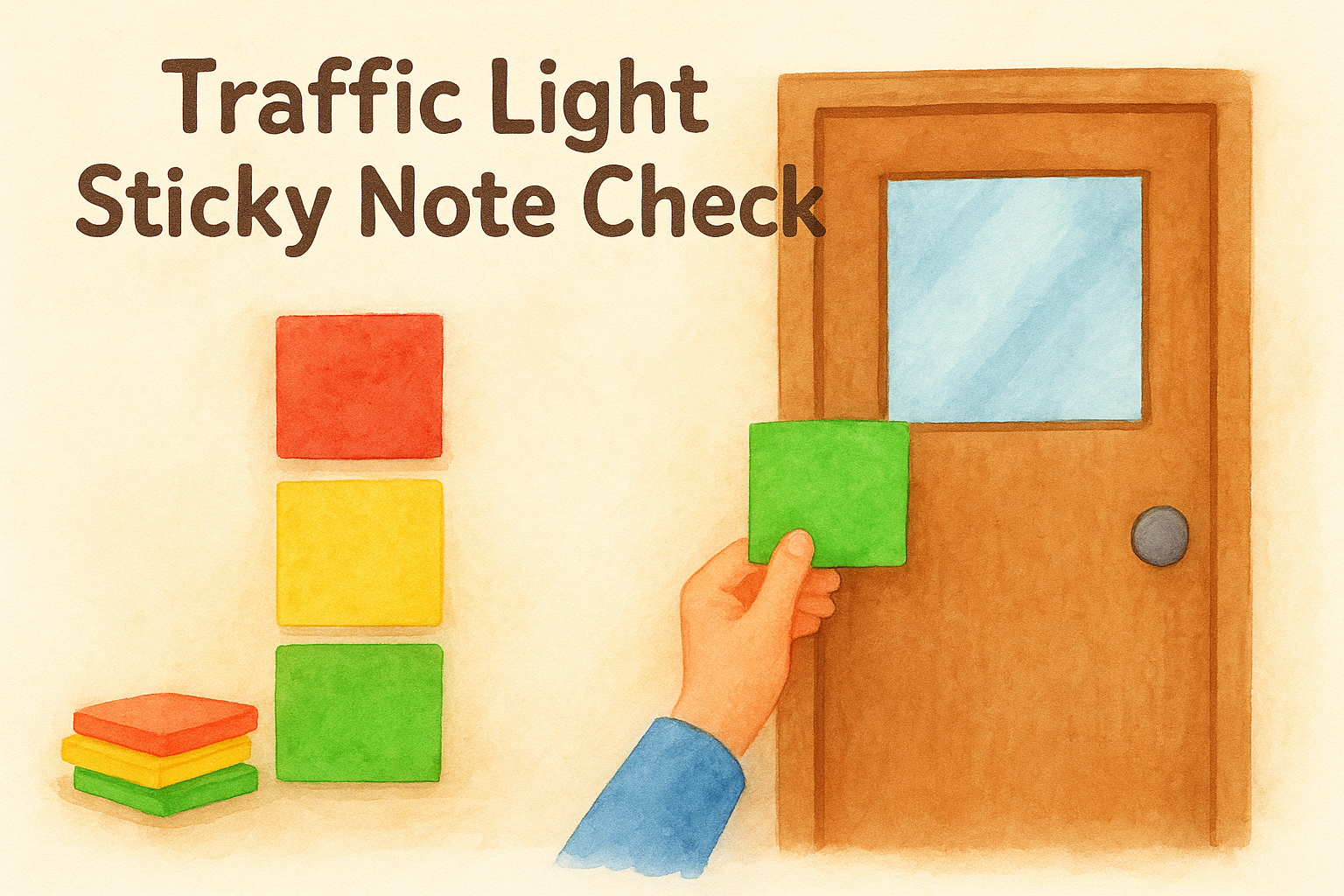
5. Traffic Light Sticky Note Check
This format uses three colored sticky notes (red, yellow, green) to let students signal their confidence level at the end of a lesson. Students write a brief note on the color that matches their understanding and stick it to the door on the way out.
Why it works for quick lesson feedback
The color-coding gives you an instant visual snapshot of class understanding without reading a single word. Even a quick glance at the exit tells you how many students feel stuck before you plan tomorrow’s lesson.
How to run it in the last 2 minutes
Set out three stacks of colored sticky notes near the exit. Students grab one color that matches their confidence and write one sentence before posting it. Green means they’ve got it, yellow means they’re partly there, and red means they need more support.
Posting notes on the door as students leave turns the check-in into a natural exit routine rather than added work.
Prompt examples to generate and reuse
Use these prompts to give students a clear direction for what to write on their chosen color:
- "Write what you understood, what confused you, or what you need reviewed next class."
- "Green: one thing you can explain. Yellow: one question you still have. Red: what you need reteaught."
How to review fast and act on the data
Scan the red and yellow notes first to find the most common confusion. A high stack of red notes tells you your next lesson opener needs to revisit the core concept before moving forward.
Best fit by grade level and subject
Among exit ticket ideas for teachers, this one suits all grade levels and works especially well in hands-on or visual learning environments where a physical action keeps students more invested in their responses.
6. Quick Apply It Scenario
This format gives students a short, real-world scenario and asks them to apply the lesson concept to solve it or explain it. Instead of asking students to recall information, you ask them to use what they learned in a context that mirrors real life, which reveals a much deeper level of understanding than basic recall.
Why it works for quick lesson feedback
Application tasks reveal whether students can transfer knowledge beyond the lesson, which is the truest test of understanding. A student who can work through a new scenario has genuinely internalized the concept rather than just memorized it long enough to answer a direct question.
How to run it in the last 2 minutes
Write a one-sentence scenario on the board that connects directly to your lesson objective. Give students 90 seconds to respond in writing, explaining how the concept applies or what decision they would make based on what they learned.
Keep the scenario short and concrete so students spend their time applying the concept, not decoding a complicated situation.
Prompt examples to generate and reuse
- "A character in a story lies to protect a friend. Use today’s lesson on [theme] to explain what consequence might follow."
- "You find a mystery substance in the lab. Use what we learned about [concept] to identify it."
How to review fast and act on the data
Scan responses for correct application of the core concept rather than perfect writing. Students who misapply the idea reveal exactly the misconception you need to address in your next lesson opener before moving forward.
Best fit by grade level and subject
Among exit ticket ideas for teachers, this one fits middle and high school science, math, and ELA where transferring concepts to new situations is a core skill students practice throughout the year.
7. Two-Minute Digital Pulse Check
This format uses a short digital form (like Google Forms) to collect student responses in the final two minutes of class. Students answer one focused question on their device, and you get instant, organized data before you sit down to plan your next lesson.

Why it works for quick lesson feedback
Digital tools give you organized, searchable responses the moment students submit, which cuts your review time significantly compared to sorting through handwritten cards. You also get automatic tallies on multiple-choice questions, so you can see at a glance how many students mastered the concept versus how many still need support.
A single well-chosen digital question tells you more than five vague open-ended prompts ever will.
How to run it in the last 2 minutes
Set up your form before class starts so you only need to share a link or QR code when the time comes. Students open the form, answer one question in 90 seconds, and submit before they leave.
Prompt examples to generate and reuse
Use one clear question format so students know exactly what to do with the time they have left. These reusable prompts work across most subjects:
- "Rate your confidence with [concept] from 1 to 5, then write one word that describes your confusion."
- "Choose the correct definition of [term] and explain why the others are wrong."
How to review fast and act on the data
Check the response summary immediately after class to spot which answer choice most students selected. A pattern of wrong answers gives you a clear starting point for tomorrow’s lesson opener without having to sort through a stack of papers.
Best fit by grade level and subject
Among exit ticket ideas for teachers, this one suits middle and high school classrooms where students have reliable device access, especially in tech-integrated subjects like science, math, and ELA.
Wrap It Up and Plan Tomorrow
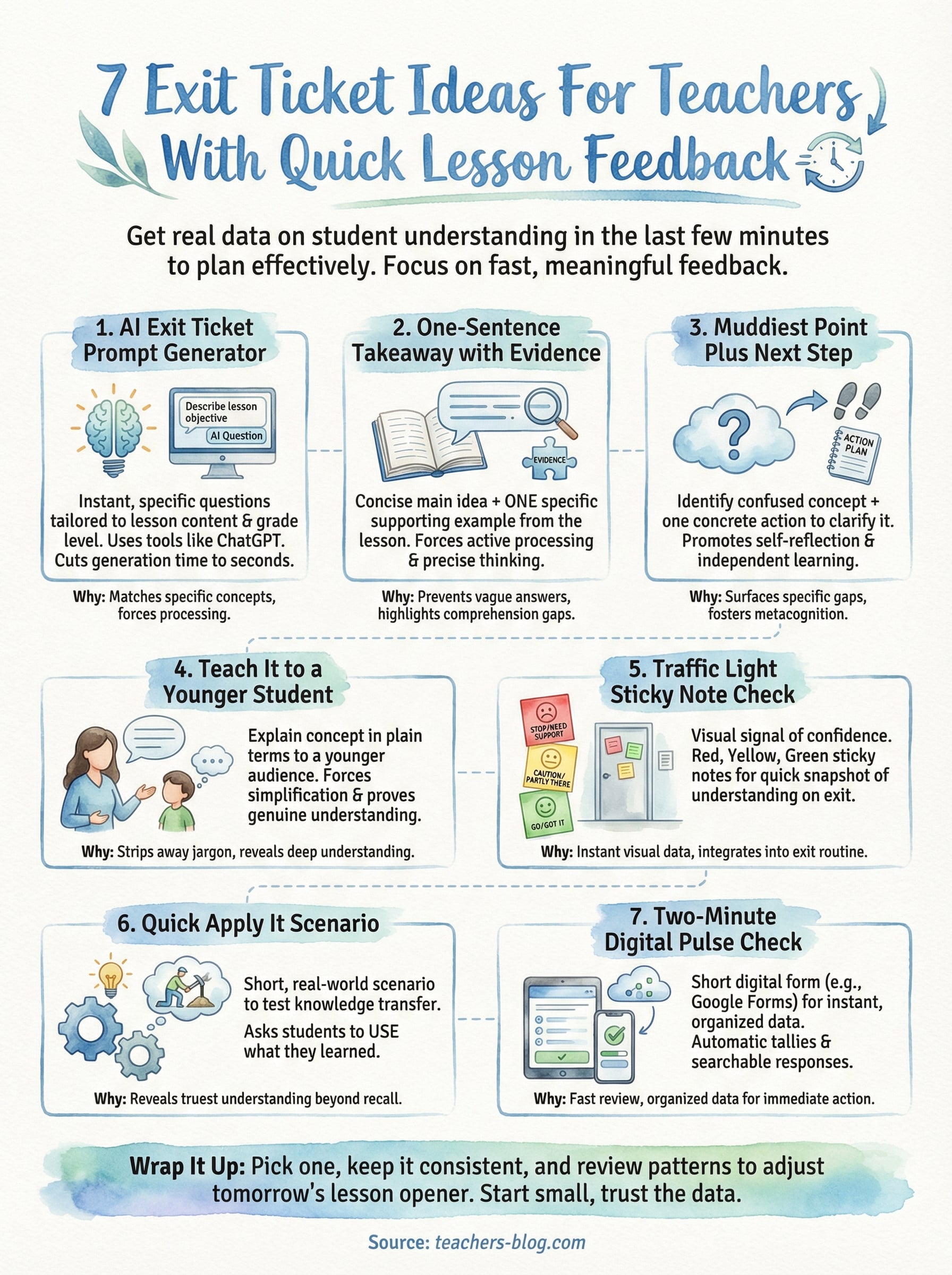
Exit tickets only work when you actually act on the data they give you. Pick one or two of these exit ticket ideas for teachers to try this week, keep the format consistent across a few lessons, and review the patterns you see rather than obsessing over individual responses. That one habit will change how you open the next class.
You do not need a complicated system to make this work consistently. A sticky note stack sorted by confusion level or a quick scan of a Google Form response sheet tells you everything you need in under five minutes. Start small, stick with one format long enough to trust the data it gives you, and then add variety when your students are ready for something new.
For more classroom-ready tools and teaching strategies built for real educators, visit The Cautiously Optimistic Teacher and explore everything waiting for you there.