5 Edutopia AI in the Classroom Ideas Teachers Can Use Today
Edutopia has become one of the most trusted voices in education, and their coverage of AI is no exception. If you’ve searched for Edutopia AI in the classroom, you’re probably looking for concrete, teacher-tested ways to bring artificial intelligence into your lessons, without the hype or the hand-wringing. That’s a smart instinct, and you’re in the right place.
Here at The Cautiously Optimistic Teacher, we spend a lot of time sorting through AI tools and strategies so you don’t have to. We build AI-powered resources for educators, and we’ve studied what Edutopia recommends because their ideas align with what we see working in real classrooms: practical approaches that respect both the teacher’s expertise and the student’s learning process. Their guidance is grounded in research, shaped by practitioners, and worth paying attention to.
This article pulls together five of the most actionable Edutopia-inspired ideas for using AI in your classroom right now. Each one includes enough detail for you to adapt it to your own context, whether you teach 6th graders or 12th graders. No jargon dumps, no abstract theory, just strategies you can run with starting tomorrow.
1. Use AI to differentiate and prep faster
One of the core Edutopia AI in the classroom recommendations is straightforward: stop reinventing the wheel for every student. AI tools can handle scaffolding, question generation, and report card drafting so you can spend your limited planning time on what only you can do, which is teaching and building real relationships with your students.
Use the Differentiated Instruction Helper for quick scaffolds
The Differentiated Instruction Helper at The Cautiously Optimistic Teacher lets you input a lesson topic and get tiered versions of that content almost instantly. You choose the reading level, learning goal, and accommodations, and the tool adjusts the output so you’re not writing three separate versions of the same material by hand.
Generate worksheets from what you already teach
Your existing topics and standards become ready-to-use practice materials when you run them through the Worksheet Maker. You enter a keyword or concept, and the tool builds a structured worksheet you can edit, print, or assign digitally. This is especially useful at the start of a new unit when you need materials fast but don’t want to sacrifice quality.
Create higher-order questions from any text or topic
With the Question Generator, you pull critical thinking questions directly from whatever text or topic you provide. Instead of writing questions from scratch, you get a range of Bloom’s-level prompts that push students past surface recall. You still decide which questions fit your class, but the heavy lifting is done.
AI handles the first draft so your expertise can shape the final product.
Draft report card comments without losing your voice
Blank-screen paralysis is real when you’re writing thirty individualized report card comments after a long term. The Report Card Commentor generates personalized drafts based on student performance notes you provide. Every comment still goes through your review, so the final product reflects your judgment and your knowledge of each student.
Cost and access
All four tools are available at The Cautiously Optimistic Teacher and are built for working teachers, not tech specialists. You don’t need a subscription to an external platform or a separate paid AI account to get started.
2. Model AI in front of students to teach judgment
One of the strongest Edutopia AI in the classroom recommendations is to stop hiding how AI works and start demonstrating it live. When students watch you use an AI tool, struggle with it, and evaluate its output critically, they learn something more valuable than any worksheet can teach: how to think alongside a tool without outsourcing their thinking to it.
Pick one routine and make it visible to students
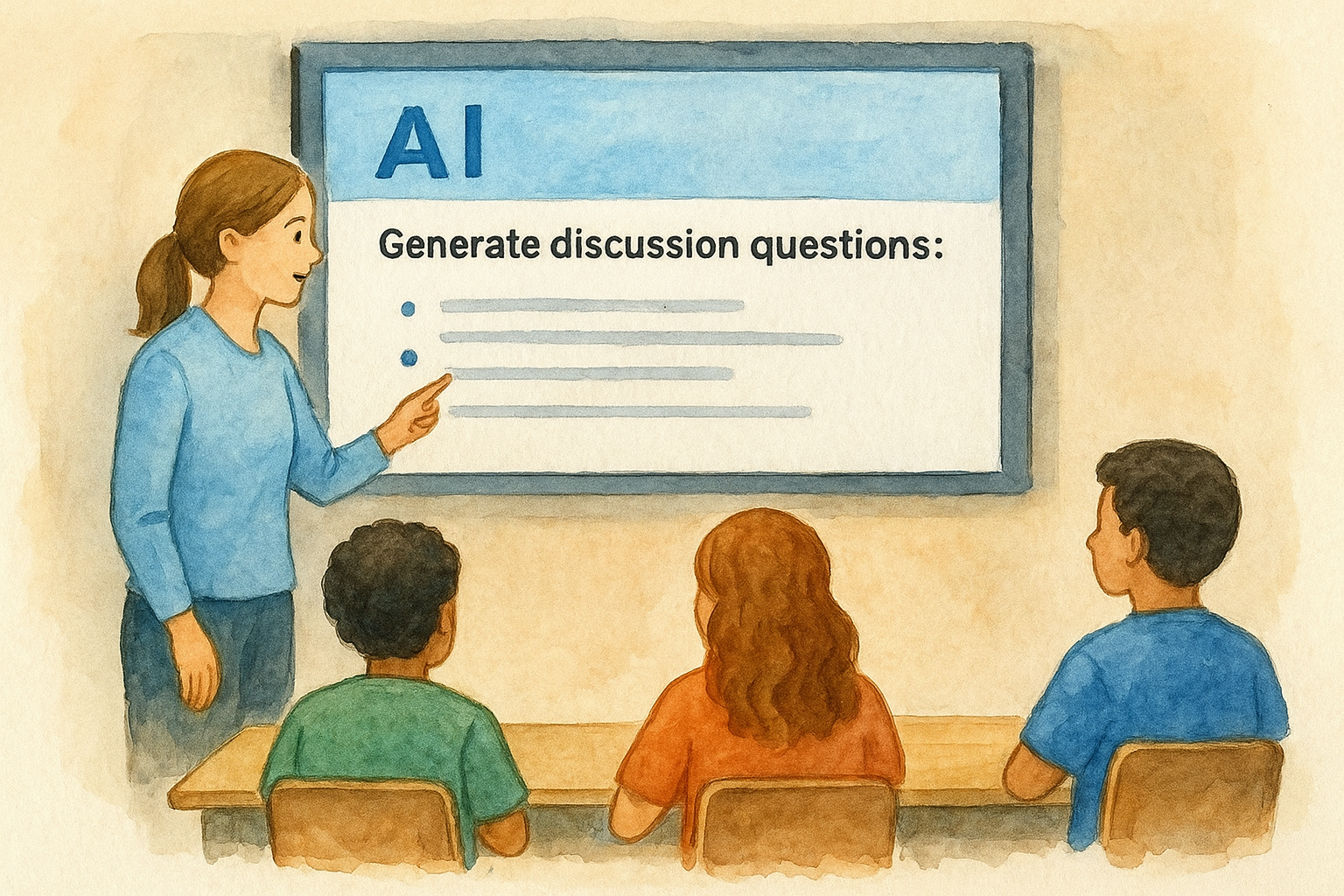
Choose a task you already do regularly, like generating discussion questions or summarizing a passage, and run it in front of the class. Project your screen and narrate your process so students see exactly how you phrase a prompt, read the result, and decide what to keep or cut. This turns a routine task into a live critical thinking lesson.
Show how AI gets things wrong and fix it together
AI produces confident-sounding errors, and that is actually useful in the classroom. Pull up a response that contains a factual inaccuracy or a vague generalization and ask students to identify the problem. Then fix it together. This builds the habit of reading AI output as a first draft, not a final answer.
Students who watch you fact-check AI learn to fact-check everything.
Turn AI responses into sourcing and verification practice
When AI makes a claim, ask students to locate a credible source that confirms or contradicts it. This connects naturally to research skills and reinforces that AI responses require the same scrutiny as any other text.
Keep student work authentic without playing detective
Rather than chasing down AI misuse after the fact, build in process steps like outlines, drafts, and in-class writing that make the thinking visible. When students show their work at each stage, authenticity takes care of itself.
3. Build better prompts for stronger classroom outputs
One consistent thread in Edutopia AI in the classroom coverage is this: the quality of what AI gives you depends almost entirely on how clearly you ask. A vague prompt produces generic output. A specific, structured prompt produces something you can actually use. Improving your prompting skills is the single fastest way to get more value from any AI tool.
Use the role task goal format to start clean
Start every prompt by telling the AI who it is, what you need, and what the output should accomplish. For example: "You are a middle school science teacher. Create a short reading passage on photosynthesis at a 6th-grade level. The goal is to introduce the concept before a lab activity." This three-part format cuts vague responses before they start.
A well-built prompt is a thinking tool, not just a shortcut.
Add constraints that match your standards and time limits
Tell the AI exactly what you do not want alongside what you do. Specify length, format, reading level, and any standards you need to hit. Constraints narrow the output so you spend less time editing and more time using.
Ask for multiple options, then choose like a teacher
Request two or three versions of the same material so you can pick the one that fits your class. This keeps your professional judgment in the driver’s seat instead of letting one AI draft make the decision for you.
Save prompts as templates for your next unit
When a prompt works well, copy it into a simple document and swap out the topic for your next unit. You build a reusable prompt library over time, and your planning gets faster every semester without starting from scratch.
Cost and access
Building and saving your own prompts costs nothing beyond your existing access to a free AI tool like those available through Google or Microsoft. No paid plan required.
4. Turn one resource into a full lesson with AI tools
One Edutopia AI in the classroom principle that teachers often overlook is using AI as a multiplier. You probably already have articles, videos, and readings you trust. AI can expand those single resources into complete, ready-to-use lessons without forcing you to hunt for new material from scratch.
Convert an article or video into slides and activities
Paste the text of an article into an AI tool and ask it to generate a slide outline and two accompanying activities. Specify your grade level and learning objectives, and you get a structured lesson framework in minutes. You still make the final calls on what stays, but the scaffolding is already done.

Create bell ringers, exit tickets, and quick checks
From that same article, ask AI to produce a bell ringer question, a mid-lesson check, and an exit ticket tied to your core standard. This keeps your formative assessment connected to what students actually read or watched, instead of tacking on generic questions at the end.
One source, used well, can carry an entire class period.
Differentiate the same lesson for different readers
Take your original resource and prompt AI to rewrite it at two different reading levels so every student accesses the same content. This takes minutes instead of the hour it would cost you to revise manually.
Keep materials editable so you stay in control
Always export AI-generated materials into a Google Doc or Word file before you use them. Editable formats let you adjust wording, cut anything off-tone, and add your own examples so the lesson actually sounds like you.
Cost and access
These steps work with any free AI tool you already have access to through your school’s Google Workspace or Microsoft 365 account. No additional subscriptions needed.
5. Set clear guardrails for privacy, integrity, and trust
The edutopia ai in the classroom conversation always circles back to responsibility. Before students open a single AI tool, you need explicit boundaries in place so everyone understands the rules and why they exist.
Decide what students can do with AI and what they cannot
Write out a simple AI use policy for your class and share it on day one. Be specific: brainstorming is allowed, final drafts are not, or AI can check grammar but cannot generate original arguments. When the line is clear, students make better choices and you spend less time adjudicating gray areas.
Protect student data and follow FERPA expectations
Never enter identifying student information into a public AI tool. Names, grades, and behavioral notes are off-limits unless your district has a signed data privacy agreement with the platform. Check your school’s acceptable use policy before assigning any AI tool to students directly.
Your first obligation is student safety, not tech adoption.
Teach citation and disclosure for AI-assisted work
Require students to note when and how they used AI, just as they would cite any source. A one-line disclosure at the bottom of an assignment builds honesty as a habit and removes the ambiguity around what counts as their own work.
Use process evidence to reduce AI misuse
Ask students to submit outlines, rough drafts, and revision notes alongside final work. Process evidence shows thinking in progress, which is difficult to fake and makes academic integrity conversations much easier.
Cost and access
A clear classroom AI policy costs nothing and takes under an hour to draft. It protects your students, your integrity, and your time.
Quick next steps
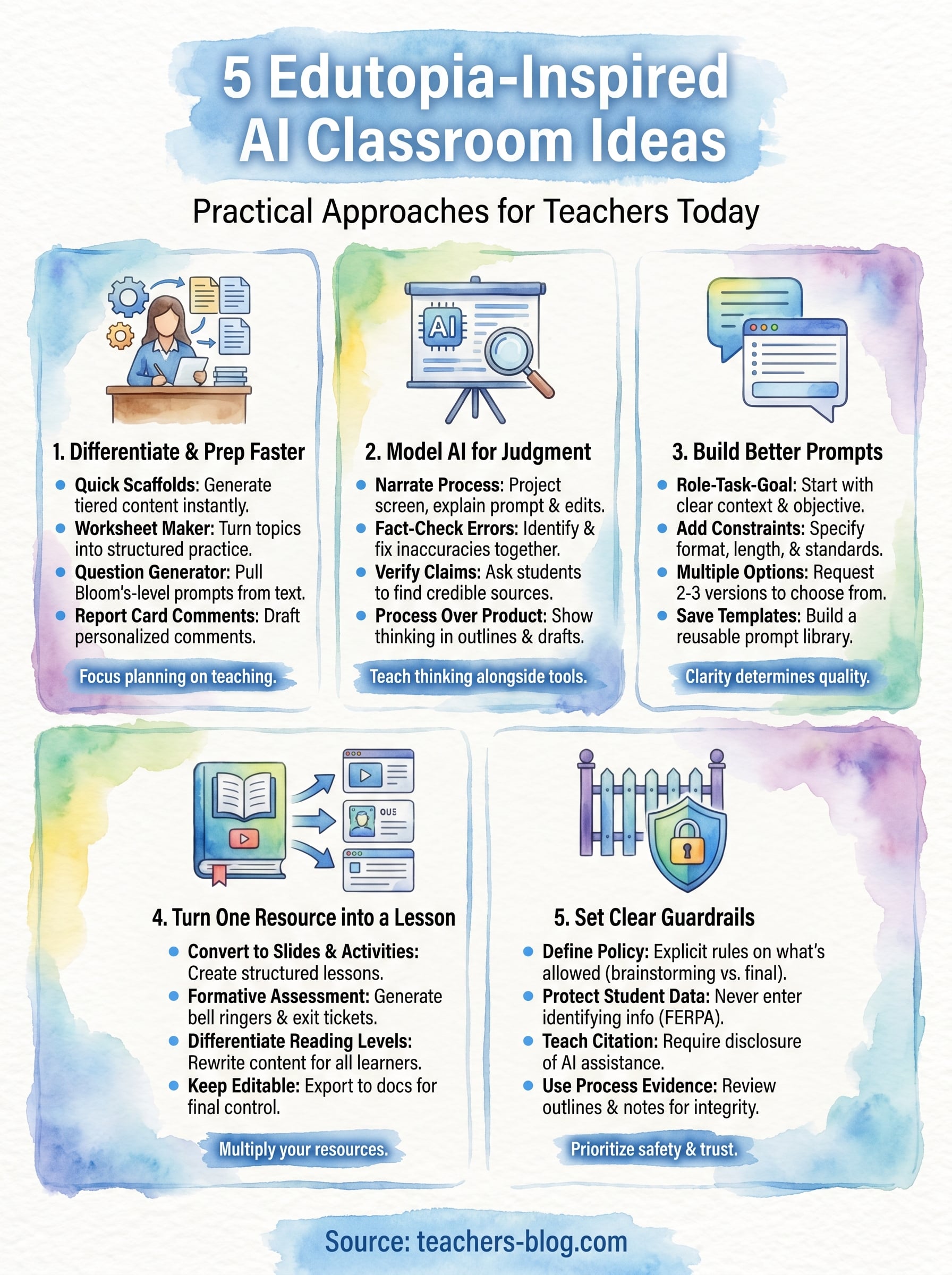
The five Edutopia AI in the classroom ideas above cover differentiation, modeling, prompting, lesson building, and guardrails. You do not need to tackle all five at once. Pick the one that solves your most immediate problem and run with it this week. If planning time is your biggest pain point, start with differentiation and prep tools. If student integrity keeps you up at night, start with the guardrails section.
Once you have one approach working, the others become much easier to layer in. Small, consistent steps build the kind of AI fluency that actually sticks, both for you and your students. Keep your policy visible, your prompts saved, and your materials editable so you stay in control of your classroom at every step.
Ready to put these ideas into practice? Visit The Cautiously Optimistic Teacher to explore AI-powered tools built specifically for educators like you.