
6 Best Educational Technology Resources for Teachers In 2026
Finding the right educational technology resources for teachers can feel like scrolling through an endless app store, everything claims to be a game-changer, but half of it collects digital dust after week one. You need tools that actually work, that save you time, and that your students will genuinely benefit from using.
Here at The Cautiously Optimistic Teacher, we spend a lot of time testing and reviewing digital tools, it’s a big part of why we built our own AI-powered resources for things like differentiated instruction and worksheet creation. That hands-on experience gives us a solid read on what makes an ed-tech tool worth your time and what’s just dressed-up busywork.
This list breaks down six of the best free and effective technology platforms you can start using right now to strengthen your lessons, boost student engagement, and cut down on planning hours. Each pick has been evaluated for ease of use, classroom practicality, and whether it actually does what it promises. No fluff, no sponsored favorites, just honest recommendations from one teacher’s desk to yours.
1. The Cautiously Optimistic Teacher AI Tools
The Cautiously Optimistic Teacher offers a suite of AI-powered tools built specifically for educators who want to work smarter without sacrificing quality. Unlike generic AI platforms that require heavy prompting and cleanup, these tools are designed around real classroom needs, from building differentiated lessons to generating report card comments that actually sound like you wrote them.
What it helps you do fast
The current collection includes seven focused tools: the Differentiated Instructor, Worksheet Generator, Leveled Text Creator, Writing Feedback Generator, Report Card Assistant, PEEL Paragraph Assistant, and Mythology Flash Fiction Assistant. Each one targets a task that typically eats up your prep time. The Worksheet Generator, for example, creates a worksheet draft from a learning goal or topic, lesson plan, or text selection, so you spend minutes instead of hours building practice materials that actually match what you are teaching.
If you regularly lose Sunday evenings to creating differentiated materials, these tools can give a significant portion of that time back to you.
Best classroom uses
The Leveled Text Creator helps adapt reading difficulty, while the Writing Feedback Generator provides constructive feedback on student writing. Both are designed for focused classroom tasks rather than as general-purpose chatbots. The Differentiated Instructor works well when you have students reading at multiple levels and need tiered versions of the same lesson without building each version from scratch. These are the kinds of tasks that define the best educational technology resources for teachers: practical, specific, and immediately usable.
How to use it responsibly with students
These tools are designed for teacher use, not direct student submission, so treat the output as a starting point you review and personalize. Being transparent with students about when AI supports your planning builds classroom trust while modeling responsible technology habits, a skill they will need well beyond your class.
Pricing and access
All of the AI tools on The Cautiously Optimistic Teacher are free to access directly on the site. No subscription is required to get started, which makes them a low-risk addition to your current teaching toolkit and a practical first step into using AI as a genuine time-saver.
2. Google Workspace and Google Classroom
Google Workspace for Education is one of the most widely adopted educational technology resources for teachers in U.S. schools, and for good reason. It combines document creation, communication, and classroom management into a single ecosystem most students already know how to navigate.
What it does best
Google Classroom acts as your central hub for posting assignments, sharing materials, and tracking student submissions. The integration with Google Docs, Slides, and Forms means you can build, distribute, and grade work without ever switching platforms.
Once your class is set up in Google Classroom, the feedback loop between you and your students becomes noticeably faster.
Best classroom uses
Use Google Forms to run quick formative assessments and get instant data on where students are struggling. Google Slides works well for collaborative group projects, letting you watch student work develop in real time and jump in with comments before anything goes off track.
Setup tips and integrations
Connect Google Classroom to your school’s existing student information system to avoid duplicating rosters manually. You can also integrate tools like Edpuzzle and Kahoot directly through the Google Classroom add-ons menu, which keeps everything in one place for students.
Pricing and access
Google Workspace for Education has a free tier available to qualifying schools. Paid tiers with additional storage and features are available through Google for Education.
3. Canvas LMS
Canvas LMS is a full-featured learning management system built for educators who need more structure than a simple assignment feed can offer. While Google Classroom keeps things lightweight, Canvas gives you deeper control over course design, grading workflows, and student progress tracking in one organized platform.
What it does best
Canvas handles complex course architecture particularly well. You can organize content into modules, set prerequisite rules so students unlock material in sequence, and build detailed rubrics that attach directly to assignments. For teachers managing multiple course sections, the SpeedGrader tool cuts down annotation and feedback time considerably.
Best classroom uses
Use Canvas for longer units or project-based learning where students need a clear roadmap of what comes next. Modules walk students through reading, activity, and assessment stages in order, which reduces the "what do I do now?" interruptions that slow down class time. It is one of the more underused educational technology resources for teachers at the secondary level.
If your students struggle with knowing where they are in a unit, Canvas modules give them a visible checklist they can track on their own.
Setup tips and integrations
Build your course template once, then duplicate it each semester to save setup time. Canvas connects with Google Drive and Microsoft OneDrive, so students submit work without bouncing between platforms.
Pricing and access
Canvas offers a free version for individual teachers through the Canvas Free for Teacher program, available directly through Instructure with no institutional account required.
4. Edpuzzle
Edpuzzle turns any video into an interactive lesson by embedding questions directly into the timeline. Instead of students passively watching and zoning out, they stop at key moments to answer questions you have set up, giving you real-time comprehension data on who is keeping up.

What it does best
Edpuzzle gives you full control over video-based learning. You can prevent students from skipping ahead, track individual viewing progress, and see exactly where they paused or rewatched. That viewing data tells you more about comprehension gaps than a post-video quiz alone, making it a genuinely useful addition to your educational technology resources for teachers.
Best classroom uses
Use Edpuzzle when you need to cover background content before a discussion or project launch. It works especially well for science demonstrations, historical footage, or any topic where visual explanation does the job better than text.
Embedding two or three targeted questions inside a video gives you formative data without adding a separate quiz to your workflow.
Setup tips and integrations
Edpuzzle connects directly with Google Classroom and Canvas, so grades sync automatically without extra steps. You can also pull videos from YouTube or your own uploads, keeping lesson building quick and flexible.
Pricing and access
The free plan covers up to 20 active videos at a time, which is enough for most teachers to use it consistently as a regular part of their rotation without paying anything.
5. Kahoot and Quizizz
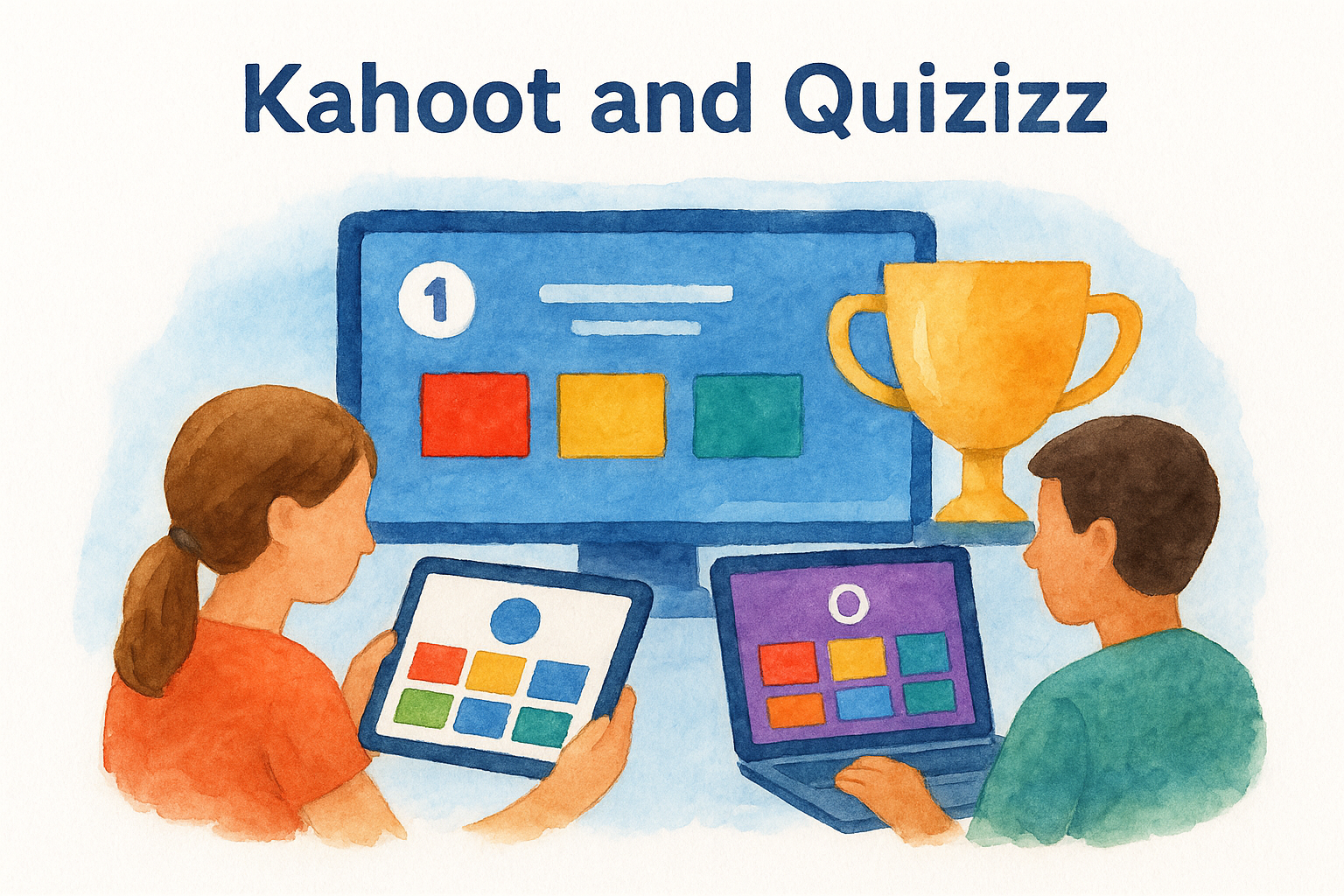
Both Kahoot and Quizizz turn standard review sessions into something students genuinely want to participate in. They deliver game-based quizzes that run in real time or at a student’s own pace, making them two of the most accessible educational technology resources for teachers who want higher engagement without spending extra hours on prep.
What it does best
Kahoot runs as a live, competitive game where the whole class plays simultaneously on their devices, with a leaderboard driving energy in the room. Quizizz offers more flexibility, letting students move through questions at their own pace while you monitor a real-time dashboard showing performance by question.
- Kahoot: synchronous, competitive, whole-class format
- Quizizz: asynchronous, self-paced, individual format
Best classroom uses
Use Kahoot to open class and activate prior knowledge or to close a lesson with a quick comprehension check. Quizizz works well as a low-stakes homework alternative, since students complete it independently and you still get detailed item-level data without adding another paper to grade.
Running a Kahoot before a unit test gives students one more review pass while keeping energy in the room rather than draining it.
Setup tips and integrations
Both platforms connect with Google Classroom, letting you push assignments directly to students without sharing separate links. Building a saved question bank inside each platform means you can reuse and remix quizzes each semester rather than rebuilding them from scratch.
Pricing and access
Both tools offer free plans that cover core quiz features for most classroom uses. Paid tiers unlock advanced reporting and additional customization options for teachers who want more granular data.
6. MagicSchool.ai
MagicSchool.ai is an AI platform built specifically for educators, offering over 60 tools that cover everything from lesson planning to parent communication drafts. It skips the generic chatbot experience and goes straight to task-specific outputs teachers actually need.
What it does best
MagicSchool.ai handles teacher-facing tasks at speed. You can generate differentiated texts, write IEP accommodations, create rubrics, and draft professional emails in minutes. The interface is clean and straightforward, so you spend your time reviewing output, not decoding how the tool works.
MagicSchool.ai covers more educator-specific workflows in one place than almost any other platform in this list of educational technology resources for teachers.
Best classroom uses
Use it to build tiered reading passages from a single source text when your class includes students at different reading levels. The rubric generator also saves significant time when launching a new writing or project-based assignment.
Setup tips and integrations
You can sign in with your existing Google account, which removes the friction of another login to manage. There is no complex onboarding required, most teachers are generating usable output within their first five minutes on the platform.
Pricing and access
MagicSchool.ai offers a free plan that gives you access to the full tool library with a monthly usage limit. A paid Pro tier removes those limits for teachers who rely on it heavily throughout the week.
A simple way to choose your stack
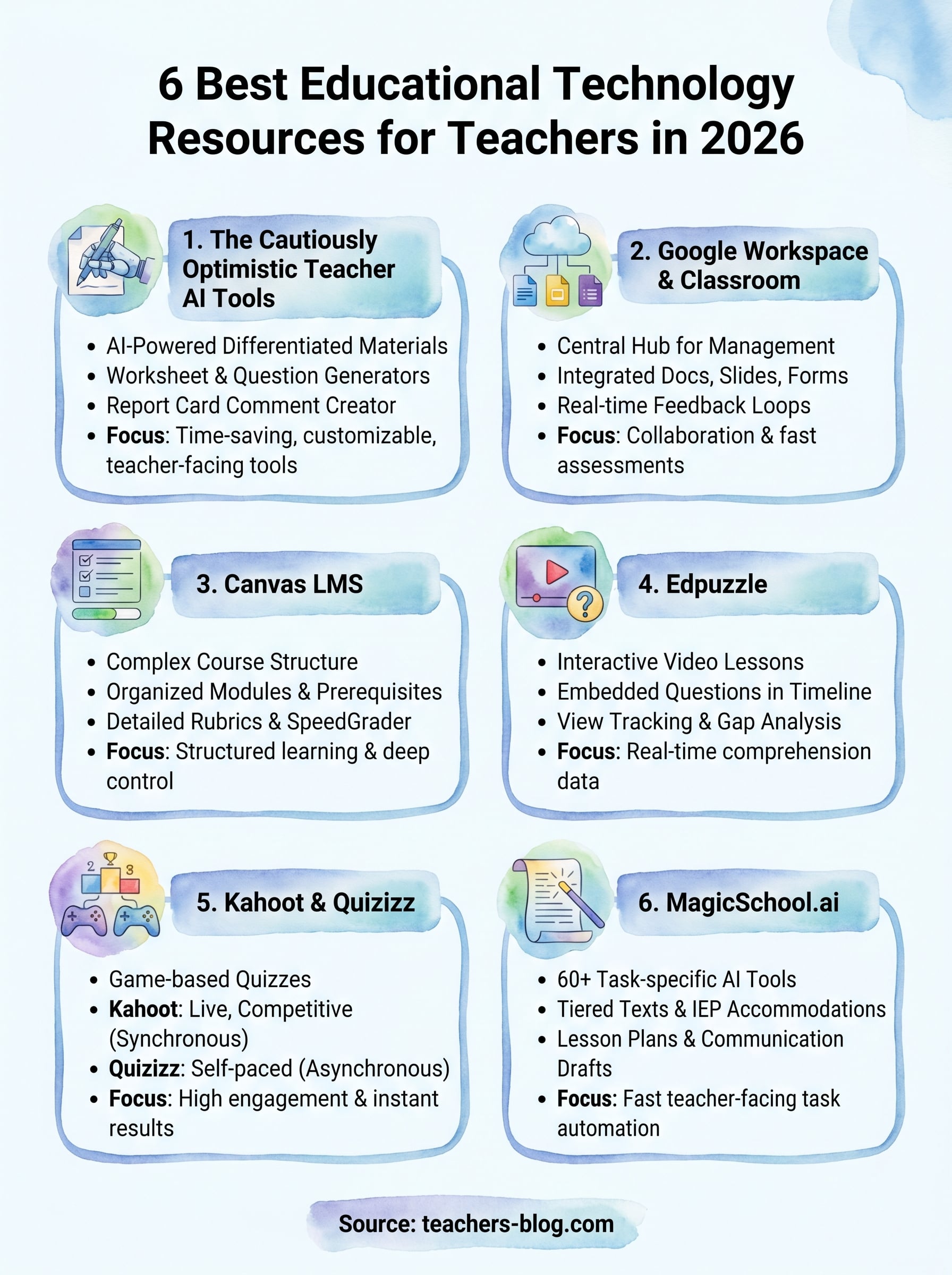
You do not need all six of these tools running at once. Start by identifying your biggest time drain and your biggest classroom friction point, then pick one tool that addresses each. If planning eats your evenings, start with the AI tools at The Cautiously Optimistic Teacher or MagicSchool.ai. If student engagement drops during review, add Kahoot or Quizizz next.
Building your stack of educational technology resources for teachers gradually means you actually learn each tool well enough to use it effectively, rather than half-using five things and mastering none.
Once those two feel solid, layer in a platform like Canvas or Edpuzzle to deepen how you deliver and assess content. Start simple, add intentionally, and drop anything that creates extra steps without adding real value.
Ready to put AI tools to work in your planning right now? Start with the free AI tools for teachers and reclaim some of your prep time this week.