
Teaching Strategies Platform: A Guide to GOLD, Tadpoles & More
If you searched teach teaching strategies hoping to land on your login screen or find out what GOLD actually does, you’re in the right place. Early childhood educators juggle a specific stack of tools, and Teaching Strategies LLC built its business around that stack: The Creative Curriculum, GOLD assessment, and Tadpoles for family communication. Typing a vague search into Google when you just need a portal is frustrating, so let’s cut straight to it.
This guide walks through what each platform actually does, who uses it, and how to find the right login page without digging through marketing copy. You’ll get a clear picture of how GOLD tracks child development, how Tadpoles keeps parents in the loop, and where The Creative Curriculum fits into daily lesson planning.
Whether you’re a preschool director rolling out these tools for the first time or a teacher just trying to remember your password, this listicle breakdown covers the platform’s core pieces one at a time, so you leave with a working understanding, not more confusion.
1. The Creative Curriculum for early learning
The Creative Curriculum is the flagship product from Teaching Strategies, and it’s likely why you started searching for teach teaching strategies in the first place. Built around a research-based framework of exploratory learning, it gives preschool and pre-K classrooms a full scope and sequence covering literacy, math, science, and social-emotional development, leaning on teaching strategy types with examples that carry into later grades. Instead of scripted daily lessons, it hands teachers thematic studies (think "Balls," "Buildings," or "Trees") that kids explore through play, discovery, and guided investigation.

What it offers
At its core, the curriculum bundles teacher guides, digital resources, and printable materials into one system. You get intentional teaching practices mapped to 38 developmental objectives, plus family engagement materials that translate what’s happening in class into take-home activities. It also integrates directly with the GOLD assessment tool, so observations you log during a study feed straight into a child’s progress record.
The Creative Curriculum works because it turns everyday classroom moments into documented learning, not extra paperwork.
Who it’s for
Directors and lead teachers running licensed preschool, Head Start, or pre-K programs are the primary users. It suits centers that want a standards-aligned curriculum without taking on the curriculum design process from scratch, and it scales from a single classroom to a multi-site network with dozens of teachers reporting to one administrator.
How to log in or get started
Existing subscribers access materials through the MyTeachingStrategies portal at teachingstrategies.com. New programs typically start with a sales consultation, since pricing depends on classroom count and whether you’re bundling in GOLD or Tadpoles.
- Go to teachingstrategies.com and select "Login" in the top navigation
- Choose The Creative Curriculum from your dashboard
- Contact your program administrator if you don’t yet have credentials
Cost and availability
Pricing isn’t published as a flat rate. It’s quoted per classroom, per year, and it drops when you bundle curriculum with assessment tools.
| Factor | Typical Impact on Price |
|---|---|
| Number of classrooms | Volume discounts for multi-site programs |
| Bundled with GOLD | Lower combined rate than buying separately |
| Digital vs. print materials | Print add-ons increase cost |
| Contract length | Multi-year agreements often reduce per-year cost |
Budget for an annual renewal rather than a one-time purchase. Most public and Head Start programs fold this into their curriculum line item and reorder each fall.
2. GOLD assessment and observation system
GOLD is the assessment engine that sits underneath most Teaching Strategies classrooms, and it’s often the reason directors search for teaching strategies tools in the first place. Rather than a single test day, GOLD works through ongoing observation: teachers jot down notes, photos, and video clips as children work, then tag each piece of evidence to one of the 38 developmental objectives shared with The Creative Curriculum.
What it offers
Like other digital assessment tools that track progress, GOLD turns scattered anecdotal notes into a structured portfolio. You log observations throughout the day, and the system generates progress reports, checkpoint ratings, and family-friendly summaries automatically. It also flags children who may need extra support, which matters for programs tracking kindergarten readiness benchmarks or state-required reporting.
GOLD replaces guesswork with a running record of what each child can actually do.
Who it’s for
Pre-K and Head Start teachers who need documented, standards-based evidence use GOLD daily. Program administrators rely on it for compliance reporting to state agencies and funders, especially in publicly funded programs where assessment data determines continued funding.
How to log in or get started
Access runs through the same MyTeachingStrategies credentials used for the curriculum.
- Log in at teachingstrategies.com and select GOLD from your dashboard
- Set up class rosters before your first observation window
- Sync data with The Creative Curriculum if you’re running both
Cost and availability
GOLD is licensed per child, per year, not per classroom, which catches new administrators off guard when budgeting. Bundling with the curriculum typically lowers the combined rate, and most programs renew annually to keep historical child records intact.
3. Tadpoles for childcare management and communication
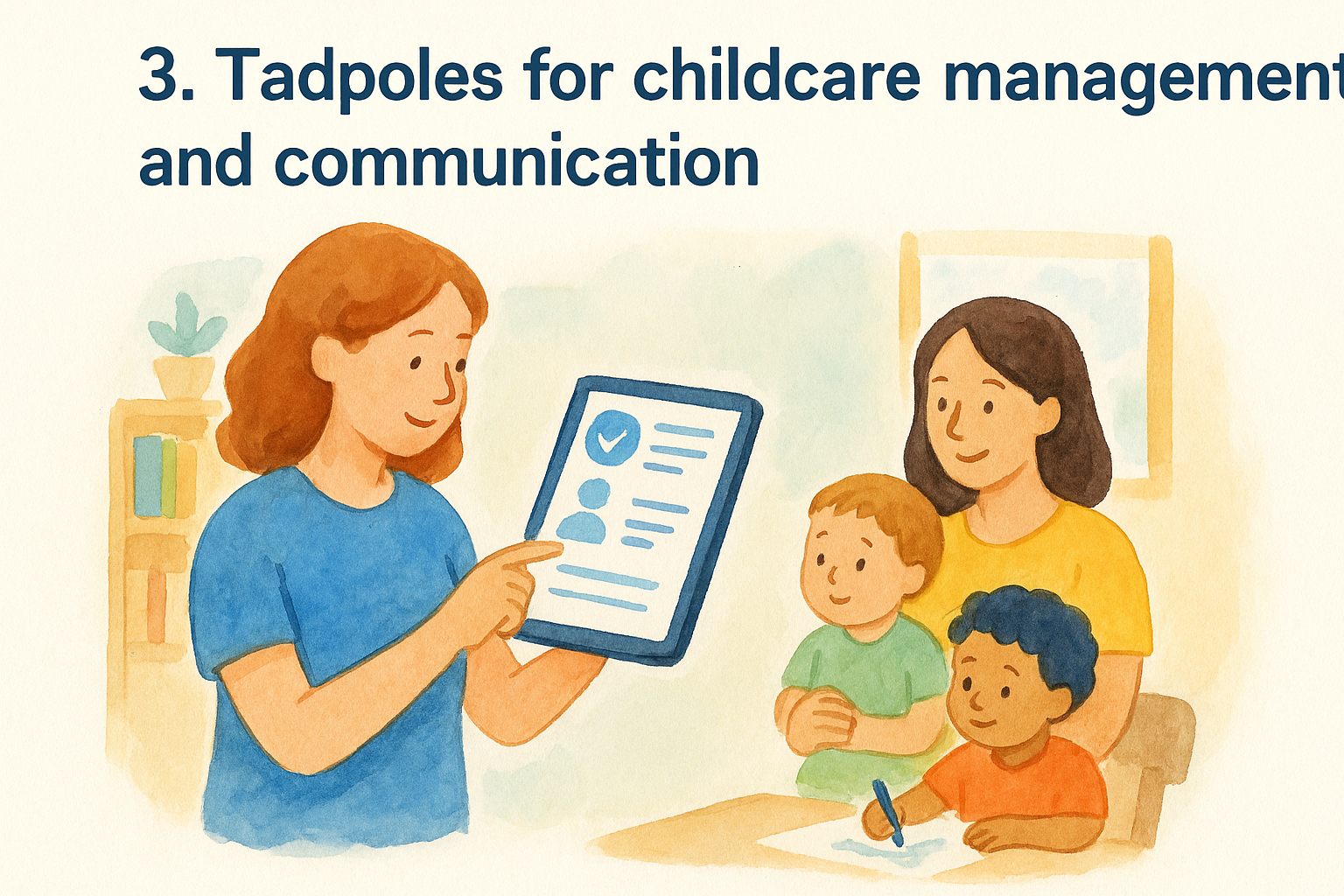
Tadpoles handles the daily logistics that GOLD and The Creative Curriculum don’t touch: check-in, check-out, billing, and the steady stream of updates parents expect from a childcare center. If your search for teach teaching strategies was really about keeping families informed without a dozen phone calls, Tadpoles is the piece you’re after.
What it offers
Teachers log diaper changes, naps, meals, and daily activities from a tablet at the classroom door, and parents see it all in real time through a companion app, much like any other parent communication app for schools. The platform also manages digital sign-in sheets, staff-to-child ratio tracking, and automated billing, which cuts down on the paper logs most centers still keep in a binder by the front desk.
Tadpoles turns the parent pickup conversation from a guessing game into a shared record everyone already saw.
Who it’s for
Childcare directors and center owners managing daily operations rely on Tadpoles the most, especially at sites juggling multiple age groups and staggered drop-off times. Teachers use it hands-on throughout the day, while parents interact with it passively through push notifications and photo updates.
How to log in or get started
Centers set up Tadpoles as a standalone product or bundled with GOLD and the curriculum.
- Request a Tadpoles demo through teachingstrategies.com if your center is new to the platform
- Log in through the MyTeachingStrategies portal if you’re already a Teaching Strategies customer
- Install the Tadpoles app for staff devices and share the family app link with parents at enrollment
Cost and availability
Tadpoles prices per child, per month, with billing and communication features included in the base tier. Multi-site centers typically negotiate a custom rate through a sales rep rather than a published price sheet.
4. MyTeachingStrategies mobile app
MyTeachingStrategies is the app that ties everything else together, and it’s probably what you’ll open most once your center is set up. Instead of logging into a browser between activities, teachers pull out a phone or tablet and record observations, snap photos for GOLD, or check a Tadpoles update without breaking stride during circle time.
What it offers
The app gives you a mobile dashboard for the whole platform: quick observation entry for GOLD, curriculum resources for The Creative Curriculum, and family messaging pulled from Tadpoles, all in one place. Push notifications alert you when a checkpoint period opens or a parent sends a message, so you’re not toggling between four separate logins during a busy classroom day.
The mobile app turns a desk-bound admin task into something you finish while kids are still building block towers.
Who it’s for
Classroom teachers who need to document learning on the go are the core users, especially in rooms without a dedicated computer, and it sits alongside the other teacher productivity apps that save hours each week. Assistant teachers and aides also use it to log quick notes, while directors check the app to spot-review observation activity across multiple rooms without walking the building.
How to log in or get started
Getting the app running takes a few steps:
- Download MyTeachingStrategies from the Apple App Store or Google Play
- Sign in with your existing teachingstrategies.com credentials
- Confirm your classroom roster syncs correctly before your first observation session
Cost and availability
The app itself carries no separate fee. Access comes bundled with whichever core products your program already subscribes to, whether that’s GOLD alone or the full curriculum-and-assessment package.
5. ReadyRosie for family engagement
ReadyRosie tackles a different problem than the check-in logs and observation notes covered so far: what family engagement actually looks like when families practice learning activities at home. Teaching Strategies acquired the platform to close the gap between what happens in a Creative Curriculum classroom and what happens after the school bus leaves, and it does that through short video modeling rather than printed newsletters nobody reads.
What it offers
ReadyRosie sends families a library of video-based activities filmed by real parents and caregivers, each one tied to a specific developmental skill or curriculum theme. A caregiver watches a two-minute clip on making a shape sorter from recycling, then does the same activity with their kid that evening. Teachers assign videos that match the current classroom study, so home practice reinforces what GOLD is already tracking.
ReadyRosie works because parents copy a video faster than they read a flyer.
Who it’s for
Head Start programs and Title I preschools lean on ReadyRosie heavily, since family engagement hours often factor into federal reporting requirements. Teachers use it to assign weekly activities, while directors pull engagement reports showing which families are opening and completing videos.
How to log in or get started
Access runs through the same account structure as the rest of the suite:
- Request ReadyRosie access through your MyTeachingStrategies administrator
- Invite families by email or text at enrollment
- Assign videos tied to your current curriculum study each week
Cost and availability
ReadyRosie is licensed per site or per program, usually bundled into a Head Start or district-wide family engagement package rather than sold as a standalone app to individual classrooms.
6. SmartTeach as the unified login portal
SmartTeach is the single sign-on layer sitting behind the teachingstrategies.com login screen, and it’s the reason a director juggling GOLD, Tadpoles, and The Creative Curriculum only needs one password instead of four. If your original search for teach teaching strategies was really a hunt for one login that works across every product your center owns, SmartTeach is that answer.
What it offers
SmartTeach authenticates your account once and then routes you into whichever product your role permits, whether that’s an observation screen in GOLD or a billing dashboard in Tadpoles, the same single sign-on pattern K-12 schools know from the Schoology login and dashboard. It also manages role-based permissions, so a teaching assistant sees only their classroom roster while a district administrator sees every site under their license.
One login should get you into every tool you pay for, and SmartTeach is what makes that true.
Who it’s for
District IT coordinators and multi-site directors get the most value here, since they’re the ones provisioning accounts for dozens or hundreds of staff. Teachers barely notice SmartTeach directly, they just experience it as fewer passwords to remember each morning.
How to log in or get started
- Visit teachingstrategies.com and click the main login button
- Enter your SmartTeach credentials, issued by your program administrator during onboarding
- Select a product tile from your dashboard once authenticated
Cost and availability
SmartTeach carries no separate charge. It’s infrastructure, bundled automatically into any Teaching Strategies subscription, whether you’re running one product or the full suite.
7. Professional development and training options
Buying software doesn’t automatically make a staff good at using it, and Teaching Strategies built an entire training division around that gap. Anyone who typed teach teaching strategies looking for actual instruction, not just a login screen, lands here: courses, coaching, and certification paths that turn a new GOLD subscription into a tool your staff actually trusts.
What it offers
The training catalog covers self-paced courses on observation and documentation, live webinars tied to curriculum studies, and on-site coaching for programs rolling out The Creative Curriculum for the first time, which mirrors the professional development strategies for teachers used in K-12 districts. Directors can also enroll staff in credentialing tracks that count toward state professional development hours, which matters for centers under licensing renewal deadlines.
Software only pays off once your staff knows how to use it correctly, and that’s what the training catalog is for.
Who it’s for
New hires unfamiliar with the platform benefit most, but veteran teachers use refresher courses when GOLD updates its objectives or checkpoint windows change, one of the clearest impacts of ongoing teacher training. Directors managing staff onboarding across multiple sites often standardize training here so every classroom documents observations the same way.
How to log in or get started
- Log in at teachingstrategies.com and select the Professional Development tab
- Browse courses by role, whether teacher, coach, or administrator
- Schedule live coaching through your account representative if self-paced courses aren’t enough
Cost and availability
Some introductory courses are free with an active subscription. Deeper coaching packages and multi-day on-site training carry separate fees, quoted per site through your Teaching Strategies representative.
Choosing the right tools for your program
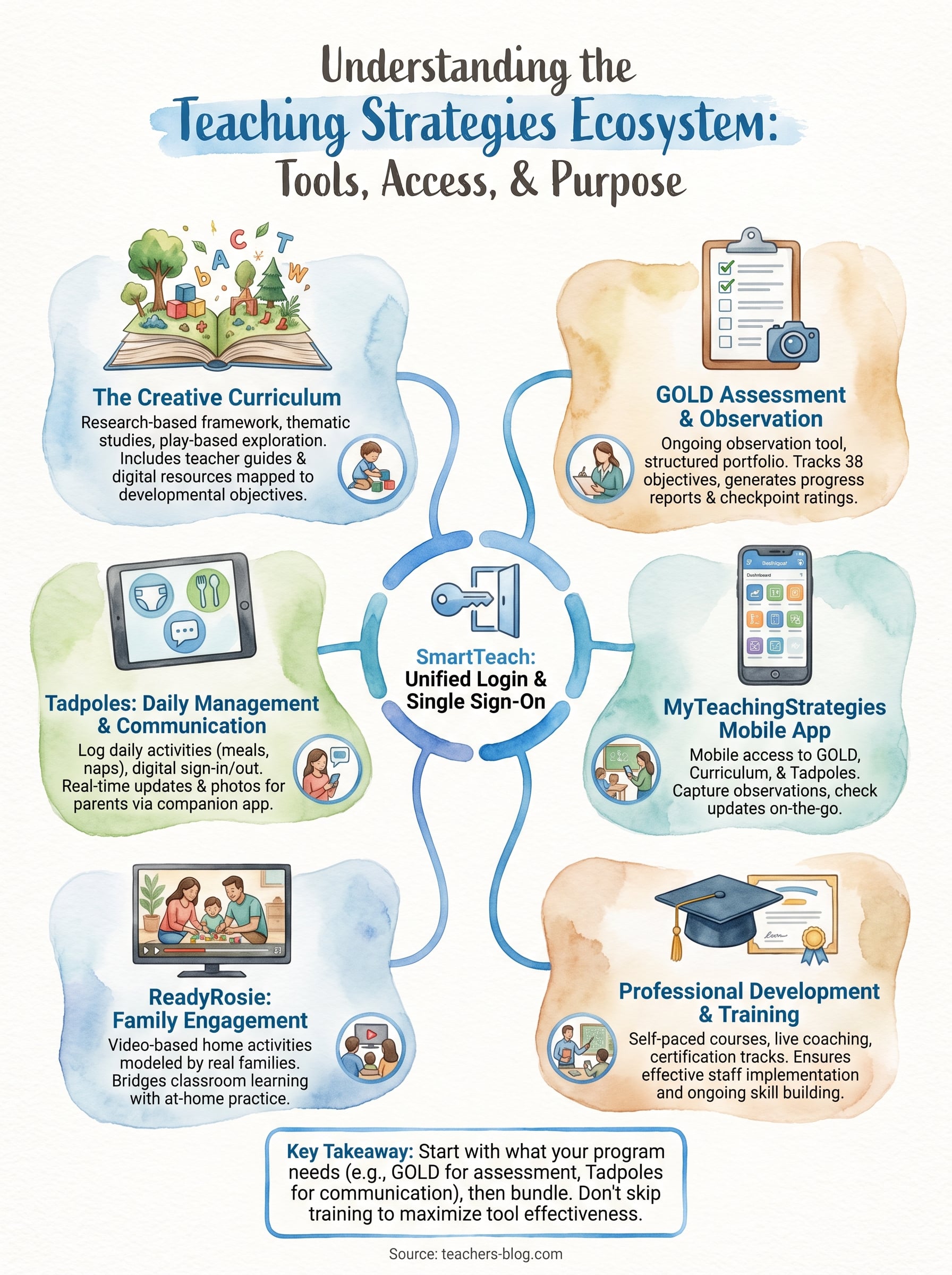
Seven products, one login screen. That’s the real takeaway if you started this search just trying to figure out teach teaching strategies and ended up overwhelmed by product names. Start with what your program actually needs solved today: GOLD for assessment compliance, Tadpoles for daily parent communication, ReadyRosie if family engagement hours are part of your funding requirements. Bundle later once you know which pieces earn their renewal fee.
Remember that software only works as well as the staff running it, which is why the training catalog matters as much as the login credentials. Don’t skip onboarding just to save a few dollars this year. If you’re still building out your classroom practice beyond the platform itself, these essential AI apps that save teachers time are worth bookmarking alongside your Teaching Strategies dashboard.