
How To Use Educational Technology In The Classroom: 9 Ideas
Most teachers don’t need convincing that technology belongs in schools. You already know it matters. The real question is how to use educational technology in the classroom in ways that actually improve learning, not just digitize the same old worksheets or add screens for the sake of screens. That’s a harder problem, and it’s where a lot of well-meaning initiatives fall apart.
The good news: you don’t need a massive budget or a computer science degree to make technology work for your students. You need clear strategies, the right tools, and a willingness to experiment. That’s exactly the kind of practical, no-nonsense approach we focus on here at The Cautiously Optimistic Teacher, from our AI-powered tools for differentiation and worksheet creation to our classroom-tested resources and unit plans.
In this guide, you’ll find nine concrete ideas for integrating ed tech into your teaching practice. Each one is designed to help you personalize instruction, boost student engagement, or reclaim time you’re currently losing to administrative busywork. No jargon-heavy theory. No vague suggestions to "leverage digital platforms." Just actionable strategies you can start using this week.
Set goals and guardrails first
Before you open a browser tab to compare apps, you need to know why you’re introducing technology in the first place. Teachers who skip this step often end up with a pile of unused subscriptions, a confused class, and no measurable change in learning outcomes. Deciding on a clear instructional goal before you pick any tool turns technology from a shiny distraction into a genuine asset in your classroom.
Define your purpose before picking a tool
Every piece of technology you bring into the classroom should solve a specific problem. Are your students struggling to retain vocabulary? Do you need faster feedback on formative assessments? Are you spending three hours a week on tasks a tool could handle in twenty minutes? Matching the tool to the problem, rather than adopting whatever looks impressive in a product demo, is the single most important decision you’ll make when figuring out how to use educational technology in the classroom effectively. Start by writing down the one or two concrete outcomes you want to see in the next four weeks.
Pick the outcome first, then find the tool that fits it. Reversing that order almost always leads to wasted time and frustrated students.
Use this simple framework before trialing any new technology:
| Question | What you’re checking |
|---|---|
| What is the learning goal? | Clarity on why you’re using it |
| How will you measure success? | Accountability and room to adjust |
| What does the student do differently? | Active vs. passive use |
| What happens if the tech fails? | Backup plan |
Set boundaries students and you can live with
Once you have a goal, you also need guardrails for both you and your students. That means setting clear expectations about when devices are open, what sites are permitted, and how you handle off-task behavior before it starts. Without these structures in place, even the best tools create classroom management problems that eat into instruction time.
Your guardrails don’t need to be elaborate. A simple acceptable use agreement, a defined window of time for device use, and a consistent visual signal for "tech on" versus "tech off" are usually enough to keep things on track. Build the routine in the first week, and students will follow it automatically by week three. The teachers who make technology stick are not the ones with the most tools; they’re the ones with the clearest, most predictable expectations around how and when those tools get used.
Idea 1–2: Organize learning with an LMS
A Learning Management System (LMS) is one of the highest-leverage tools you can adopt when thinking about how to use educational technology in the classroom. Platforms like Google Classroom or Canvas let you centralize everything: assignments, resources, feedback, and grades in one place students can access from any device.
Idea 1: Build a consistent course structure
Students do better when they know exactly where to find things. Set up your LMS so that each unit or week follows the same layout: materials at the top, assignments below, and due dates clearly visible. A predictable structure removes friction and cuts down on the "where do I find it?" questions that eat your class time.
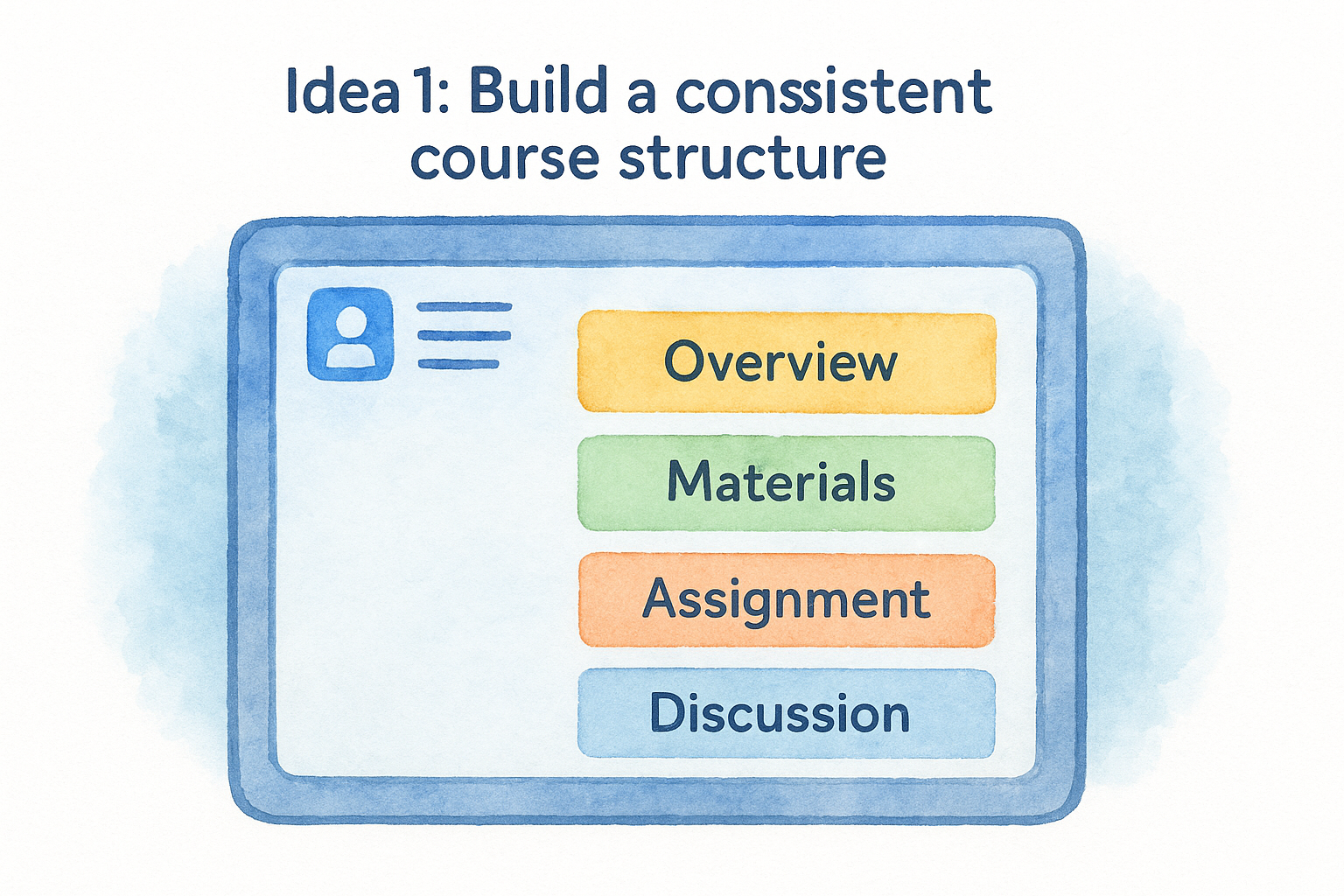
Spend one hour building your LMS template at the start of the year. You will save multiples of that time every single week after.
Here is a simple weekly module structure you can copy directly:
- Overview post: 2-3 sentences summarizing the week’s focus
- Materials: readings, slides, or videos students need before class
- Assignment: clear instructions with the due date visible in the title
- Discussion prompt: optional, useful for classes that use peer response
Idea 2: Track completion data and intervene early
Most LMS platforms let you monitor which students have opened materials and submitted work. Use that data proactively rather than waiting for a missed assignment to surface at progress report time. If a student has not accessed Monday’s reading by Wednesday, send a short, direct message before they fall further behind. That two-minute check-in often prevents a much larger problem later.
Idea 3–5: Make lessons interactive and social
Passive consumption kills engagement. When you think about how to use educational technology in the classroom to keep students genuinely involved, interactive and collaborative tools make the biggest difference. These three ideas shift students from passive audience members to active participants.
Idea 3: Use polling tools for real-time checks
Tools like Mentimeter let you push a quick question to every student’s device and display results instantly on your screen. Run a two-question poll at the start of class, then repeat it at the end. The visible shift in results gives students concrete evidence of their own learning that day.
A live poll takes under two minutes and gives you formative data that a hand-raise never could.
Use polling for:
- Entry and exit tickets
- Mid-lesson vocabulary checks
- Opinion questions that open class debate
Idea 4: Run structured online discussions
Discussion boards inside your LMS give quieter students a real voice they rarely use during whole-class conversations. Set a clear prompt with a 50-75 word minimum so responses stay substantive rather than one-line reactions.
Require each student to reply meaningfully to one peer before the deadline. That two-part structure guarantees every student reads at least one classmate’s thinking and keeps threads from becoming one-sided.
Idea 5: Assign collaborative documents
Google Docs lets multiple students write and comment in the same file at once. Assign a shared outline template where each student owns one section, then require comments on a peer’s draft. Seeing classmates edit in real time pushes students to stay on task far more reliably than a solo assignment does.
Idea 6–7: Differentiate and support accessibility
Knowing how to use educational technology in the classroom means recognizing that students learn at different paces and with different needs. Differentiation and accessibility tools help you reach every student without building thirty separate lesson plans from scratch.
Idea 6: Use AI tools to adapt content by level
AI-powered tools let you quickly generate multiple versions of the same material: one for students who need scaffolding, one at grade level, and one for students ready for a greater challenge. The Cautiously Optimistic Teacher’s Differentiated Instruction Helper does exactly this. You provide the content, and it produces tiered versions in seconds rather than the 45 minutes you’d normally spend doing it manually.
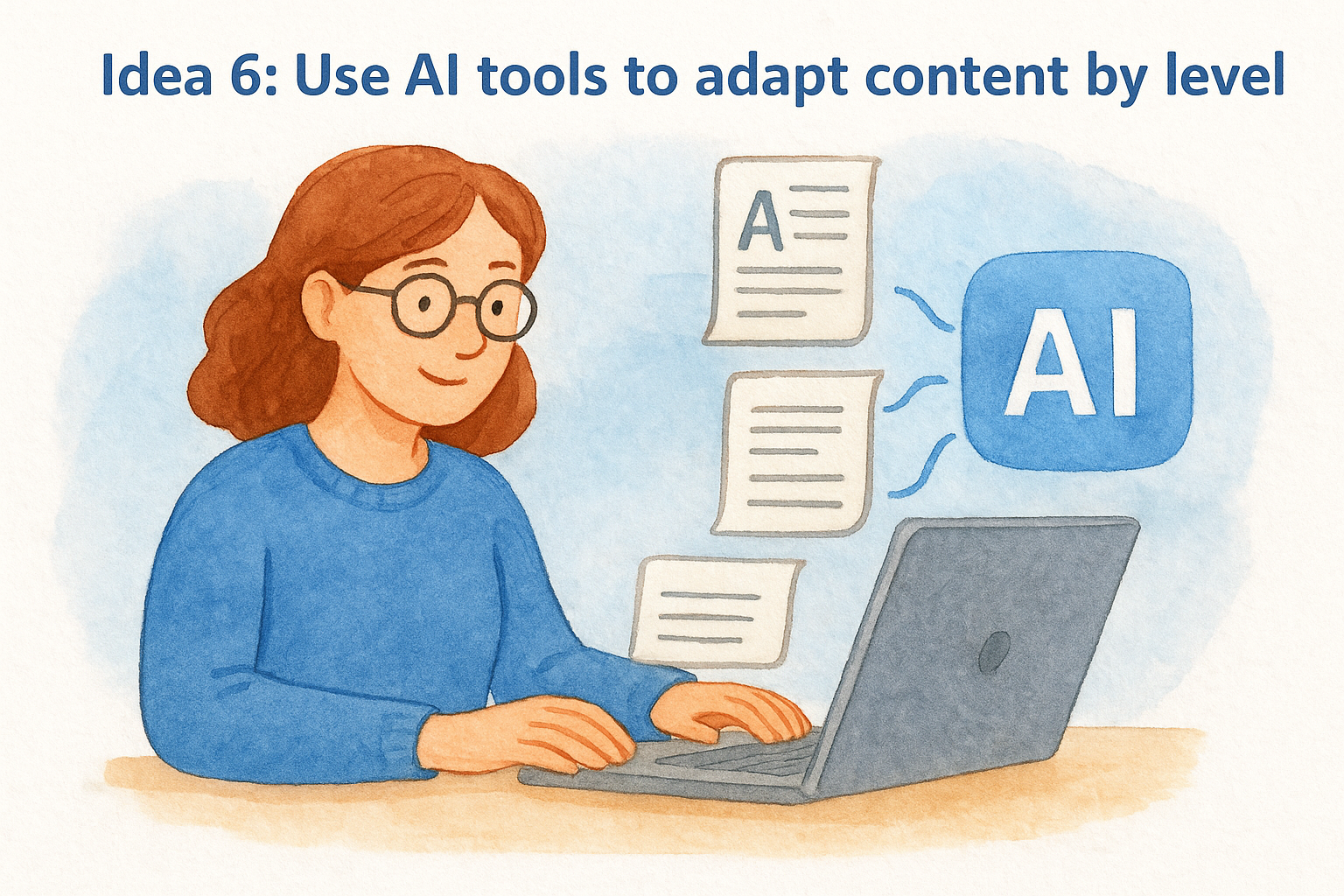
Differentiating a single passage into three reading levels used to take the better part of a planning period. AI assistance cuts that to under five minutes.
Build your tiered assignments around this structure:
- Below grade level: shorter text, guiding questions, key vocabulary defined
- At grade level: standard text, open-ended questions
- Above grade level: extended text, analysis prompts, independent research option
Idea 7: Turn on built-in accessibility features
Most platforms your school already pays for, including Google Workspace and Microsoft 365, come with powerful accessibility tools built in. Text-to-speech, read-aloud, closed captions, and adjustable font sizes are all available without a single extra subscription.
Make a habit of enabling these features by default, not just for students with documented needs. Students who benefit from audio support rarely self-identify, and turning these options on for everyone removes the stigma entirely.
Idea 8–9: Assess fast and cut admin time
Two of the biggest time drains in teaching are grading low-stakes checks and writing routine feedback for 30 or more students. Knowing how to use educational technology in the classroom also means knowing how to use it to protect your own time, not only to improve the student experience.
Idea 8: Use digital exit tickets for faster feedback
Google Forms lets you build a three-question exit ticket in under five minutes and automatically collects every response in a spreadsheet you can scan at a glance. No paper to gather, no handwriting to decode. Build your template once, then reuse it across every unit for the rest of the year.
A single Google Form exit ticket delivers class-wide data in the time it used to take you to collect and stack paper slips.
Use this repeatable three-question format:
- What was the main point of today’s lesson? (recall)
- Where do you still feel confused? (self-assessment)
- Rate your confidence on today’s topic from 1 to 5 (quick data point)
Idea 9: Generate comments and materials with AI
Writing individualized report card comments for every student is one of the most time-intensive tasks of the year. The Report Card Commentor at The Cautiously Optimistic Teacher lets you enter key details about a student and produce a clear, personalized comment in seconds. The Worksheet Maker works the same way: you supply a keyword, and it generates a ready-to-use practice sheet instead of you starting from a blank page.
Use these tools to cut time on:
- Report card comments: enter student name, strengths, and areas to grow
- Custom worksheets: enter a topic keyword and a target grade level
- Discussion questions: paste in a reading passage and get critical thinking prompts generated instantly
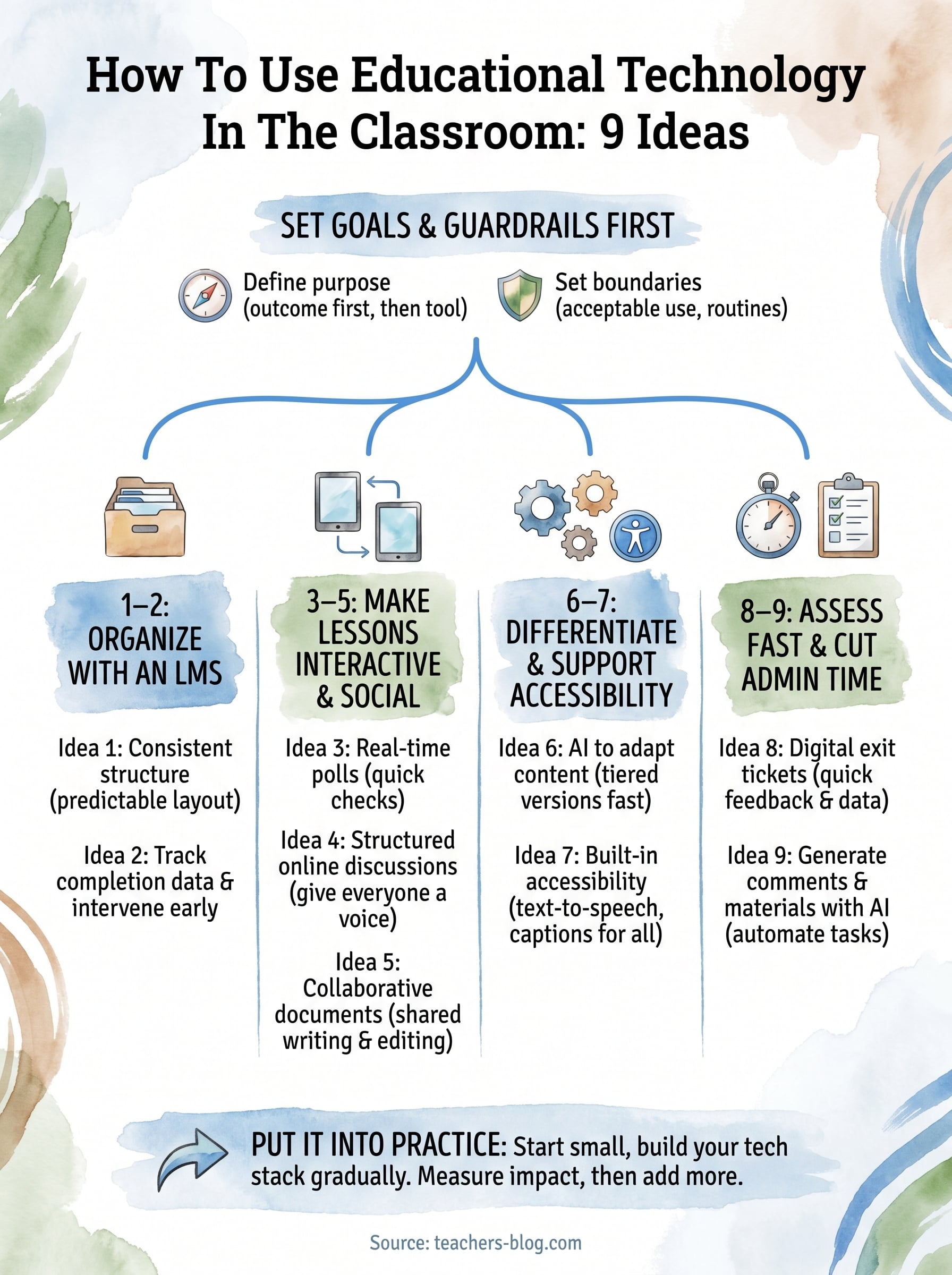
Put it into practice
You now have nine concrete ways to think about how to use educational technology in the classroom without turning your planning time into a research project. The key is starting small: pick one idea from this guide, run it for three weeks, and measure whether it moves the needle on the outcome you defined upfront.
Once that first tool feels routine, add a second. Building your tech stack gradually keeps you in control of the classroom experience instead of scrambling to manage five new platforms at once.
When you’re ready to save time on differentiation, worksheets, and report card comments, The Cautiously Optimistic Teacher has the AI-powered tools and classroom-tested resources to help you work faster without sacrificing quality. Start with one tool, build the habit, and let the results guide what you try next.