7 Universal Design for Learning Examples for Any Classroom
You’ve got one lesson plan and thirty different learners in front of you. Some need extra time, some need visuals, some check out the moment you hand out a worksheet. That’s exactly the gap universal design for learning examples are meant to close, and if you’ve only seen UDL explained in theory, it’s hard to picture what it actually looks like on a Tuesday morning.
UDL isn’t a separate curriculum you bolt on top of what you’re already doing. It’s a way of building flexible options into your lessons from the start, so students choose how they engage, learn, and show what they know, instead of you retrofitting accommodations after the fact. That’s the direct answer to what you’re searching for: real, classroom-tested moves, not another abstract framework.
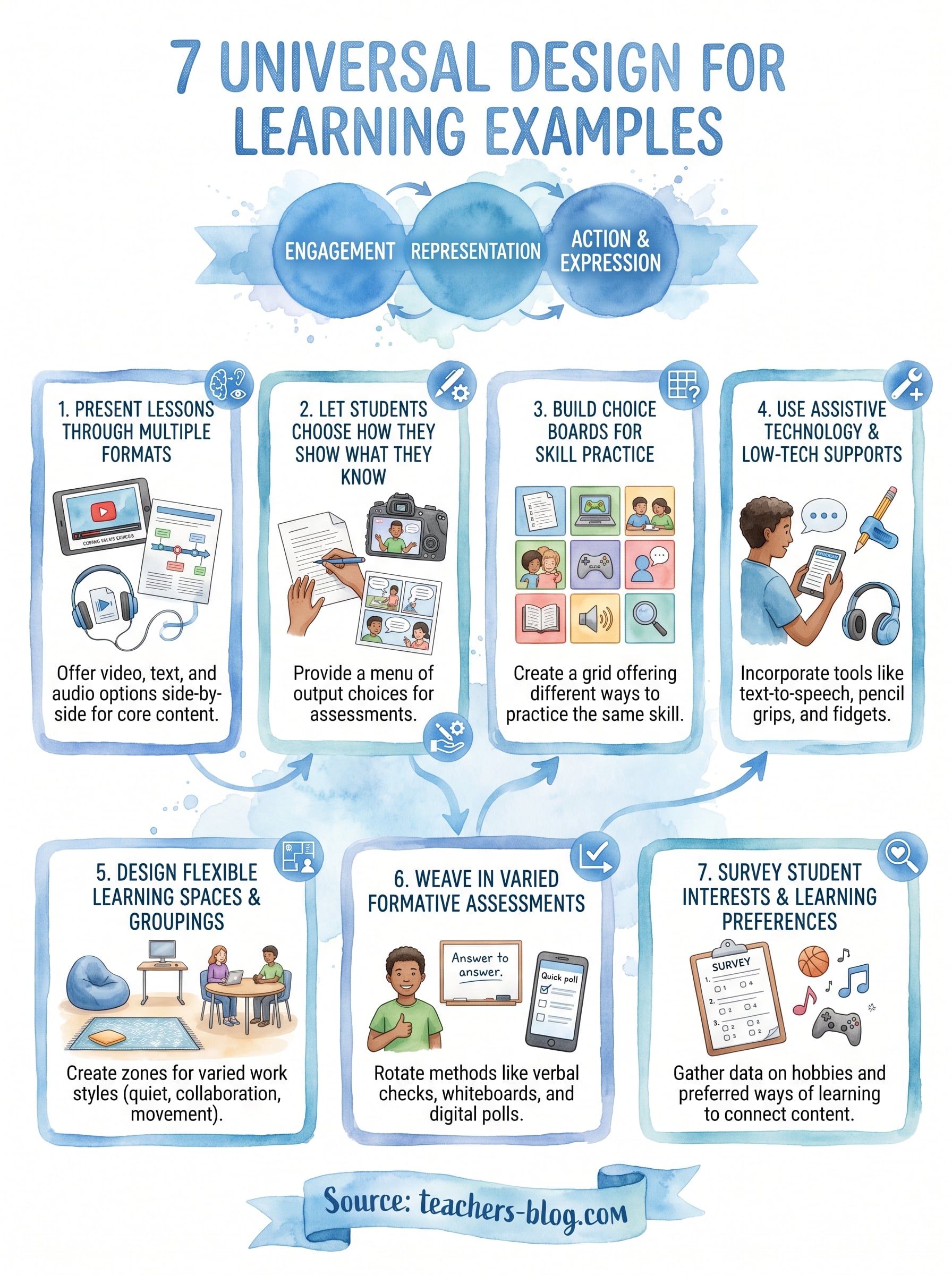
Below you’ll find seven concrete strategies you can try this week, from choice boards to multiple means of representation, each one grounded in the three UDL principles: engagement, representation, and action/expression. No jargon, no theory-heavy detours, just practical examples pulled from actual classrooms that you can adapt to your own students starting tomorrow.
1. Present lessons through multiple formats
Picture the same lesson on the causes of World War I delivered three ways: a short video with captions, a one-page text summary with a graphic timeline, and a five-minute podcast-style audio recap. Students pick whichever format helps the content click, or they cycle through all three. That’s multiple formats in action, and it’s the fastest entry point into UDL because it doesn’t require redesigning your whole curriculum, just rethinking how you deliver what you already teach.
How it works
Start by identifying the core content you need every student to grasp, then build two or three ways to access it. A biology lesson on cell structure might include a labeled diagram, a narrated slideshow, and a hands-on model students can manipulate. You’re not lowering the bar or watering down content. You’re removing the assumption that reading a textbook page is the only valid way in. Students with dyslexia, English learners, and kids who just learn better by listening all benefit from the same setup.
Multiple formats mean every student gets a real way in, not a workaround.
Which UDL principle it supports
This strategy sits squarely under multiple means of representation, the UDL principle focused on how information gets presented to learners. CAST, the organization behind the UDL framework, describes representation as making sure no single format becomes a barrier to understanding. When you offer visual, auditory, and text-based options side by side, you’re following that guideline directly, and you can read more about how CAST defines the three principles on their site at cast.org.
Quick tips to try tomorrow
- Record a two-minute voice memo explaining tonight’s homework instructions, and post it alongside the written directions.
- Add closed captions to any video you show, even ones you didn’t create.
- Pair every diagram or chart with a plain-language caption underneath it.
- Turn one reading passage into an infographic using a free tool like Canva, then let students choose which version to study from.
- Ask one colleague to swap a single worksheet-based lesson for a multi-format version this week and compare engagement.
2. Let students choose how they show what they know
Instead of requiring every student to write a five-paragraph essay to prove they understand a novel’s theme, offer a menu: a written essay, a recorded video analysis, a comic strip, or a one-on-one conversation with you. Each option demands the same depth of thinking, just through a different output. This is one of the most practical universal design for learning examples you can build into any unit, because assessment often becomes the biggest bottleneck for students who understand the material but struggle to express it in one fixed format.
How it works
Start with your learning target, not the assignment format. Ask yourself what evidence actually proves mastery, then brainstorm two or three ways students could produce that evidence. A math teacher might accept a written proof, a screencast walking through the steps, or a physical demonstration using manipulatives. Flexible output options keep your standards intact while removing the format itself as the obstacle.
When the format becomes optional, the thinking becomes visible.
Which UDL principle it supports
This strategy lives under action and expression, the UDL principle covering how students demonstrate learning. CAST’s guidelines emphasize varying the means of expression so students aren’t penalized for weaknesses unrelated to the actual content.
Quick tips to try tomorrow
- Offer three product choices on your next unit test: written, oral, or visual.
- Let one student record a video explanation instead of submitting a written response.
- Build a simple rubric that scores content and reasoning, not format or polish.
3. Build choice boards for skill practice
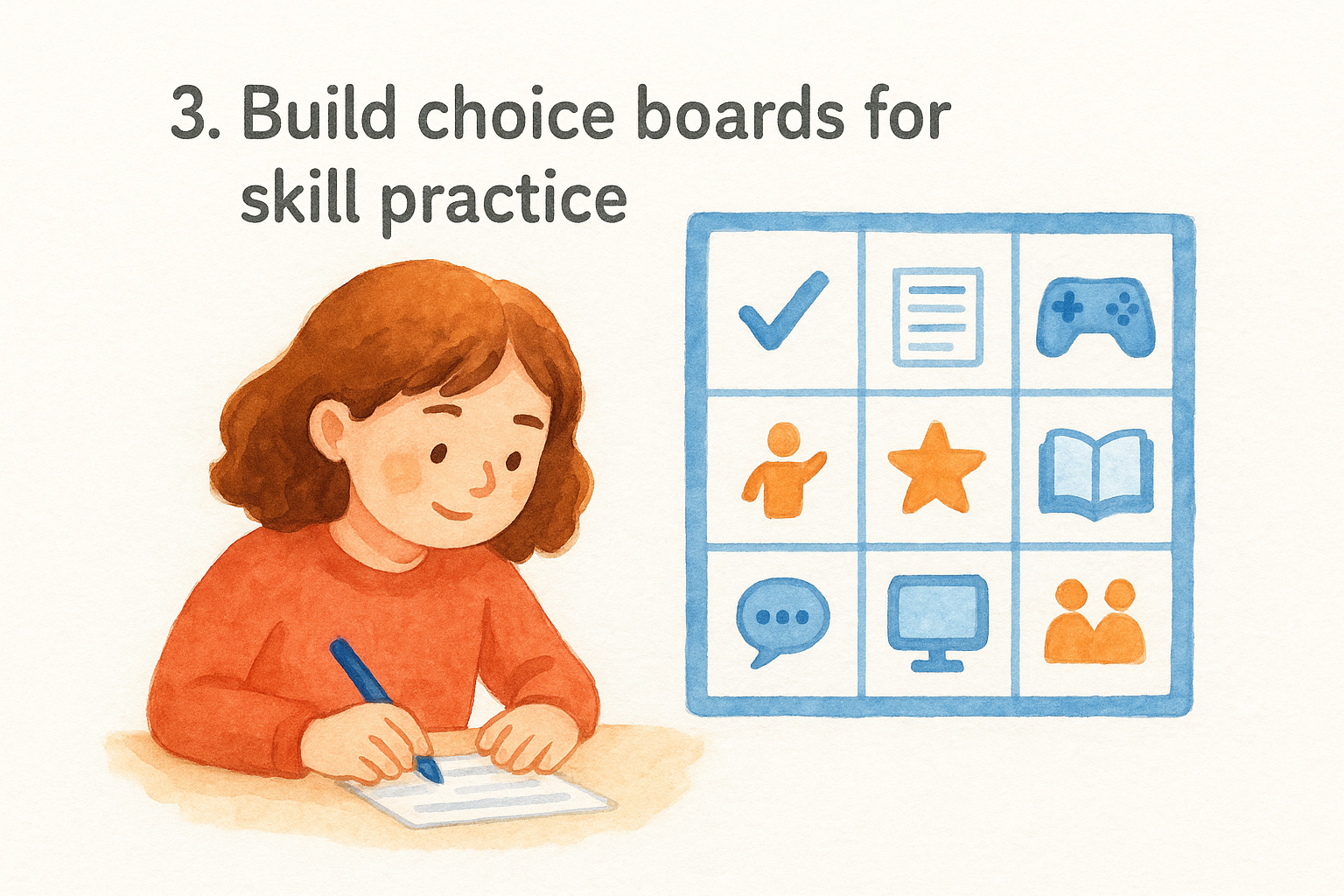
A choice board is just a grid, usually three by three, where each square offers a different way to practice the same skill. For a grammar unit on commas, one square might have a worksheet, another a short game on comma splices, another a partner activity where students fix sentences pulled from their own writing. Students pick a row, a column, or work through the whole board at their own pace. This is one of the simplest universal design for learning examples to set up because you can build one from activities you already have sitting in a folder.
How it works
Grouping activities by skill rather than difficulty is the key move here. Every square should target the same learning objective, just through a different mode: reading, movement, technology, collaboration. Choice boards work for warm-ups, homework, or entire class periods, and they scale down easily for younger grades with pictures instead of text labels. Students who finish early move to another square instead of sitting idle, and students who need more repetition get it without you singling them out.
A choice board turns one skill into nine paths to mastery.
Which UDL principle it supports
Choice boards touch two principles at once: engagement, because students select what interests them, and representation, because the activities themselves vary in format. CAST’s framework treats choice as a core driver of sustained effort, not just a motivational bonus.
Quick tips to try tomorrow
- Build one 3×3 board for your next skill review instead of a single worksheet.
- Include at least one movement-based or hands-on square.
- Let students color in squares as they complete them, turning it into a visible tracker.
4. Use assistive technology and low-tech supports
A text-to-speech app reads a dense chapter aloud to a struggling reader while a classmate uses a slant board to make handwriting easier on his wrist. Neither student needs a separate lesson plan; they just need a tool that removes a specific barrier. Assistive technology covers everything from screen readers and speech-to-text software to simple items like pencil grips, colored overlays, and fidget tools, and you don’t need a special education background to start using them.
How it works
Match the tool to the barrier, not the diagnosis. A student who struggles with spelling might use word prediction software, while one who loses focus during long readings might benefit from a text highlighter app that isolates one line at a time. Low-tech supports matter just as much as digital ones: a laminated word bank taped to a desk, a visual schedule, or noise-canceling headphones during independent work all cost little but solve real problems.
The right tool removes a barrier before it becomes a failure.
Which UDL principle it supports
This strategy spans all three UDL principles, but it leans hardest on action and expression and representation, since tools often change how students take in information or show what they’ve learned. CAST’s guidelines specifically call out assistive technology as a way to reduce barriers tied to sensory, physical, or processing differences.
Quick tips to try tomorrow
- Keep a small bin of pencil grips, highlighters, and fidget tools available to any student, no permission slip required.
- Turn on your device’s built-in text-to-speech feature and show the whole class how to use it.
- Offer noise-canceling headphones during quiet work time as a default option, not a special accommodation.
5. Design flexible learning spaces and groupings
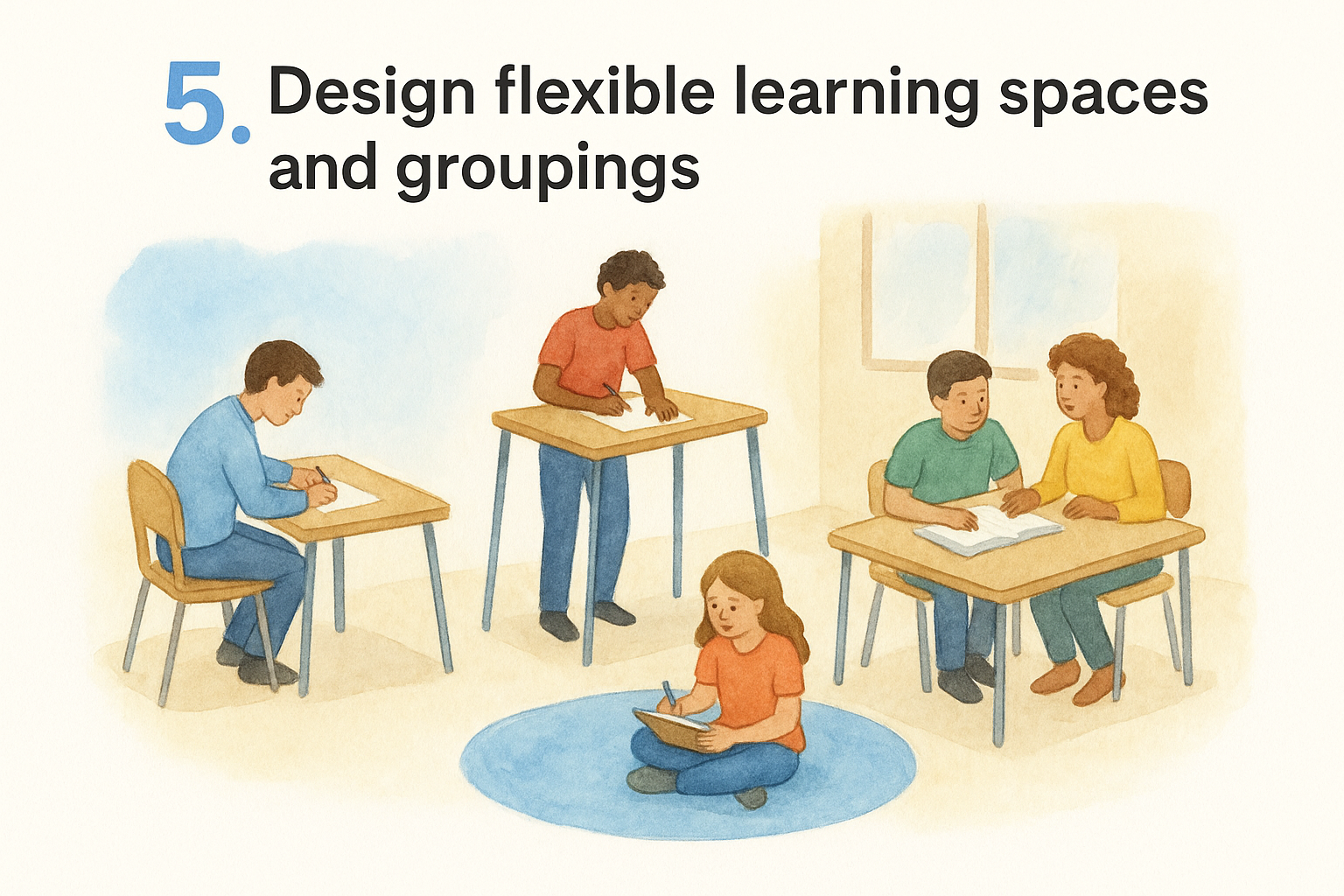
Some students think best hunched over a desk in silence. Others need to pace, talk through an idea out loud, or sprawl on the floor with a clipboard. Flexible learning spaces just mean your room offers more than one way to work, so students aren’t forced into a single posture or setup to get through the period. Pair that with flexible groupings that shift between solo work, pairs, and small teams, and you stop assuming every task fits every kid the same way.
How it works
Carve your room into a few zones: a quiet corner with noise-canceling headphones, a standing table, a rug area for floor work, and a cluster of desks for collaboration. Let students pick a zone based on the task, not just their mood. Grouping works the same way. A discussion-heavy activity might call for pairs, while a research project might need four kids splitting roles. Rotate who works with whom so groupings don’t calcify into fixed tracks by ability.
A flexible room tells students their working style is valid, not a problem to fix.
Which UDL principle it supports
This strategy falls under engagement, the UDL principle covering how students stay motivated and regulate their own effort. CAST’s guidelines highlight minimizing distractions and offering choice in the learning environment as direct ways to support sustained attention.
Quick tips to try tomorrow
- Designate one quiet zone and one collaboration zone in your existing room layout.
- Let students choose solo or partner work for tomorrow’s practice set.
- Rotate group assignments every two weeks instead of letting friend groups form permanently.
6. Weave in varied formative assessments
Exit tickets don’t have to mean a slip of paper with two questions on it. One day it’s a thumbs-up scale, another it’s a thirty-second verbal check-in, another it’s a quick sketch showing how a concept connects to something else. Varied formative assessments give you a real read on who’s actually learning, instead of just who’s good at one type of quiz. This matters because a single format, like a written quiz every Friday, tells you more about a student’s testing stamina than their grasp of the material.
How it works
Swap your assessment method every few days instead of defaulting to the same worksheet or quiz format. Try a whiteboard check where every student holds up an answer at once, or a quick Google Form with three questions students answer on their phones. Low-stakes checks work best when they’re fast to run and fast to review, so you can adjust tomorrow’s lesson based on today’s data instead of waiting for a unit test to find gaps.
Different check-ins catch different students, and no single format tells you the whole story.
Which UDL principle it supports
This strategy supports action and expression, since students demonstrate understanding through different formats, and it touches engagement too, because variety keeps low-stakes checks from feeling repetitive or dreaded.
Quick tips to try tomorrow
- Replace one written exit ticket with a verbal or visual check-in this week.
- Use hand signals or whiteboards for a quick whole-class comprehension check.
- Rotate between three formative formats over the course of a single week.
7. Survey student interests and learning preferences
Before you build another unit, ask your students what actually interests them. A five-minute survey at the start of the year, or before any new topic, tells you who loves sports stats, who’s obsessed with true crime podcasts, and who draws in the margins of every worksheet. Student interest surveys give you raw material for examples, word problems, and reading choices that connect to real kids instead of a generic textbook audience. This is one of the easiest universal design for learning examples to start with because it takes almost no prep and pays off in every unit afterward.
How it works
Keep the survey short: five to eight questions covering hobbies, preferred ways of working, and what makes a class feel boring or engaging to them. Ask directly whether they’d rather read, watch, listen, or build something to learn new material. Then actually use the answers. If half your class listed basketball as an interest, write a percentage word problem around free-throw stats instead of a generic shopping scenario. Learning preference data should shape your lesson choices, not sit forgotten in a spreadsheet.
A five-minute survey tells you more about engagement than a semester of guessing.
Which UDL principle it supports
This strategy anchors firmly in engagement, the UDL principle focused on motivation and relevance. CAST’s guidelines note that connecting content to personal interests and choices is one of the most reliable ways to sustain effort over time.
Quick tips to try tomorrow
- Send out a five-question interest survey using a free tool like Google Forms.
- Reference at least one student’s stated interest in your next lesson example.
- Repeat the survey each semester since interests shift throughout the year.
Making UDL a habit in your classroom
You don’t need to overhaul every lesson this month. Pick one strategy from this list, maybe the choice board or the interest survey, and run it for two weeks before adding another. Small, repeated changes stick better than a full curriculum rebuild you abandon by October. These seven universal design for learning examples work because they target real barriers, not because they check a compliance box, and that difference shows up fast in how students engage once they get a genuine say in how they learn.
UDL isn’t about doing more work. It’s about building flexibility in from the start so fewer students fall through the cracks later. Start small, watch what shifts in your classroom, then build from there. If you want more ready-to-use strategies, worksheets, and AI tools built specifically for teachers juggling real classrooms, visit The Cautiously Optimistic Teacher for the next resource to add to your toolkit.