9 Free Teacher Resume Templates You Can Customize Today
Job postings close fast, and a generic resume pulled from a random Google Doc rarely gets you past the first screening. If you’re hunting for a teacher resume template free to download and edit tonight, you don’t need another design lecture. You need something you can open, fill in, and submit before the deadline hits.
That’s exactly what this list gives you. Every template below is free, editable, and built with hiring principals in mind, meaning they highlight classroom experience, certifications, and measurable student outcomes instead of burying them under generic buzzwords. You’ll find formats for new grads with student teaching experience only, veteran teachers changing districts, and specialists like ESL or SPED instructors who need to showcase specific credentials.
Below, you’ll get nine templates covering different layouts and career stages, plus quick notes on when to use each one. I’ll also point out which sections principals actually read first and where first-year teachers often waste space. Pick the format that matches your situation, customize it in ten minutes, and get your application in front of a hiring committee today.
1. Canva teacher resume templates
Canva has become the default starting point for most educators searching for a teacher resume template free of charge, and it’s easy to see why. Type "teacher resume" into Canva’s search bar and you’ll pull up dozens of layouts built specifically for education roles, complete with sections for certifications, classroom management philosophy, and student achievement data. The designs range from clean and minimal to slightly more colorful options that work well for elementary or early childhood applicants, though I’d steer secondary and administrative candidates toward the simpler layouts.
What it includes
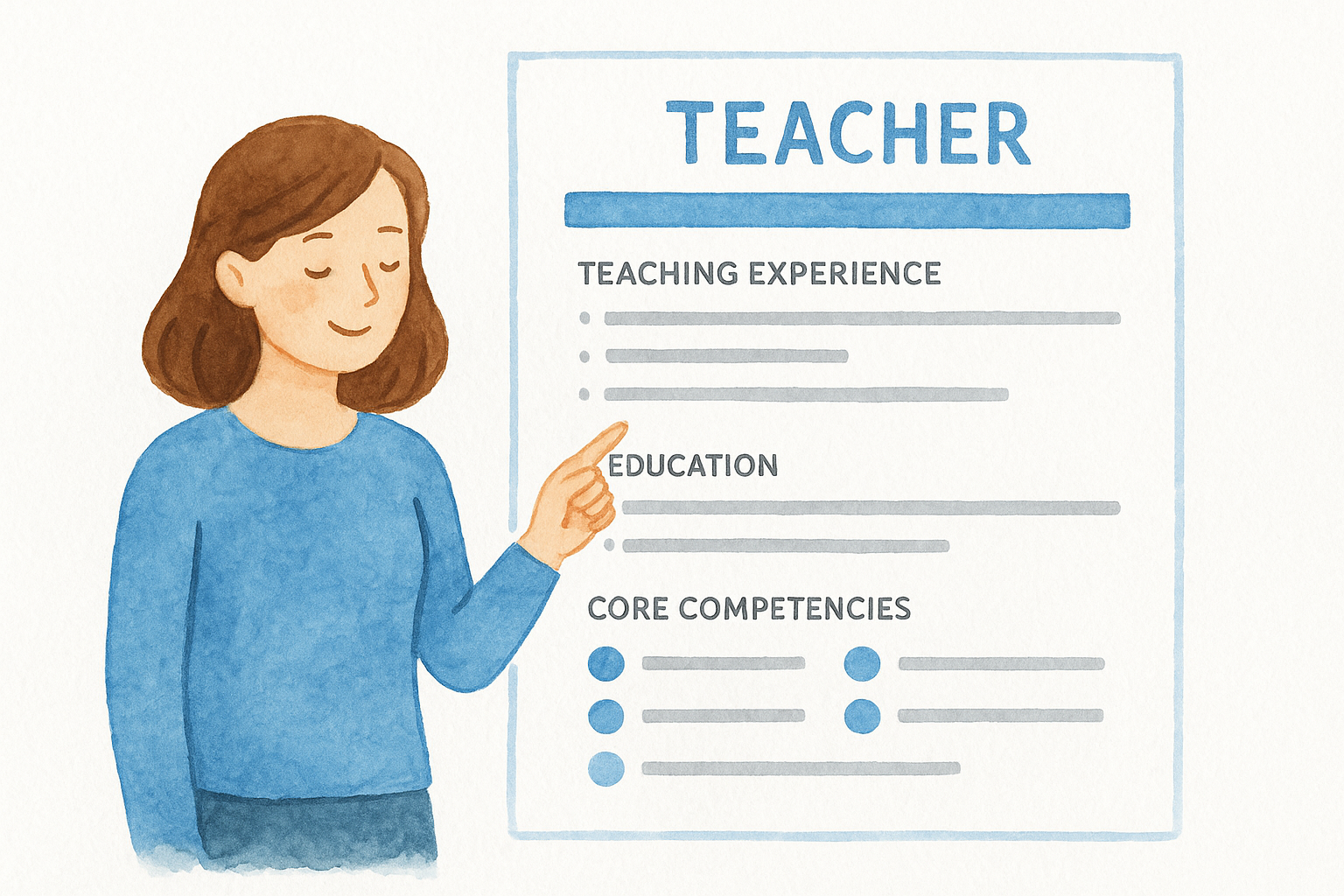
Most Canva teacher templates come pre-formatted with headers for teaching experience, education and certifications, core competencies, and a short professional summary. Many also include an optional skills bar or icon row, which looks nice but honestly isn’t something principals scan for, so don’t stress over customizing that part. You’ll also get matching cover letter templates in several of the sets, which saves you from hunting for a second tool when the job posting asks for both documents.
Best for
Canva works best for teachers who want a document with visual polish, without needing design skills to get there. Elementary teachers, art and music specialists, and anyone applying to a school with a more creative culture tend to do well with these layouts. If you’re applying somewhere traditional, like a large public district with a strict HR portal, a plainer format from a source further down this list may serve you better.
How to customize it
Customizing a Canva resume takes about ten minutes once you know where to click. Here’s the quickest path:
- Search "teacher resume" inside Canva and filter by "Free" using the pricing toggle.
- Pick a layout and click into each text box to swap in your own experience, starting with your most recent teaching role.
- Replace the sample bullet points with measurable outcomes, like "Raised average reading level by 1.2 grades in one school year" instead of vague statements.
- Swap the color palette if needed. Muted blues and greens read as more professional than bright primary colors for middle and high school applications.
- Download as a PDF, not PNG, so applicant tracking systems can still read the text.
A polished template only helps you if the bullet points underneath it actually prove your impact in the classroom.
Cost to download
The majority of Canva’s teacher resume templates are genuinely free, and downloading as a standard PDF costs nothing even without a paid account. Some templates are marked "Pro," which requires a Canva Pro subscription running around $12.99 a month if billed monthly, or roughly $119.99 annually according to Canva’s own pricing page. You don’t need Pro to find a solid free option, though. Filter by the free tag first, and you’ll still have plenty of professional-looking choices to work with before ever considering an upgrade.
2. Google Docs teacher resume templates
Google Docs hides a small stash of resume templates right inside its template gallery, and a few work surprisingly well for teaching applications once you know where to look. Open a new document, click "Template gallery," and scroll to the resume section for options like "Serif" or "Spearmint," both clean enough to pass for education-specific layouts with minor tweaks. Since most districts already use Google Workspace for hiring communications, submitting a resume built in Docs means zero formatting surprises when someone else opens it.
What it includes
Each built-in template gives you a header for contact information, a summary section, and stacked blocks for experience and education. None are labeled specifically for teachers, so you’ll need to relabel section headers yourself, swapping "Work Experience" for "Teaching Experience" and adding a line for certifications and endorsements, which most generic templates skip entirely.
Best for
This option suits teachers applying to districts that request submissions as a shareable Google link rather than a PDF attachment, which is increasingly common with online application portals. It’s also the fastest route if you’re short on time and already comfortable typing directly into Docs without fussing over design.
Convenience wins the day when a district’s application system only accepts a Google Doc link, not a downloaded file.
How to customize it
- Open Google Docs, go to File > New > From template gallery.
- Pick a resume layout and rename each section to match teaching terminology.
- Add a certifications line near your education section, listing state licenses and any specialty endorsements.
- Use Google’s built-in spell check and "Explore" tool to catch typos before sending.
- Download as PDF via File > Download if the posting requests an attachment instead of a link.
Cost to download
Every template inside Google’s gallery is completely free, and you only need a standard Google account to access it. There’s no premium tier hiding better designs behind a paywall here, so what you see is genuinely what you get.
3. The Good Docs Co. teacher resume templates
The Good Docs Co. runs a library of free Google Docs and Word templates built by actual technical writers and HR-adjacent volunteers, and their resume section includes a few layouts specifically labeled for education roles. Search their site for "teacher" or "education resume" and you’ll land on templates with built-in guidance notes explaining what to write in each section, which makes this option unusually helpful if you’ve never written a teaching resume before and aren’t sure what belongs where.
What it includes
Each template ships with a full instructional guide sitting right beside the resume itself, walking you through what hiring committees expect in a summary statement versus an objective, and how to phrase classroom accomplishments so they read as achievements rather than job duties. You’ll also get a matching style guide with font and spacing recommendations, so the document stays consistent even after heavy editing.
Best for
This template suits first-time job seekers, career changers moving into teaching from another field, and anyone who freezes up staring at a blank resume and needs structure more than style. It’s less useful if you already have a strong resume and just want a fresh layout, since the guidance notes take extra time to read through and delete.
A template with built-in instructions saves the most time for writers who don’t yet know what a hiring committee wants to see.
How to customize it
- Visit The Good Docs Co. site and open the education or resume category.
- Click "Use template," which creates a copy in your own Google Drive.
- Read the gray instructional text in each section before deleting it and replacing it with your details.
- Adjust the summary section last, once your experience bullets are finalized.
- Download as PDF from the File menu before submitting.
Cost to download
Every template on The Good Docs Co. is free, with no login or subscription required, and the organization funds itself through donations rather than premium tiers.
4. Adobe Express teacher resume templates
Adobe Express offers a surprisingly deep set of resume templates that don’t require any Photoshop or InDesign skills to use, which matters if you’ve only ever heard of Adobe as "that expensive design software." Search "teacher resume" inside the platform’s template browser and you’ll find layouts built around bold section headers and generous white space, the kind of design that makes a teaching resume easy to skim during a five-minute screening. Everything runs in the browser, so there’s nothing to install before your interview deadline.
What it includes
Each template arrives with placeholder text for a professional summary, certification lists, and a skills matrix formatted as a simple grid rather than the icon bars you’ll see in Canva. A handful of layouts also include a small photo placeholder, which some elementary and international schools still expect but most public districts in the US actively discourage, so delete it if your target district falls into that second camp.
Best for
This option works well for teachers who want something more refined than a Google Doc but don’t want a Canva Pro paywall interrupting their workflow. Music, art, and drama teachers also gravitate toward Adobe Express since the brand carries some creative credibility that fits arts-focused applications.
How to customize it
- Create a free Adobe account and search "teacher resume" in the template library.
- Replace placeholder text box by box, starting with your certifications and licensure section.
- Remove the photo placeholder unless your district explicitly welcomes one.
- Export as PDF under the download menu to preserve formatting across devices.
A photo placeholder that looks polished in the template can quietly work against you if the district you’re applying to discourages photos on resumes.
Cost to download
Adobe Express templates download for free as standard-resolution PDFs, with no watermark attached to resume exports. Premium templates exist, but the free tier covers everything a teaching applicant actually needs.
5. Microsoft Word built-in resume templates
Microsoft Word still ships with a handful of resume templates baked right into the program, and a few work fine for education applications once you strip out the generic "professional experience" labels. Open Word, click "New," and type "resume" into the search bar to pull up options like "Chronological Resume" or "Simple Resume," neither labeled for teaching but both flexible enough to relabel. If you’re already comfortable formatting in Word and just want a teacher resume template free of extra software, this is the fastest route since you likely have Word installed already.
What it includes
Every built-in template gives you a name header, a summary block, and stacked sections for experience and education, formatted with Word’s native styles so headings update automatically if you change the theme. None mention certifications or classroom management specifically, so you’ll add those sections yourself using the existing heading style for consistency.
Best for
This template suits teachers applying to older or smaller districts where HR staff still expect a .docx file rather than a PDF or Google link. Substitute teachers and paraprofessionals moving into full certification also do well here, since the plain layout doesn’t distract from a thinner work history.
A plain, familiar format sometimes wins over a stylish one when the person reading it just wants information fast.
How to customize it
- Open Word and search "resume" under File > New.
- Rename generic headers to match teaching language, like "Classroom Experience" and "Licensure."
- Use Word’s Styles panel to keep formatting consistent after edits.
- Save as PDF under File > Export if the posting requests one.
Cost to download
Every built-in Word template is free with an active Microsoft 365 subscription or a one-time Word purchase, and no separate download fee applies once you have the software.
6. Template.net teacher resume templates
Template.net hosts one of the largest catalogs of downloadable resume formats online, and its education section includes dozens of layouts built specifically for classroom roles, from preschool aide to department chair. Digging through their site for a teacher resume template free option takes a bit more patience than Canva or Google Docs, since much of the catalog sits behind a premium wall, but the free filter still surfaces a solid handful of usable designs in Word, PDF, and Google Docs formats.
What it includes
Most free templates here include a header, summary, experience, and education section, along with a dedicated line for licensure and endorsements that many general-purpose templates skip. A few designs also feature a references section built right in, which saves you from formatting one separately if a district requests names upfront.
Best for
This source suits teachers who want format variety, since you can compare a dozen layouts side by side before committing to one. It’s also useful for special education and ESL teachers who need extra room for credential lists, since several templates here allocate more space to certifications than the average design.
More format options only help if you filter hard enough to avoid the templates locked behind a paid plan.
How to customize it
- Browse the education resume category and filter results by "Free."
- Download the file in Word or Google Docs format, whichever matches your editing tool.
- Replace placeholder credentials with your actual state license numbers and endorsement dates.
- Adjust margins if the layout runs longer than one page, since some templates default to a slightly larger font.
Cost to download
Free templates download at no charge with no account required, though Template.net pushes a premium subscription around $29 monthly for access to its full library. You won’t need that tier for a standard teaching application, so stick to the free filter and skip the upsell entirely.
7. Teachers Pay Teachers free resume templates
Teachers Pay Teachers built its name on lesson plans and worksheets, but a search for "resume" on the site turns up a surprising number of free listings made by teachers who’ve actually sat through hiring committee meetings. Unlike the design-first platforms earlier on this list, these teacher-made templates come from people who know exactly which bullet points get a principal’s attention, since many sellers describe their own hiring background right in the product listing. If you want a teacher resume template free download that reflects real classroom hiring experience rather than generic HR advice, this is worth a browse.
What it includes
Most free listings include a one or two-page Word or Google Docs file, sometimes bundled with a matching cover letter and a short list of interview talking points. A handful of sellers also include a grade-band specific version, with separate layouts for elementary, middle, and high school applicants since the language and priorities shift between those levels.
Best for
This source fits teachers who want language written by someone who’s actually reviewed applications, not just a design template with placeholder text. It also suits candidates applying for specialized roles, like reading interventionist or instructional coach, since sellers in those niches sometimes upload resumes built specifically for that path.
A resume written with hiring experience behind it often beats a prettier template with generic placeholder text.
How to customize it
- Search "free resume" plus your grade level or subject on the site.
- Sort results by "Free" and check the preview pages before downloading.
- Open the file in Word or Google Docs and replace sample text with your own credentials.
- Read any included notes from the seller, since many explain why each section exists.
Cost to download
Listings marked free cost nothing and require only a free TPT account to download, no purchase or subscription needed for that tier.
8. College career center resume samples
Your college career center doesn’t disappear the moment you graduate, and most schools of education keep a library of sample resumes built specifically for teaching majors. If you’re an alum, check your college’s career services website for a "resume samples" or "education majors" page, since many post PDFs showing exactly what a student teaching resume should look like before a first job search even starts. Some schools restrict access to current students and recent grads through an alumni login, so dig up your old credentials before assuming the resource isn’t available to you.
What it includes
These samples usually show a full resume built around a student teaching placement instead of paid classroom years, with sections for coursework highlights, practicum hours, and relevant extracurriculars like tutoring or coaching. Career centers often pair the sample with a short annotated version explaining why each line appears where it does, which helps if you’re translating unpaid experience into resume language for the first time.
Best for
This resource suits new graduates and career changers who haven’t held a full teaching contract yet and need help framing internships and practicum hours as real qualifications. It’s less useful once you have a few years of paid classroom experience, since the format is built around entry-level applicants specifically.
A resume built for student teachers solves a different problem than one built for veterans, so match the sample to your actual career stage.
How to customize it
- Log into your college’s career services portal or search "[your college] education resume sample" directly.
- Download the PDF or Word sample and copy the section structure into a new document.
- Swap coursework and practicum details for your own placement, school name, and grade level.
- Book a free resume review appointment if your school offers one, since many career centers staff advisors who’ll mark up drafts at no cost.
Cost to download
College career center samples cost nothing for current students, and most remain free for alumni indefinitely, though some schools cap advising appointments to graduates within one or two years of leaving.
9. MyPerfectResume teacher resume builder
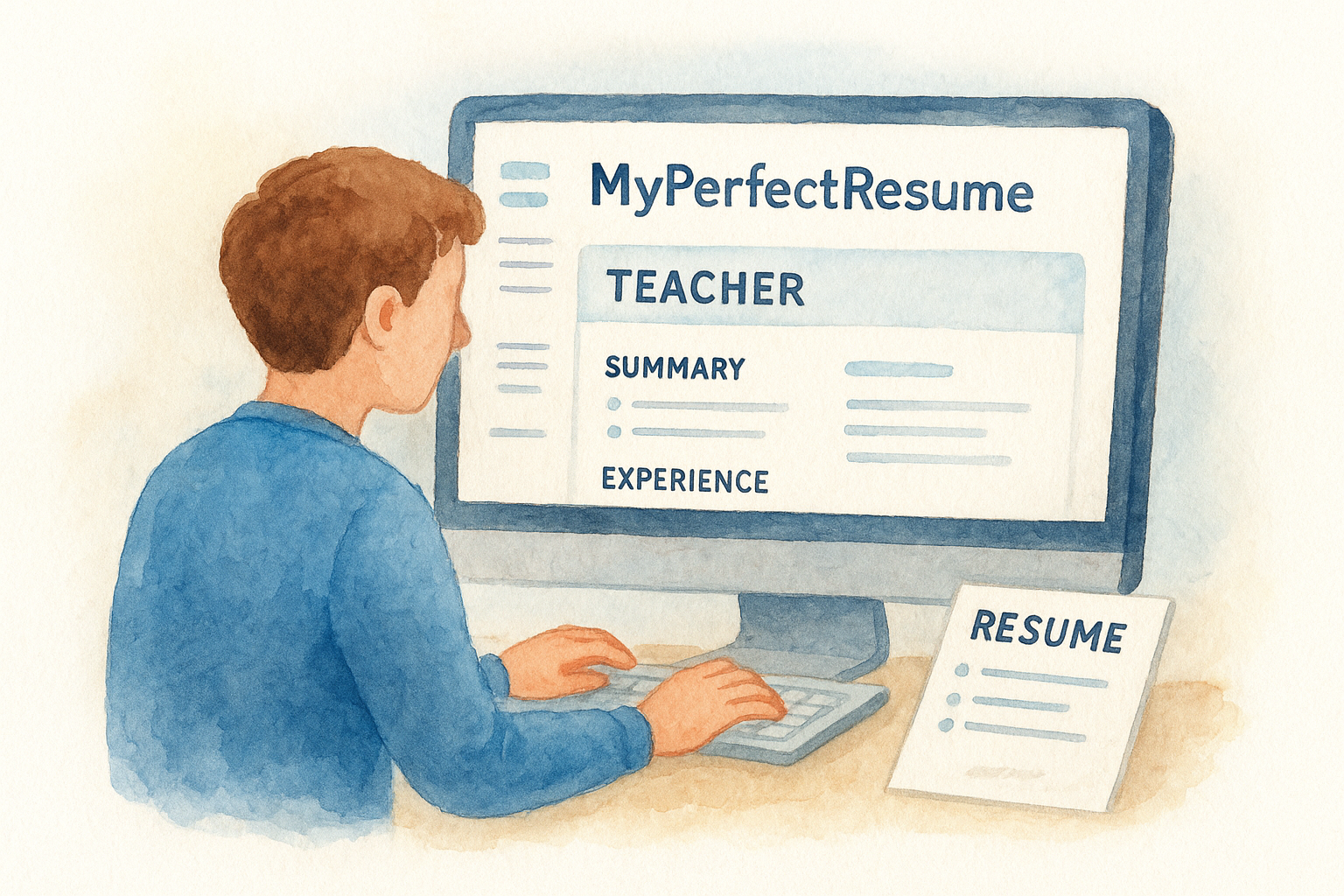
MyPerfectResume works differently from everything else on this list, since it’s a guided builder rather than a static file you download and edit by hand. Type in your job title as "teacher" and the tool suggests pre-written bullet points pulled from real education job postings, which speeds things up if you’re staring at a blank summary field at midnight. Worth noting upfront: this is the one entry here where "free" needs an asterisk, so read the cost section before you invest an hour filling in your details.
What it includes
The builder walks you through contact info, a summary, experience, education, and a skills section, with a live preview updating as you type. It also suggests industry-specific phrasing for teaching roles, like classroom management language and standardized test score improvements, which saves you from writing every bullet point from scratch.
Best for
This tool suits teachers who want prompts and suggested wording rather than a blank template, especially if writing resume copy feels harder than picking a layout. It’s less useful if you already have strong bullet points written and just need a free file to drop them into.
A guided builder helps most when writing the words feels harder than choosing a design.
How to customize it
- Create a free account and select a teaching-focused template from the builder’s gallery.
- Answer the prompts about your role, grade level, and subject area.
- Edit the suggested bullet points to reflect your actual classroom outcomes and data, not just the generic suggestions.
- Preview the finished layout before moving to checkout.
Cost to download
Building the resume is free, but downloading a finished PDF typically requires a paid plan, often starting around a two-week trial before converting to a recurring subscription. Cancel before the trial ends if you only need the one document.
Choosing the template that fits your next job
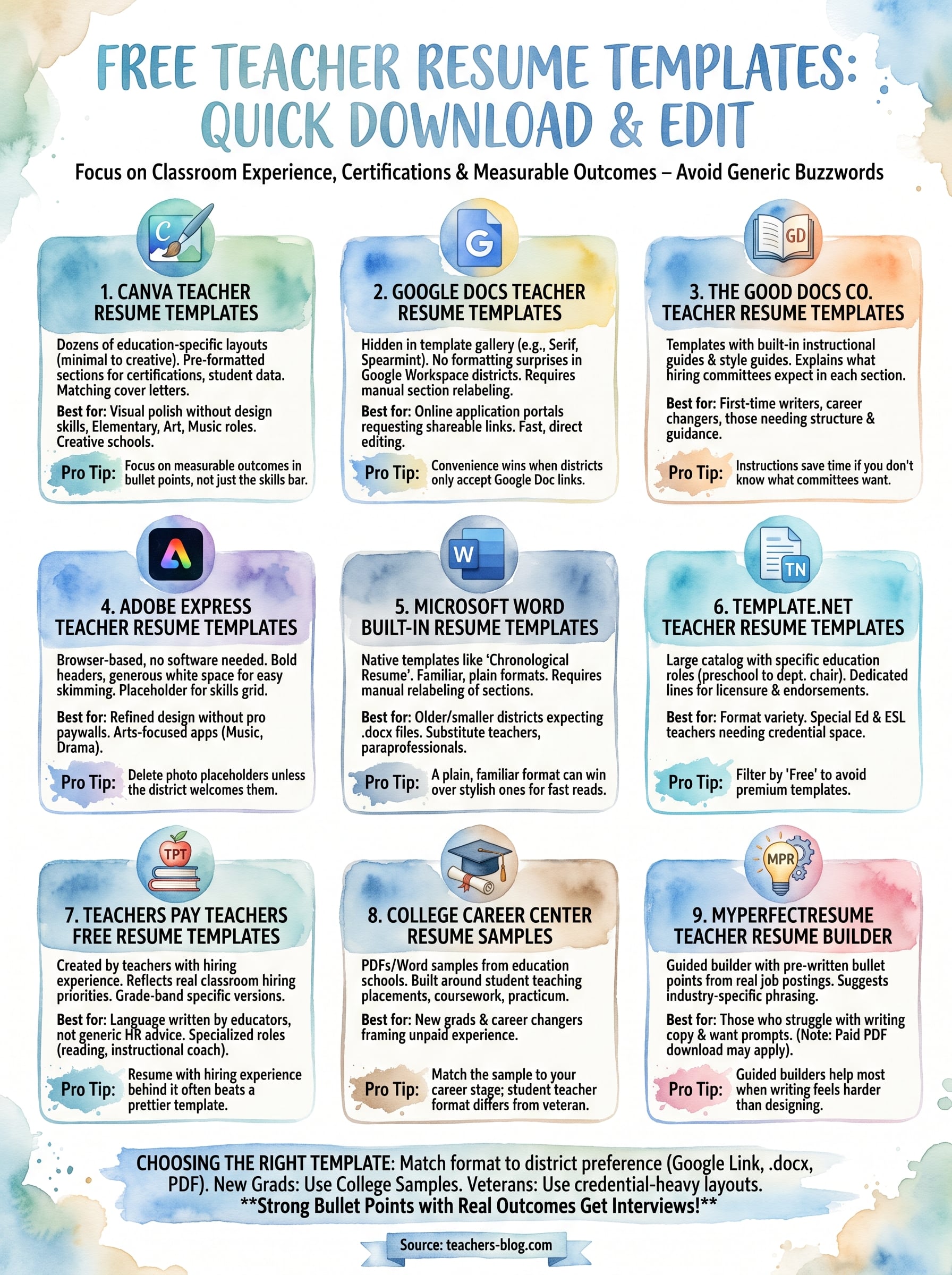
Nine options is plenty, but you don’t need to try them all. Match the template format to what your target district actually accepts: a Google Doc link for online portals, a .docx file for old-school HR offices, a PDF for everyone else. New grads should lean toward The Good Docs Co. or a college career center sample built around student teaching, while veteran teachers switching districts often do better with the credential-heavy layouts from Template.net or Teachers Pay Teachers.
Whatever you pick, the layout only carries you so far. Strong bullet points built around real classroom outcomes are what actually get you the interview, and that’s true no matter which free template you land on tonight.
Once your resume’s ready, keep building your teaching career with more practical guidance over at The Cautiously Optimistic Teacher, where you’ll find classroom strategies, AI tools, and career resources built for educators like you.