How To Use AI In The Classroom: Practical Ideas For Teachers
Most teachers have a strong opinion about AI, they either see it as a threat to authentic learning or a tool that could genuinely help. Here at The Cautiously Optimistic Teacher, we land somewhere in the middle (the name kind of gives it away). We’ve spent real time testing AI tools in classroom settings, and here’s what we’ve found: AI works best when a teacher is driving it, not the other way around. The question isn’t whether AI belongs in schools. It’s how to use AI in the classroom in ways that actually support learning instead of replacing it.
That’s exactly what this article covers. We’ve put together a list of practical, teacher-tested ideas for bringing AI into your instruction, whether you’re looking to differentiate lessons, save time on admin work, or teach students how to use these tools responsibly. No hype, no hand-wringing. Just concrete strategies you can start using this week.
Let’s get into it.
1. Use The Cautiously Optimistic Teacher AI tools
The easiest starting point for figuring out how to use AI in the classroom is to begin with tools built specifically for teachers. We’ve built four AI-powered tools here at The Cautiously Optimistic Teacher that tackle the tasks eating up your planning time and your feedback time every single week.
What to use AI for
Our tools cover four of the most time-consuming parts of teaching: the Differentiated Instruction Helper tailors lessons to diverse learners, the Worksheet Maker generates customized worksheets from keywords you provide, the Question Generator builds critical thinking questions from any text you paste in, and the Report Card Commentor helps you write individualized comments in a fraction of the usual time.
These tools are designed so you stay in control; the output is a starting point, not a finished product.
A quick classroom workflow
Start by identifying one task you repeat every week that drains your energy, like writing discussion questions or adapting a reading for different skill levels. Paste your content or keywords into the relevant tool, review the output, and then edit it to fit your students. That’s the whole workflow. Most teachers find they cut that task from thirty minutes down to just a few.
You don’t need to overhaul your entire practice at once. Pick one tool, use it for two weeks, and notice how it shifts your prep load before adding anything else.
Example prompts
The tools guide you with input fields, but the quality of what you get back depends on how specific your input is. Here are a few examples to get you started:
- Worksheet Maker: "Vocabulary worksheet, 8th grade, Greek mythology unit, 10 words, matching format"
- Question Generator: Paste a paragraph from a class novel and select "critical thinking, higher-order"
- Report Card Commentor: "Student struggles with focus but excels in group discussions, ELA class, encouraging tone"
Teacher guardrails
Always read the full output before you use it. AI tools can miss tone, context, or details that only you know about your specific students. Treat every result as a rough draft that needs your eye. You bring the classroom knowledge and professional judgment; the tool handles the repetitive generation work.
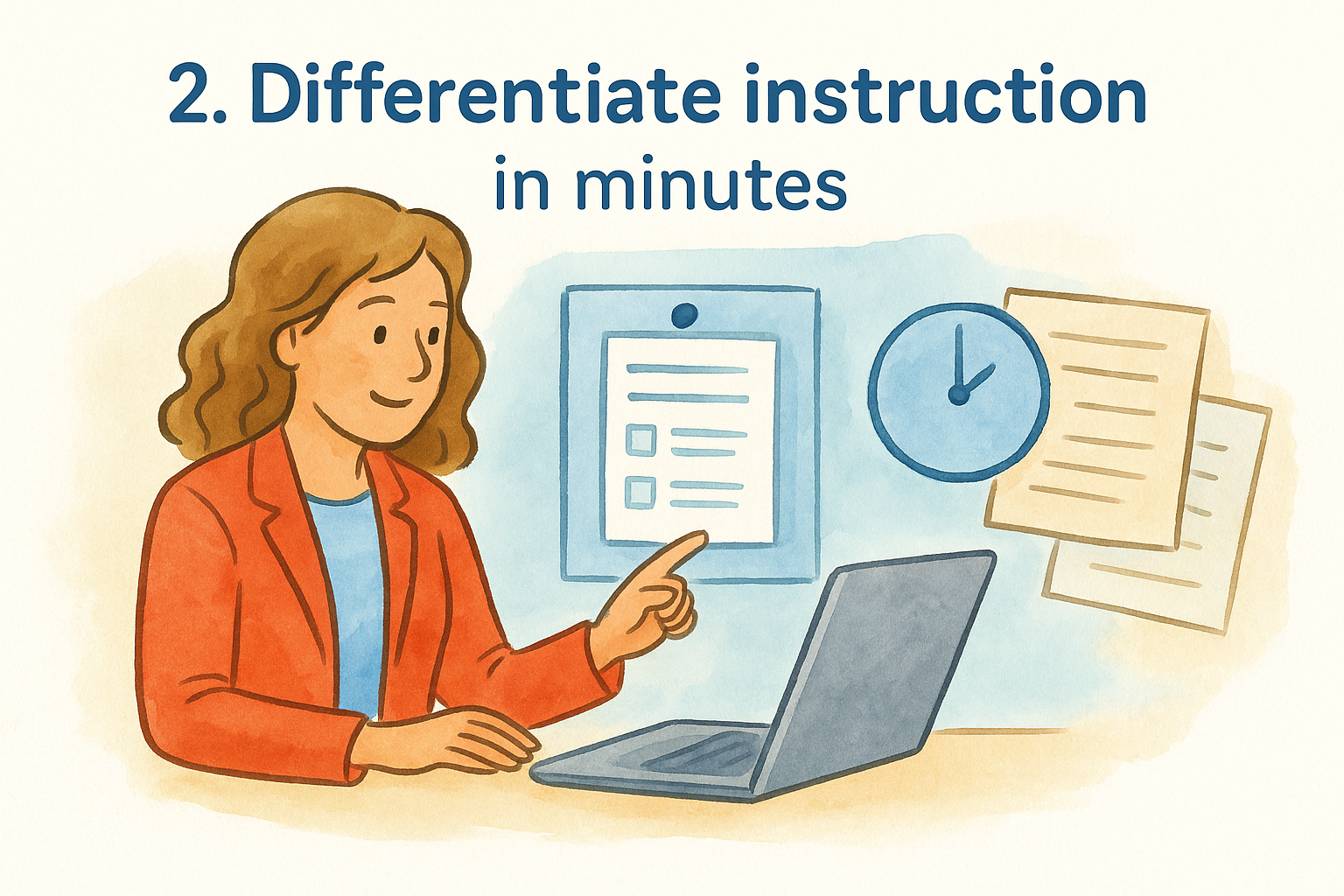
2. Differentiate instruction in minutes
Differentiation is one of the most time-consuming parts of lesson planning. You might have three reading levels in one class and materials that only work for one of them. AI closes that gap in far less time than building separate versions by hand.
What to use AI for
When thinking about how to use AI in the classroom for differentiation, the core task is adapting content you already have to fit different learners. You can take a single passage, set of instructions, or assignment and ask AI to rewrite it at a lower reading level, simplify vocabulary, or add scaffolding like sentence starters and word banks. You can also push the complexity upward for advanced students without creating a brand new task.
A quick classroom workflow
Start with one piece of existing content, paste it into an AI tool, and request three versions: below grade level, on grade level, and above grade level. Review each version, adjust for accuracy, and you have a differentiated set in under ten minutes.
Differentiation doesn’t require building three separate lessons from scratch; it just requires adjusting what you already have.
Example prompts
Short, specific prompts produce the most usable output. Try these as a starting point:
- "Rewrite this paragraph at a 5th-grade reading level, keep the same key facts"
- "Add sentence starters and a word bank to these instructions for struggling readers"
- "Extend this activity with two higher-order thinking questions for advanced students"
Teacher guardrails
Always read the simplified version carefully for accuracy. AI occasionally drops important details when cutting complexity. Confirm that the core learning objective survived the rewrite before any version reaches your students.
3. Create questions, quizzes, and checks for understanding
Writing good questions takes more time than most teachers expect. When you’re planning how to use AI in the classroom, question generation is one of the most practical starting points because it saves real prep time and gives you more variety than you’d typically build in one sitting.
What to use AI for
AI handles different question types well across any text you provide. You can request multiple-choice, short answer, true/false, or open-ended questions at specific cognitive levels. That means you can build a bell-ringer, an exit ticket, or a full quiz from the same source material without starting from zero each time.
A quick classroom workflow
Paste a reading passage, lesson summary, or chapter excerpt into your AI tool and specify the question type, number, and difficulty. Review the output, cut anything that doesn’t fit your objectives, and you have a ready-to-use formative assessment in minutes rather than the usual thirty.
A five-minute check for understanding only works if the questions target the right skills, so always confirm alignment before using AI-generated questions with students.
Example prompts
Short, targeted prompts produce the most usable results. Try these as a starting point:
- "Write 5 multiple-choice questions on chapter 3, 8th-grade level, focus on inference"
- "Create 3 exit ticket questions checking for understanding of the water cycle"
- "Generate 4 open-ended questions at the analysis level using Bloom’s Taxonomy"
Teacher guardrails
Check every question for accuracy and clarity before it reaches your students. AI occasionally produces misleading answer choices or questions with more than one defensible answer. Your content knowledge is the final filter.
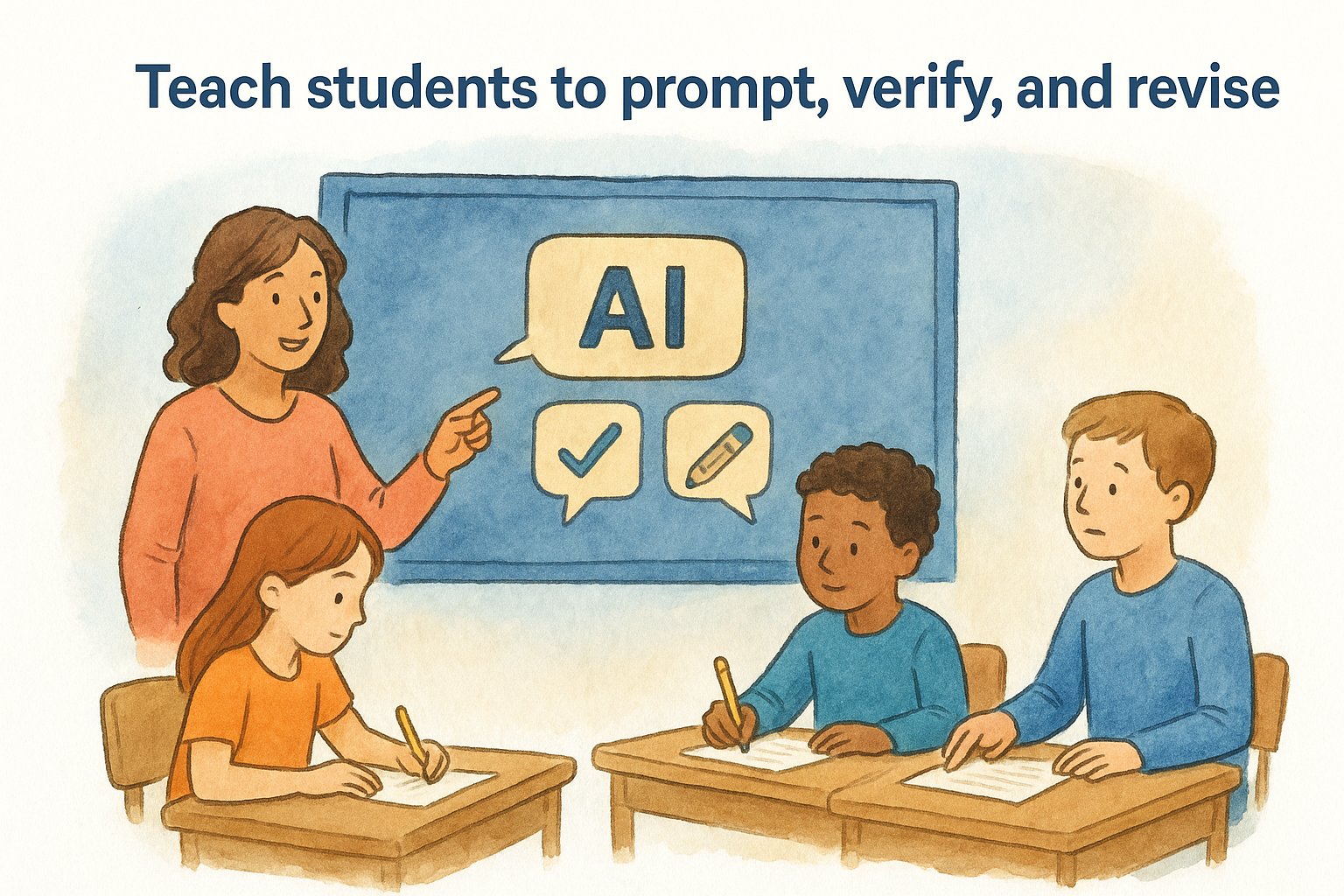
4. Teach students to prompt, verify, and revise
One of the most practical decisions you can make when thinking about how to use AI in the classroom is to stop treating AI as a tool only you use. Students who learn to prompt, verify, and revise AI output build transferable critical thinking skills that go well beyond any single assignment.
What to use AI for
This approach uses AI as a thinking partner, not an answer machine. Students generate a first draft or explanation with AI, then fact-check it against your course materials, identify what’s missing or wrong, and revise accordingly. The AI output becomes raw material for thinking, not a finished product.
A quick classroom workflow
Give students a topic, have them write their own response first, then ask AI the same question. Students compare the two versions, identify differences, and defend which claims they trust and why. That comparison is where the real learning happens.
Students who practice skepticism with AI output learn to apply that same skepticism to every source they encounter.
Example prompts
These student-facing prompts work well across subjects:
- "Explain the cause of the Civil War in three sentences"
- "Give me three counterarguments to my thesis statement"
- "What are common mistakes students make when solving this type of equation?"
Teacher guardrails
Make verification a required step, not optional. Pair this activity with a credible source students must check against, whether that’s their textbook, class notes, or a vetted reference. Without that step, students may accept AI errors as facts.
5. Speed up feedback without writing for students
Feedback is where teacher time disappears fastest. You might spend an entire evening writing comments on essays, only to watch students glance at the grade and move on. When you think about how to use AI in the classroom to reclaim that time, feedback is one of the highest-impact areas to target.
What to use AI for
AI works well as a first-pass feedback generator. You paste in student work or a description of common errors, and it produces specific, actionable comments you can then edit, cut, or add to. This is not about replacing your professional judgment; it’s about reducing the blank-page problem that makes feedback so slow.
A quick classroom workflow
Copy a student’s paragraph or a representative error pattern you’re seeing across the class into an AI tool. Ask for feedback that identifies one strength and two areas to improve. Then personalize the output with what you know about that student before returning it.
AI gives you a starting draft; your knowledge of the student turns it into feedback that actually lands.
Example prompts
Try these targeted prompts to get usable feedback quickly:
- "Give feedback on this paragraph: one strength, two specific revisions, 8th-grade writing"
- "Write a comment for a student who understands the concept but rushes through explanations"
Teacher guardrails
Never send AI-generated feedback directly to students without reading it first. Check that the tone is appropriate and that the suggestions match your actual instructional goals for that assignment.
6. Redesign assessments so AI helps learning
If students can ask AI for an answer, your old assessments probably need a rethink. The goal isn’t to make tests harder to cheat; it’s to build tasks where using AI actually requires thinking and demonstrating process, which changes how you use AI in the classroom at a structural level.
What to use AI for
Use AI to help you design process-based and reflective assessments that are harder to fake. Instead of asking for a final essay, ask students to submit a prompt log, a revision history, or an explanation of choices they made along the way. AI can generate assessment frameworks and rubric criteria for these new formats in minutes, giving you a concrete starting point rather than a blank page.
A quick classroom workflow
Pick one existing assignment and ask AI to suggest three alternative formats that require students to demonstrate reasoning, not just recall. Review the suggestions, select the strongest option, and adapt it for your class context. You can walk away with a revised assessment ready in a single planning session.
Assessments that ask students to explain their process are far harder to shortcut than those that only ask for a final answer.
Example prompts
Try these to get started fast:
- "Suggest three alternatives to a traditional essay that assess critical thinking in ELA"
- "Create a rubric for a student reflection on their AI-assisted research process"
Teacher guardrails
New assessment formats need clear instructions and modeling before students attempt them. If students don’t understand what a reflection or process log looks like, the format fails regardless of your prompt quality. Show them a strong example first, then let them practice before it counts for a grade.
Next Steps
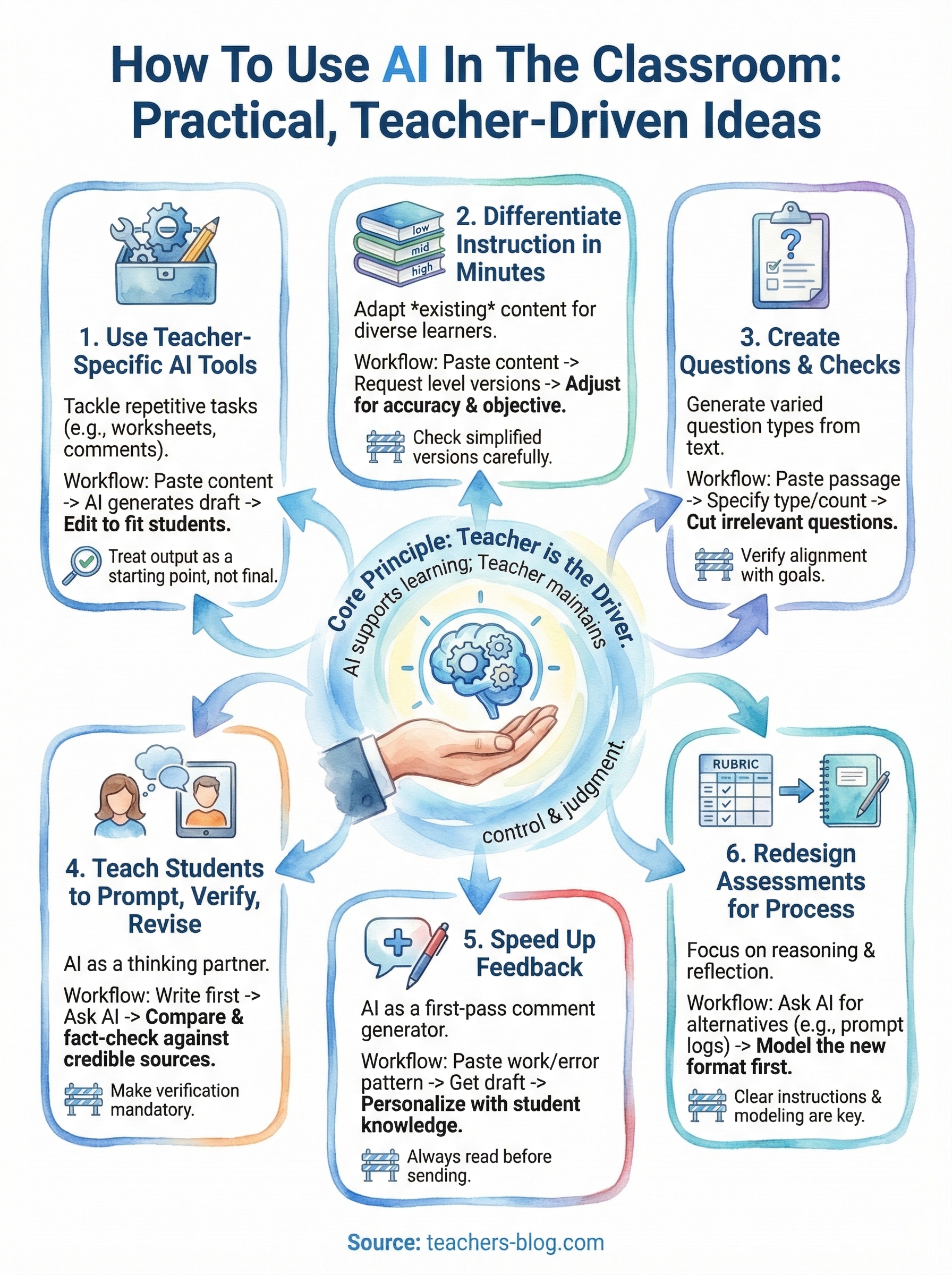
You now have six concrete ways to think about how to use AI in the classroom without losing sight of what actually drives learning: your expertise and your judgment. None of these strategies require you to overhaul your entire practice overnight. Start with one, run it for a week or two, and pay attention to what changes in your workload and your students’ engagement.
The tools, strategies, and mindset shifts in this article only work when you stay at the center of the process. AI handles the repetitive generation work; you handle the professional decisions that no tool can replicate. That combination is where the real value lives.
Ready to put this into practice? Explore the AI tools built for teachers at The Cautiously Optimistic Teacher and find the one tool that fits your classroom right now.