7 Best AI Detectors for Teachers Compared
You just read an essay that feels off. The vocabulary jumps three grade levels above what you’ve seen from this student all semester, the sentences flow a little too smoothly, and something in your gut says ChatGPT had a hand in it. So you go looking for the best ai detector for teachers, and you find a dozen tools all claiming near-perfect accuracy, which raises the bigger question of what teachers actually use to check for AI. Most of those claims don’t hold up in a real classroom.
I’ve run student writing, my own writing, and known AI-generated text through the major checkers to see which ones actually catch what they promise and which ones flag your honors student’s careful prose as 98% machine-written. This comparison covers detection accuracy and false positive rates, because a tool that accuses honest kids of cheating causes more damage than one that misses an occasional AI-written paragraph.
Below you’ll find seven tools worth your time, including a solid best free ai detector for teachers option for anyone without a budget for another subscription. I’ll walk through what each one does well, where it falls short, and which fits different classroom situations, so you can pick a checker you can actually trust before you confront a student over their work.
1. GPTZero
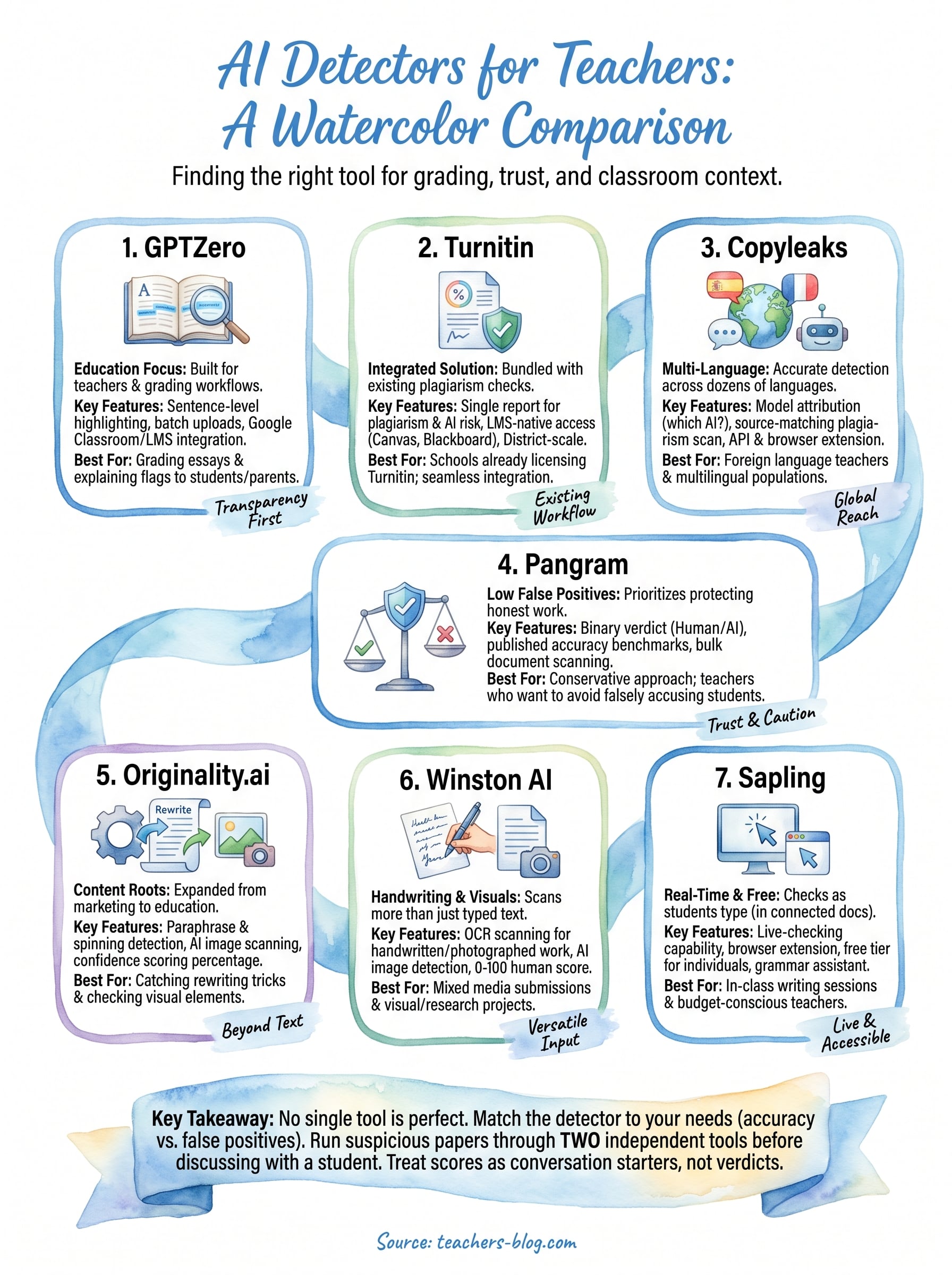
GPTZero built its reputation as the tool teachers reach for first, and it earned that spot by focusing specifically on education from day one rather than retrofitting a general-purpose detector for classrooms. GPTZero launched in early 2023 as one of the first AI detectors built specifically with teachers in mind, and it still shows in the interface: you get a dashboard designed around grading workflows the way AI grading tools for teachers are, not a generic text box bolted onto a marketing site.
How it works
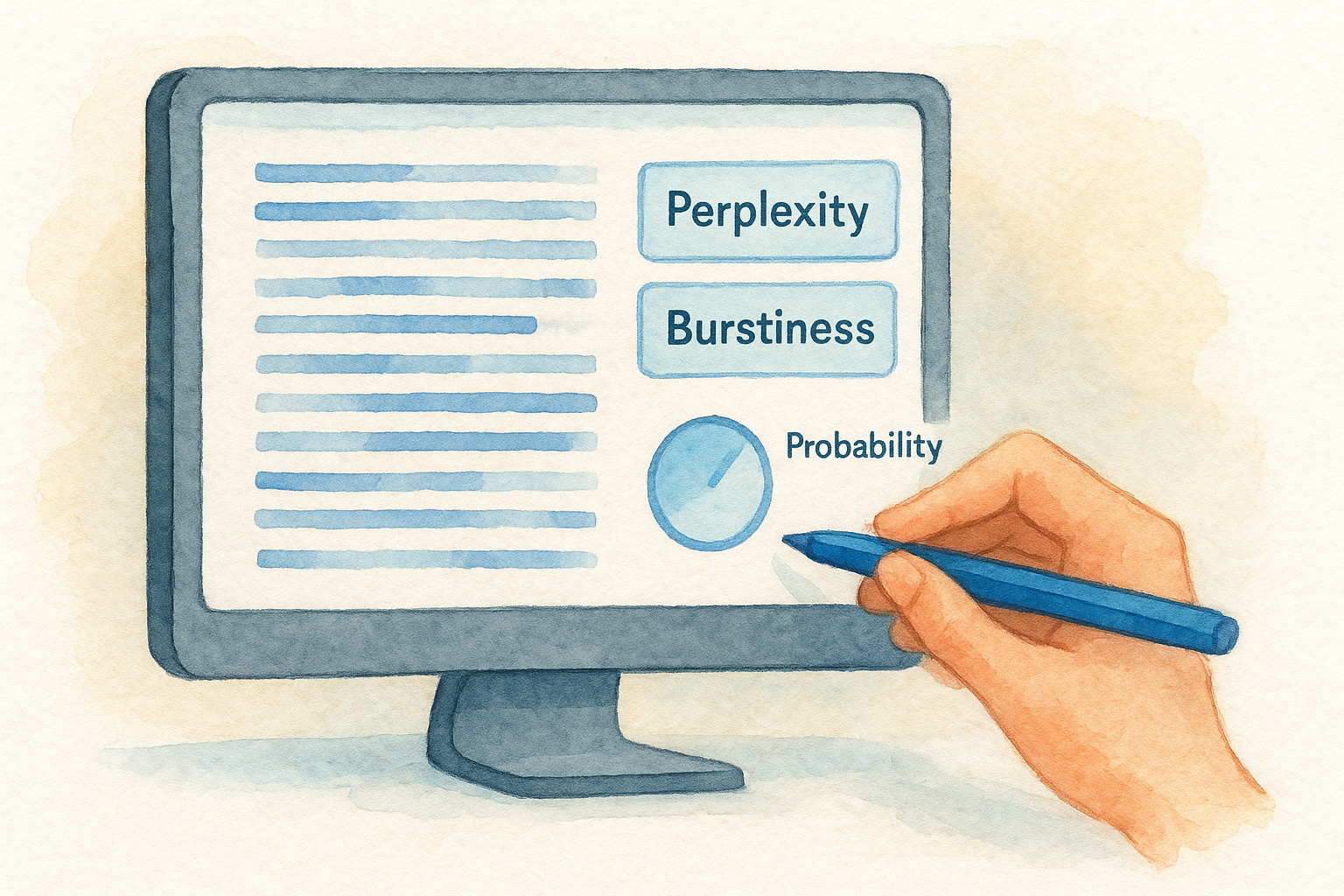
Underneath, GPTZero analyzes two statistical properties of text: perplexity and burstiness. Perplexity measures how predictable each word choice is to a language model; human writing tends to make odd, less predictable choices that trip up AI text generators. Burstiness looks at the variation between sentences, since humans naturally mix short punchy sentences with long winding ones, while AI output tends to stay more uniform in rhythm. The tool combines these signals into a probability score and highlights the specific sentences it flagged, so you’re not just handed a single number with no explanation.
A detector that shows its work earns your trust faster than one that just spits out a percentage.
Best for
Middle and high school teachers grading essay-heavy assignments get the most value here, especially anyone who needs to explain a flag to a student or parent. Because GPTZero highlights specific sentences rather than issuing a flat verdict, you can point to exact passages during a conversation instead of asking a student to trust a mystery percentage.
Key features
- Sentence-level highlighting that shows exactly which parts of an essay triggered the flag
- Batch uploads so you can scan an entire class set of essays in one pass instead of pasting papers one at a time
- Google Classroom and LMS integrations that cut down on manual file handling
- Written-in-Word detection, which flags whether a document shows normal editing history or was pasted in as a finished block, a common giveaway of copy-pasted AI text
Pricing
GPTZero offers a free tier that covers basic single-document checks, which makes it a reasonable starting point if you’re testing whether AI detection even belongs in your workflow. Paid plans start around $10 per month for individual educators and scale up for school and district licenses that need classroom management features and higher word limits. Check GPTZero’s site directly for current tiers, since detection tools update pricing more often than most software categories.
2. Turnitin
Most schools already have Turnitin humming in the background, since it was the default plagiarism checker for over a decade before AI plagiarism ever became a classroom concern. Turnitin rolled its AI writing indicator into the same interface teachers already use for plagiarism reports, so there’s no new login or workflow to learn if your district already licenses it.
How it works
Turnitin’s AI detection model was trained on a mix of human and AI-generated writing samples, and it scans submissions for patterns consistent with large language model output. The result shows up as a percentage next to the standard similarity report, so you see plagiarism risk and AI risk side by side on one page. Turnitin doesn’t highlight individual sentences the way some competitors do, which makes it faster to scan but harder to explain to a skeptical student.
If your district already pays for Turnitin, you’re sitting on an AI checker you probably haven’t turned on yet.
Best for
Teachers in schools that already run Turnitin for plagiarism get the most value, since AI detection comes bundled rather than requiring a separate purchase or approval process. It suits departments that want one report covering both plagiarism and AI use rather than juggling two separate tools.
Key features
- Integrated reporting that combines plagiarism and AI scores in a single document
- LMS-native access through Canvas, Blackboard, and Google Classroom, since most schools already have it wired in
- Institutional-scale rollout, built for district-wide deployment rather than individual teacher accounts
Pricing
Turnitin isn’t sold directly to individual teachers. It’s licensed at the institution or district level, and pricing depends on enrollment size and existing contracts, so you’ll need to check with your administration rather than sign up yourself.
3. Copyleaks
Copyleaks started as a plagiarism detection company before AI writing became a classroom headache, and it pivoted fast once ChatGPT hit the mainstream. Copyleaks now markets itself as one contender for the best ai checker for teachers, with a heavy emphasis on multi-language support that most competitors skip entirely.
How it works
Copyleaks runs submitted text through a proprietary model trained across dozens of languages, not just English, then returns a percentage breakdown of human versus AI-generated content. Multi-language detection sets it apart here, since it covers Spanish, French, German, and more with accuracy that holds up close to its English results. The tool also flags which specific AI model likely produced the text, distinguishing between ChatGPT, Gemini, and other generators when the writing style gives enough signal.
A checker that names the likely AI model gives you more to work with than a bare percentage ever could.
Best for
Foreign language teachers and schools with large multilingual populations get more mileage out of Copyleaks than from English-only tools. Anyone teaching in a dual-language program or grading essays submitted in a student’s home language will find fewer blind spots here.
Key features
- Source-matching plagiarism scan bundled with the AI detection report
- Model attribution that guesses which specific AI tool generated flagged text
- API access for schools wanting to build detection into their own LMS
- Browser extension for quick checks outside a formal grading workflow
Pricing
Copyleaks charges per page rather than a flat monthly fee, starting around $9.99 for a limited page allotment, with education plans available for schools buying in bulk.
4. Pangram
Pangram entered the AI detection space later than most competitors, launching after teams noticed that older detectors were aging poorly against newer language models. Pangram built its detector from scratch around GPT-4 and beyond, rather than retrofitting a model trained on early ChatGPT output, and that timing shows in its accuracy claims against current AI writing.
How it works
Pangram trains its own detection model on a constantly updated mix of human and AI text, then runs submissions through that model to produce a binary human-or-AI call rather than a vague probability range. The company publishes third-party accuracy testing results and stakes its reputation on near-zero false positive rates, a claim it backs with published benchmarks rather than marketing copy alone. Instead of highlighting scattered sentences, Pangram gives you a confident verdict, which speeds up grading but leaves less room for a nuanced conversation about a borderline paper.
A detector built for false positives, not just detection rate, protects your honest students first.
Best for
Teachers burned before by a checker that flagged an honors student’s essay as AI-written will appreciate Pangram’s conservative approach. It suits anyone who’d rather miss an occasional AI paper than falsely accuse a kid who wrote every word themselves.
Key features
- Binary verdict output that skips ambiguous percentage ranges
- Published accuracy benchmarks tested against current AI models, not just early ChatGPT versions
- Bulk document scanning for checking full class sets quickly
- Regular model updates to keep pace with new AI writing tools as they launch
Pricing
Pangram offers a limited free trial for individual checks, with paid plans priced per educator and scaled pricing for school-wide licenses, available directly through the Pangram website.
5. Originality.ai
Originality.ai built its name in the content marketing world, catching AI-written blog posts and freelance copy long before teachers needed it for essays. Originality.ai later expanded into education pricing and features once schools started asking for the same detection it offered publishers and agencies, so the tool still carries a slightly professional, less classroom-native feel than GPTZero or Turnitin.
How it works
The tool scans text through a proprietary model trained on a large dataset of both human and AI writing, then returns a confidence score alongside a readability and plagiarism check bundled into the same scan. Confidence scoring here leans toward transparency, showing you the percentage breakdown rather than a flat yes-or-no call, which helps when you need to justify a decision to a department head. Originality.ai also scans for AI-generated images and paraphrased text run through spinning tools, a feature most classroom-focused detectors skip entirely.
A tool built for publishers catches the paraphrasing tricks that classroom-only detectors often miss.
Best for
Department heads and writing-heavy programs that need plagiarism and AI detection in one subscription get the most value. It also suits teachers who’ve had students run AI text through paraphrasing tools to dodge detection, since that’s exactly the gap Originality.ai was built to close.
Key features
- Combined plagiarism and AI scan in a single report
- Paraphrase and spinning detection that catches text run through rewriting tools
- Team accounts for departments sharing one subscription
- API access for schools building custom integrations
Pricing
Originality.ai charges per credit rather than a flat subscription, with plans starting around $14.95 monthly for a set number of scanned words, plus team pricing for departments.
6. Winston AI
Winston AI markets itself directly at teachers and content publishers who need a second opinion before making an accusation, and it leans hard into readability for non-technical users. Winston AI presents its results with a clean visual scale and a document-level scan that flags images alongside text, a feature most classroom detectors still leave out.
How it works
Submitted text runs through Winston’s proprietary model, which returns a human score on a 0 to 100 scale along with sentence-level highlighting similar to GPTZero’s approach. The tool also checks scanned or photographed handwritten pages through OCR, converting them to text before running the same detection pass, which matters if you collect handwritten drafts alongside typed final essays. Winston additionally scans embedded images for AI generation markers, catching cases where a student pastes an AI-illustrated diagram into a research paper.
A detector that reads handwritten pages closes a loophole most AI checkers never even consider.
Best for
Teachers who collect a mix of handwritten and typed work will get more practical use from Winston than from text-only competitors. It also suits anyone teaching a visual or research-heavy subject where students submit diagrams or images alongside written text.
Key features
- OCR scanning for handwritten or photographed submissions
- Image AI detection for spotting AI-generated visuals in student work
- Sentence-level highlighting paired with an overall human score
- Plagiarism checking bundled into the same report
Pricing
Winston AI starts around $18 per month for individual educators on a limited word allotment, with higher tiers unlocking more monthly scans and team seats for departments sharing one account.
7. Sapling
Sapling started as a writing assistant for customer support teams before AI detection became its own product line, and that customer-service DNA still shows in how the tool presents results. Sapling built its detector as an add-on to an existing grammar and writing suite, which means it doubles as a broader editing tool rather than a single-purpose checker you only open when suspicion strikes.
How it works
Given a block of text, Sapling runs it through a proprietary classifier trained to separate human and AI-generated writing, then returns a percentage score along with highlighted spans it considers most suspicious. Real-time scanning is where Sapling differs most from the others on this list, since it can check text as a student types in a connected document rather than only after submission. That live-checking approach suits teachers who want to catch AI use during in-class writing time, not just after a paper comes in as a finished draft, and it pairs well with setting clear rules for AI use in the classroom.
Catching AI use while a student is still typing beats catching it after the paper’s already turned in.
Best for
Teachers running in-class writing sessions on Chromebooks or shared documents get the most out of Sapling’s live-checking feature. It also fits anyone searching for the best free ai detector for teachers who wants a no-cost option that still covers basic detection needs without a subscription.
Key features
- Real-time detection during live typing in connected documents
- Browser extension for quick checks without leaving Google Docs
- Free tier covering unlimited basic checks for individual teachers
- API access for schools wanting custom integrations
Pricing
Sapling’s core detection tool is free for individual educators, with paid business plans starting around $25 per month aimed at larger teams and API usage rather than classroom grading.
Picking the right detector for your classroom
No single tool on this list works as the best ai detector for teachers in every situation. GPTZero fits essay-heavy classrooms where you need to explain a flag to a skeptical parent. Turnitin makes sense if your district already pays for it. Pangram protects honest students better than anything else here, and Sapling covers you if budget is the deciding factor. Match the tool to your actual grading routine instead of chasing the one with the flashiest accuracy claim.
Run a suspicious paper through two detectors before you say anything to a student. Agreement between two independent tools tells you far more than one confident percentage ever will. Treat every score as a conversation starter, not a verdict, and you’ll catch real AI use without burning trust with the kids who did the work themselves.
For more classroom-tested picks like these, see our roundup of the best AI tools for teachers to use this year.