
7 AI Rubric Generator For Teachers Tools That Save Time
Building a solid rubric from scratch can eat up an entire prep period, or worse, a whole evening. You know the drill: aligning criteria to standards, writing clear descriptors for each performance level, and making sure the whole thing actually communicates expectations to students. An ai rubric generator for teachers can cut that process down to minutes, giving you a usable draft that you refine rather than build from zero. That’s a meaningful shift in how you spend your planning time.
Here at The Cautiously Optimistic Teacher, we’re always testing tools that promise to make educators’ lives easier, especially AI-powered ones. Some deliver. Some don’t. So we looked at the current crop of AI rubric generators with a practical lens: how fast can they produce something usable, and how much editing do you actually need to do afterward? Those are the questions that matter when you’re juggling six preps and a stack of ungraded essays.
Below, you’ll find seven AI rubric generator tools worth your attention. Each one takes a different approach, so whether you need a quick single-point rubric or a detailed analytic breakdown aligned to Common Core, there’s likely something here that fits your workflow.
1. ChatGPT
ChatGPT isn’t purpose-built as an ai rubric generator for teachers, but it’s one of the most flexible options available. You give it a prompt describing your assignment, your grade level, and the performance levels you want, and it produces a full rubric in seconds. The quality of what you get depends heavily on what you put in, but even a rough prompt usually returns something genuinely worth editing rather than throwing out.
How it generates a rubric from your prompt
You type a description of your assignment directly into the chat window, and ChatGPT drafts a rubric based on that input. The model reads your prompt for context and fills in criteria, descriptors, and point values based on common academic expectations. You can paste in an assignment sheet, mention specific standards, or describe the task in plain language. All three approaches work, and you can follow up with additional instructions in the same conversation to refine the output.
Best fit assignments and grade levels
ChatGPT handles a wide range of assignment types and grade levels, from elementary writing tasks to high school research papers and project-based assessments. It performs especially well when you give it a clear task description and specify the number of criteria you need. Analytic rubrics with four performance levels tend to come out cleanest, though single-point and holistic formats are also achievable with the right prompt.
The more specific your prompt, the less cleanup you’ll need on the back end.
Control tips to get better descriptors
Vague prompts produce vague rubrics. To get sharper, more classroom-ready descriptors, try building your prompt around a few key details: the assignment type, the expected learning outcome, and the standards you’re targeting. Telling ChatGPT to "use student-friendly language" or "align criteria to Common Core Writing Standard W.8.1" makes a real difference in the output quality. A focused prompt structure helps every time:
- Assignment name and type (essay, project, presentation)
- Grade level and subject area
- Specific standards or learning goals
- Number of criteria and performance levels
- Preferred language style (formal, student-friendly, concise)
Pricing
ChatGPT offers a free tier that includes access to GPT-4o, which is capable enough for rubric generation without a paid subscription. The Plus plan runs $20 per month and unlocks more advanced models along with higher usage limits. For most rubric-building tasks, the free version covers what you need, though heavy daily use may push you toward a paid plan.
2. MagicSchool AI rubric generator
Unlike general-purpose AI tools, MagicSchool AI is purpose-built for educators, which makes it a natural choice when you want an ai rubric generator for teachers that skips the prompt engineering. You describe your assignment, pick a grade level, and the tool returns a formatted rubric with criteria and descriptors you can put in front of students almost immediately.
How it turns an assignment into a rubric
MagicSchool walks you through a short input form rather than a blank chat window. You provide grade level, subject, and a brief assignment description, and the generator produces a rubric with multiple criteria and performance level language in under two minutes. The structured form keeps your inputs consistent, which means you get reliable output even when your description is brief.
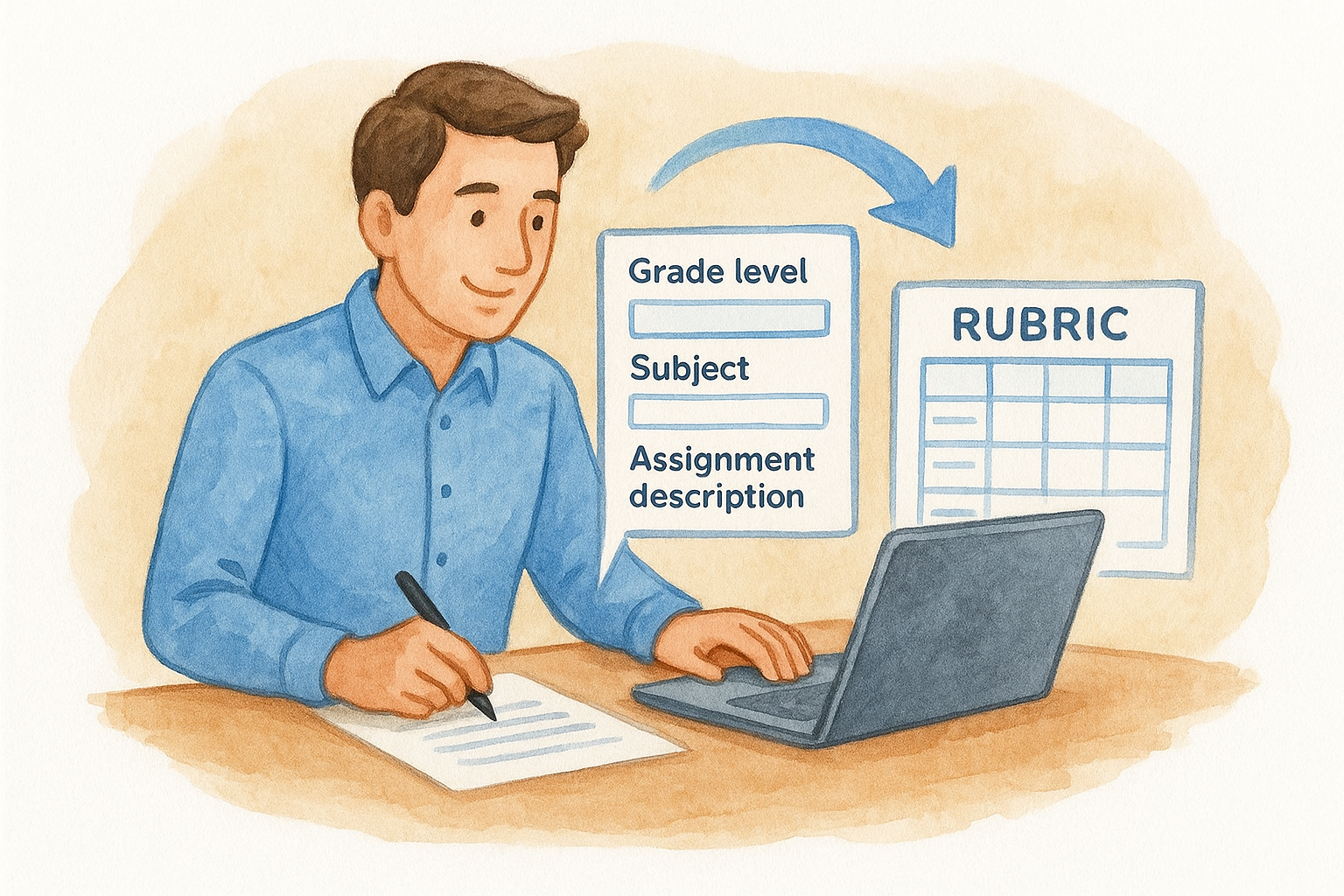
The form-based setup removes the guesswork that comes with open-ended prompts, so you spend less time troubleshooting and more time teaching.
To get the cleanest output, include these details in your input:
- Assignment type (essay, project, presentation, lab report)
- Grade level and subject area
- Key learning goals or targeted standards
Best for teachers who want quick classroom-ready language
This tool works best for teachers who need polished, student-facing language without rewriting AI output from scratch. MagicSchool’s descriptors are direct and grade-appropriate, which cuts the gap between what the tool generates and what students can actually read and act on during an assignment.
Editing and export options to check
Once the rubric generates, you can edit individual cells directly in the interface before saving. Copy-paste export into Google Docs or Word works without extra formatting steps. Always verify that performance level descriptors align with your actual grading scale before sharing anything with students or parents.
Pricing
MagicSchool offers a free plan that covers the rubric generator and most core tools. The paid plan runs approximately $13 per month and unlocks saved history along with additional educator-specific features.
3. Brisk Teaching AI rubric generator
Brisk Teaching integrates directly into your browser as a Chrome extension, which means you don’t need to open a separate platform to use it. As an ai rubric generator for teachers, it reads the assignment directions or standards you’re already working with and builds rubric criteria around that existing content rather than asking you to re-enter everything from scratch.
How it builds a rubric from standards and directions
Brisk Teaching pulls context from whatever document or page you have open, so you can highlight assignment directions in Google Docs and trigger the rubric generator from there. It reads the selected text and uses it to define criteria and performance level descriptors. You can also paste in a specific standard or learning objective to anchor the criteria before generating, which keeps the output tightly connected to your instructional goals.
This context-aware approach means the rubric it produces reflects your actual assignment rather than a generic template.
Best for Google Workspace classrooms
Brisk Teaching works inside Google Docs and Google Classroom, so if your school already runs on Google Workspace, the tool fits into your existing workflow without adding new platforms. Teachers who build assignments in Docs can generate a rubric without switching tabs, which keeps the process fast and low-friction.
Workflow tips for reuse across classes
Once you have a rubric you like, save it as a Google Doc template so you can adapt it for future assignments without starting over. Adjust the criteria descriptions slightly for each class level to keep the rubric accurate. Brisk Teaching also lets you regenerate individual sections if one criterion doesn’t land right, so you’re not stuck redoing the whole rubric.
Pricing
Brisk Teaching offers a free plan that covers rubric generation and most core features. The paid plan starts at around $12 per month and adds usage volume along with additional tools for lesson planning and feedback.
4. Khanmigo AI rubric maker
Khanmigo is Khan Academy’s AI assistant, and it includes a rubric-building function that takes a more guided, conversational approach than most other tools in this category. As an ai rubric generator for teachers, it works best when you want rubrics that connect directly to learning progression rather than just sorting student work into performance buckets.
How it guides you through rubric setup
Khanmigo asks you questions before it builds anything. You provide the assignment type and subject area, and the tool prompts you to clarify what mastery looks like at each level before generating criteria. This back-and-forth takes a bit more time than a simple form, but it produces rubric language that reflects how students actually progress through a skill rather than generic descriptors you’d find in any template.
This guided setup is especially useful when you’re assessing multi-step skills where the difference between performance levels is subtle.
Best for mastery-focused feedback
Khanmigo fits classrooms where mastery-based grading or competency-based progression drives instruction. If you track where individual students are on a learning continuum, the rubrics Khanmigo produces give you a clear framework for documenting growth over time rather than just scoring a single assignment.
Where it helps most and where it falls short
Khanmigo performs well for math, reading, and writing tasks that align naturally with Khan Academy’s existing content library. It’s less effective for project-based or performance assessments where criteria are highly context-specific. You’ll likely need to rewrite several descriptors for anything outside core academic subjects.
Pricing
Khanmigo is available through Khan Academy’s platform. Teachers can access it for free through the educator program, making it one of the more budget-friendly options on this list.
5. Microsoft Teams for Education AI rubrics
Microsoft Teams for Education brings rubric generation directly into the assignment workflow you may already be using. As an ai rubric generator for teachers built into a familiar platform, it removes the need to build rubrics in a separate tool and then paste them somewhere else. Everything stays inside the same environment where you create, distribute, and grade assignments.
How the AI rubric flow works in Teams Assignments
When you create an assignment in Teams, you can add a rubric from within the assignment setup screen. The AI-assisted rubric builder lets you describe the task and generates criteria with point values and performance descriptors. You review the output, adjust any cells that don’t fit your expectations, and attach the rubric to the assignment before publishing.
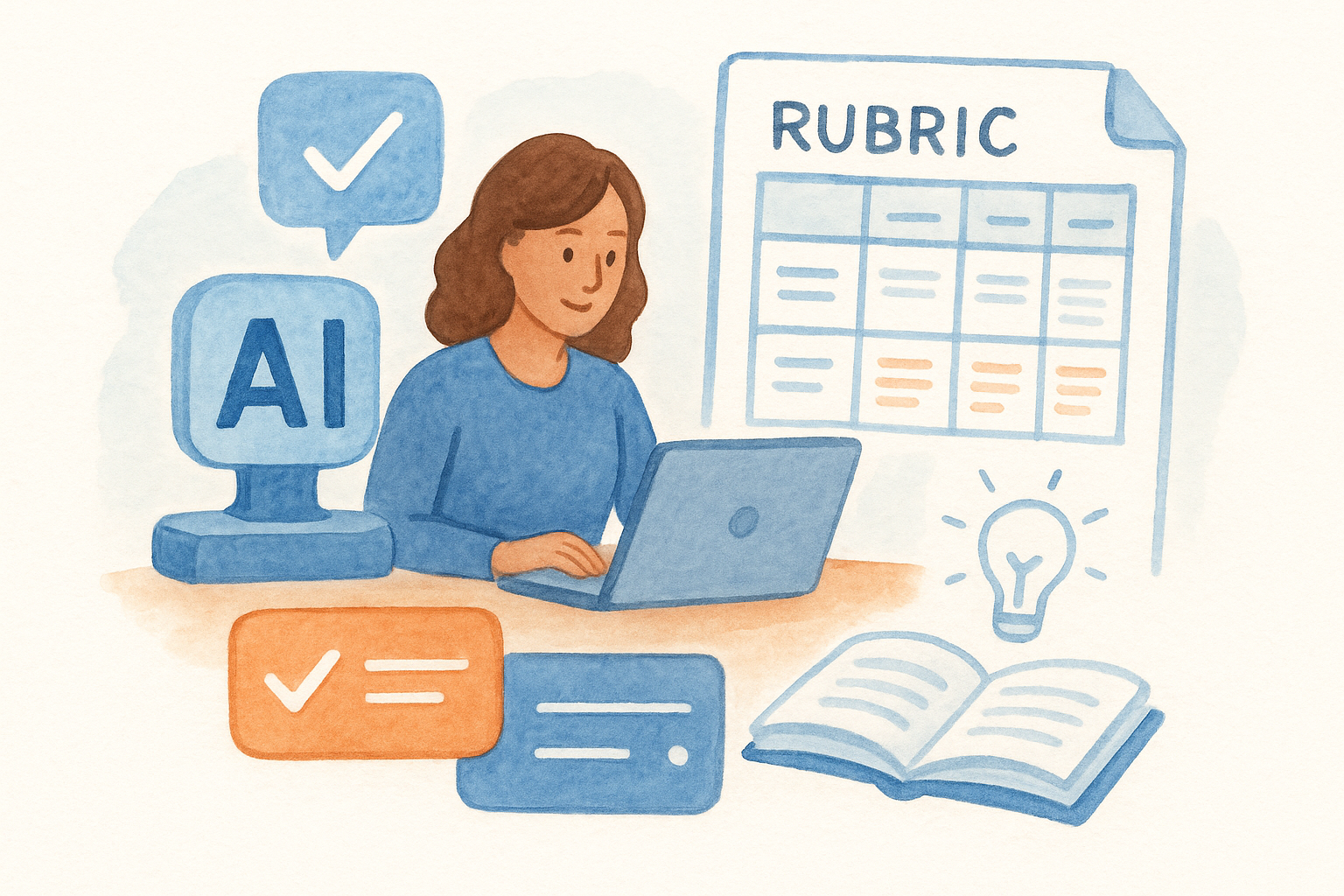
This built-in flow means students see the rubric the moment they open the assignment, which sets clear expectations before they start working.
Best for districts already using Microsoft 365
If your district runs on Microsoft 365, this tool requires zero additional setup or new logins. Teachers who already grade inside Teams will find the rubric feature fits naturally into their existing routine without adding friction.
Setup and sharing considerations
Before you publish any rubric, verify that performance level language matches your school’s grading scale. Teams allows you to reuse rubrics across assignments, so saving a well-built rubric as a template saves time across the semester. Check that all collaborating teachers in shared channels have access to rubrics before distributing assignments.
Pricing
Microsoft Teams for Education is included in Microsoft 365 Education plans, which schools and districts access through institutional licensing. Most schools already have this coverage, making the rubric feature available at no additional cost beyond existing licensing.
6. CoGrader AI rubric generator
CoGrader focuses on standards-based assessment, which makes it a practical ai rubric generator for teachers who need their rubrics to align directly with specific learning standards rather than general performance descriptions. You input your assignment details and target standards, and CoGrader builds out criteria and performance levels that map back to those standards consistently.
How it generates standards-based criteria and levels
CoGrader takes your assignment description and standard references and uses them to construct criteria with four performance levels. Each level gets a descriptor tied to the standard’s language, so the rubric stays anchored to what the standard actually requires rather than drifting into generic feedback like "excellent" or "needs improvement." You can adjust the number of criteria and fine-tune language directly in the tool before exporting.
Standards-linked descriptors make it easier to justify your grading decisions during parent conferences or teacher evaluations.
Best for standards-aligned grading at scale
This tool fits teachers who assess large volumes of student work across multiple classes and need rubrics that hold up consistently across graders. If your department grades collaboratively or uses shared rubrics for common assessments, CoGrader’s standards-based output gives everyone a shared reference point that reduces scoring drift between teachers.
What to verify before you publish the rubric
Before you share any rubric with students, check that the performance level descriptors reflect the actual grade-level expectations for your standard and not a different grade band. CoGrader pulls standard language accurately, but you should confirm the point value distribution matches your grading policy before the rubric goes live in your gradebook.
Pricing
CoGrader offers a free tier with access to core rubric generation features. The paid plan starts at approximately $10 per month and adds expanded usage along with additional grading support tools.
7. Flint K12 AI rubric generator
Flint K12 is designed specifically for K-12 educators, making it a focused ai rubric generator for teachers that understands the classroom context without requiring you to explain basic educational concepts first. You enter an assignment description, and Flint generates a structured rubric with criteria and performance level descriptors that reflect K-12 classroom realities rather than a generic academic setting.
How it creates structured rubrics for common tasks
Flint K12 handles common assignment types like essays, presentations, group projects, and reading responses through a straightforward input form. You describe the task and select your grade band, and the tool returns a multi-criteria rubric with labeled performance levels. The output is formatted and ready to share, which means you spend your time reviewing and refining rather than building from zero.
A structured starting point removes the blank-page problem that slows down rubric creation during busy weeks.
Best for fast drafts you can customize
This tool works best when you need a solid first draft quickly and plan to adjust the language afterward. Teachers who grade across multiple sections of the same course will find Flint useful because you can generate a base rubric once and tweak it slightly for different class levels without starting over each time.
Customization options to look for
Flint lets you edit criteria labels and descriptor text directly before saving or exporting. You can adjust the number of performance levels and modify point values to match your grading scale. Before you share any rubric with students, confirm that performance level language matches the actual expectations for your course and grade level.
Pricing
Flint K12 offers a free plan for individual teachers. Paid plans with expanded features and higher usage limits are available at the school and district level.
Your next rubric in 10 minutes
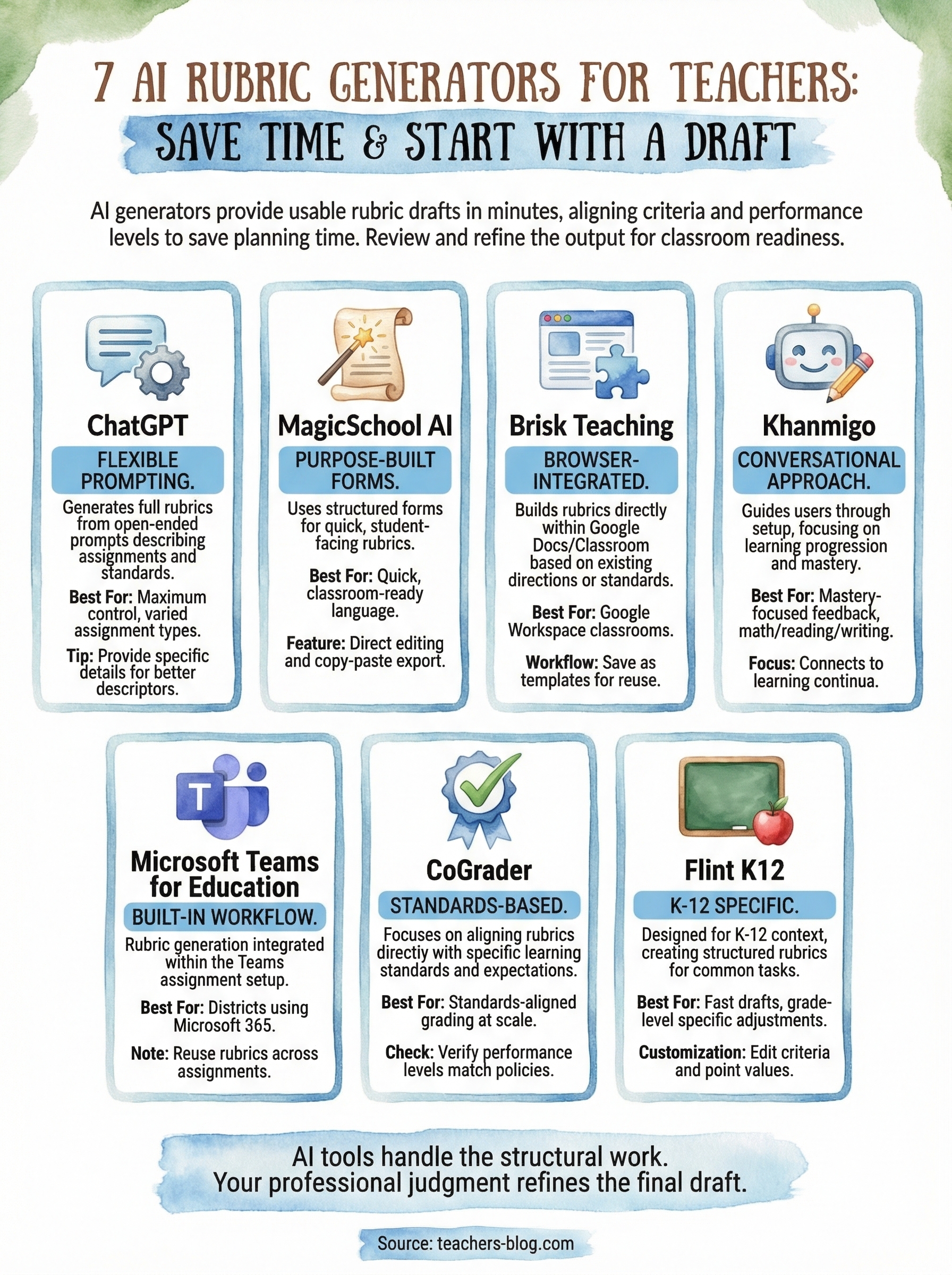
Every tool on this list gives you a working rubric draft in under ten minutes, which means your next assessment doesn’t need to start with a blank document. Pick the option that fits your current setup: ChatGPT if you want maximum control, MagicSchool or Brisk if you want something classroom-ready with minimal setup, and CoGrader or Khanmigo if standards alignment matters most to your grading workflow.
Using an ai rubric generator for teachers doesn’t mean handing your professional judgment to a machine. You still review the output, adjust the language, and make sure it matches what you actually taught. The tools just handle the structural work so you can focus on that final layer of review instead of building criteria from zero.
When you’re ready to explore more tools and strategies built for educators, visit The Cautiously Optimistic Teacher for resources that fit how you actually teach.