
6 Kahoot Alternatives for English Teachers: What Works Best?
Looking for Kahoot alternatives for English teachers? The best choice depends less on which game has the flashiest leaderboard and more on the kind of thinking you need students to do. A quick terminology check, a collaborative novel review, a grammar correction challenge, and an evidence-based literary discussion are different teaching tasks. They should not all be forced into the same multiple-choice format.
This guide compares practical classroom options for Grades 6–12 English Language Arts, including Kahoot! itself. It highlights when a tool is useful, its important limitations, and how to keep interpretation and writing at the centre of review. Feature descriptions reflect official platform guidance checked in October 2026; subscriptions and game modes can change.
What should an English teacher look for in a review-game platform?
Question depth: Can students explain a device’s effect or justify an interpretation, or only select a definition? Devices: Does every student need an individual screen? Pacing: Can you pause for a text-based discussion? Preparation: Can you start with your own lesson materials? Assessment: Will you see what individual students know, or primarily what a team accomplished?
For ELA, no single tool wins every category. A useful approach is to choose the platform to fit the learning target, then add one independent reflection or exit ticket to check understanding.
First, when is Kahoot! still a good choice?
Kahoot! remains a practical choice for a lively, recognizable class quiz. Teachers can create or adapt quizzes, host live sessions, and assign student-paced practice. Its familiar format works for literary terminology, vocabulary, and checking understanding of a recently taught concept. Question types and advanced features vary by plan.
In the usual live setup, a question is displayed to the class and students answer on their own devices. Importantly, Kahoot! also documents an Unplugged experience, including a teacher-controlled shared-screen option and a team-tiles mode without participant devices. It would be inaccurate to say that every Kahoot! session requires student phones.
Possible limitation for English: Fast quiz rounds can favour recognition and speed. To assess interpretation, choose or design question types that allow explanation, or pause the competition and ask students to defend an answer with the text.
Six alternatives worth considering for English review
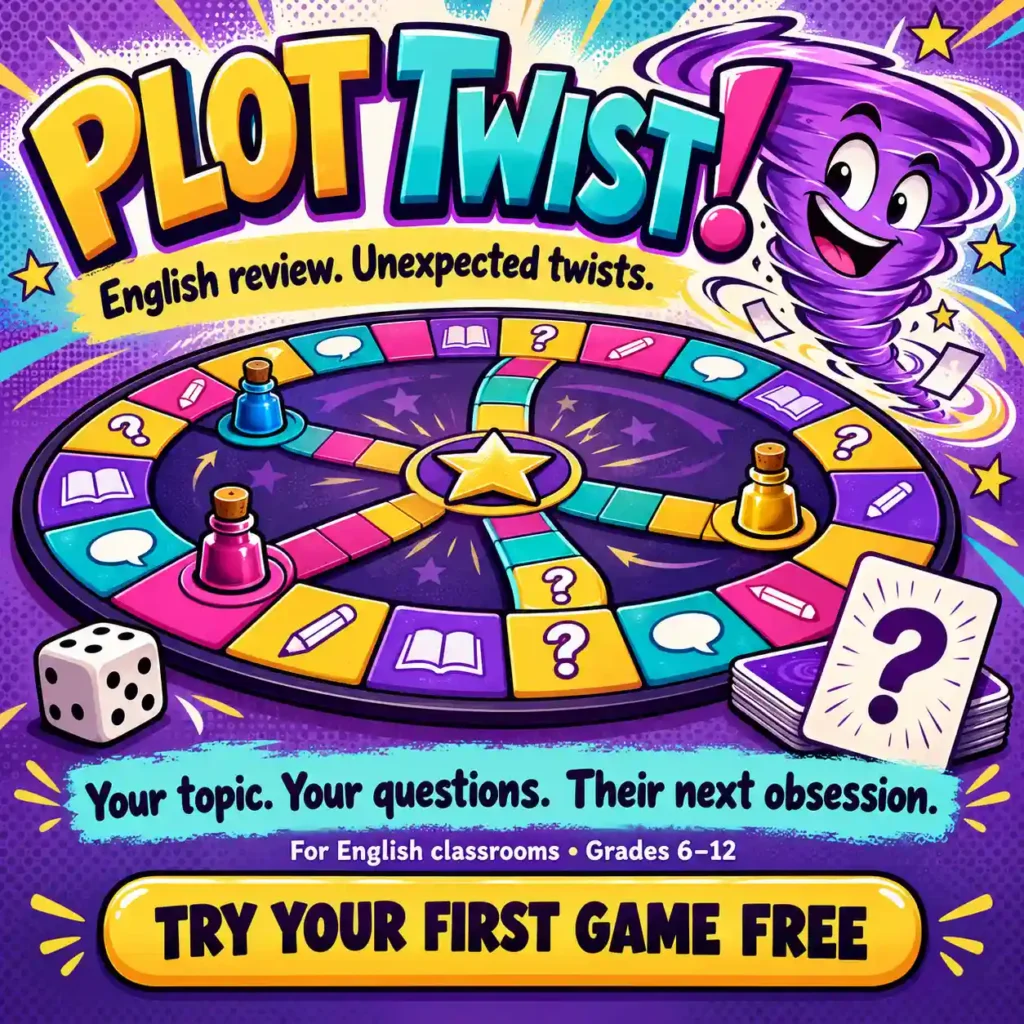
1. Plot Twist! — a shared-screen team board game
Best fit: Teachers who want the whole class focused on one screen, with teams discussing English questions together. Plot Twist! is a teacher-led browser game in which two to seven teams move around a board, answer varied AI-generated questions, collect ink, encounter plot twists, and attempt a final challenge.
Teachers can specify a topic with instructions or upload permitted study material; they can also choose teacher evaluation for answers. That option is useful for English questions involving more than one defensible interpretation. Students do not need individual accounts for a shared-screen class game, although the teacher controls the session.
Consideration: Plot Twist! is designed for live, collaborative class play rather than individual homework assignments or individual response analytics. Teachers still need to check AI-generated questions and evaluate each learner separately. One game is available free; individual teacher memberships are listed at US$5 monthly or US$25 annually, with game-creation limits described in the billing information.
Disclosure: Plot Twist! is a game created and promoted by The Teachers’ Blog, the publisher of this article. The other platforms below are described using their publicly documented features.
2. Blooket — varied game modes around question sets
Best fit: Vocabulary, literary-term recall, and short practice rounds where students enjoy changing the game format. Blooket starts with a question set—created by the teacher or discovered in its library—then offers multiple live game modes. According to Blooket’s teacher guide, students typically join with a game code, QR code, or link and answer using their devices.
What English teachers should watch: Most question-set games are easiest to use for recall and recognition. Add a written explanation or spoken defense if you need evidence about literary interpretation. Students can join live games without creating accounts, but that does not remove the usual need for a device.
3. Gimkit — game-based practice with different modes
Best fit: Repeated practice with vocabulary, grammar concepts, and key terms, especially when a class enjoys the game mechanics themselves. In Gimkit’s official hosting process, a teacher selects a question kit, chooses a mode, configures options, then shares a join code or link.
What English teachers should watch: Elaborate game modes can absorb attention that you want directed toward reading and writing. Keep the question set focused and pause for explanations. Gimkit also documents assignments for individual practice; availability of some assignment features depends on the plan.
4. Wayground (formerly Quizizz) — assessment and instructional flexibility
Best fit: Teachers who want live or student-paced quizzes, diverse question types, and reports they can use to plan follow-up teaching. Quizizz rebranded to Wayground, so teachers searching for Quizizz tools may encounter the newer name.
According to Wayground’s live-session guidance, teachers can choose teacher-led or student-paced modes and access reports. Wayground also offers Paper Mode: students use printed response cards and the teacher scans answers with a phone. This is a meaningful alternative when student devices are unavailable, though Paper Mode is limited to multiple-choice questions.
What English teachers should watch: Reports tell you which responses were recorded, not necessarily why a student selected an answer. Add evidence explanations for tone, symbolism, theme, or grammar when a simple answer choice is insufficient.
5. Quizlet Live — collaborative term-and-definition practice
Best fit: Building fluency with literary terminology, academic vocabulary, and review words from a text. Quizlet supports study sets, while Classic Quizlet Live includes a team mode alongside individual play. Students join through a code and typically use their devices.
What English teachers should watch: Term matching can be a useful first step but not a substitute for applying literary vocabulary in a passage. Follow “metaphor → definition” with “metaphor → effect on meaning” to transfer the knowledge.
6. No-tech English review games — complete control and no platform dependency
Best fit: Close reading, controversial or nuanced interpretation, and classrooms where reliable devices or internet access are uncertain. Try a quote-evidence challenge, Grammar Repair Relay, Character Motivation Courtroom, or Theme on Trial using paper cards and mini-whiteboards.
What English teachers should watch: These formats require the teacher to manage pacing and scoring, and they do not automatically produce individual analytics. Their strengths are flexibility and the ability to stop immediately for a worthwhile discussion.
Which Kahoot alternative should you pick?
For quick recall and vocabulary: Blooket, Quizlet Live, Gimkit, or Kahoot! can all be useful when you have appropriate question sets and student access.
For independent quizzes with response reports: Explore Wayground’s assessment modes or Kahoot!’s assigned practice options. Check the current subscription requirements before building an important workflow around a premium feature.
For shared-screen team discussion: Consider Plot Twist!, Kahoot!’s Unplugged experience, or a no-tech evidence game. These formats differ in rules and question generation, so test the exact classroom experience you want.
For textual evidence and nuanced interpretations: A teacher-led, paused round—digital or paper—often works better than a purely speed-scored multiple-choice competition. Teachers should evaluate the quality of the evidence and reasoning.
A comparison lesson: review the same English skill three ways
Suppose your lesson is about dramatic irony. In a quick-response round, ask students to name the term when readers know information a character lacks. In an application round, show an original scenario and ask which detail creates the knowledge gap. In an analysis round, ask how that gap changes suspense or audience expectations.
All three questions connect to the same learning goal, but the third requires explanation. If your platform only gives a multiple-choice score, have teams discuss the final question aloud, then ask individuals to write a two-sentence answer.
A 45-minute review lesson with a digital game
0–5 minutes — Individual starter: Students define a device or grammar concept without notes, then check a model.
5–10 minutes — Explain success criteria: Tell students that the strongest answer identifies the concept, gives a detail, and explains its significance.
10–30 minutes — Play: Use a teacher-selected Kahoot alternative. Mix recall and application questions, stopping to address errors. For shared-screen team play, require a brief team discussion before submitting.
30–38 minutes — Text-based explanation: Give a fresh excerpt or sentence and have teams defend an answer using the relevant wording or grammar rule.
38–45 minutes — Individual exit ticket: Ask each student to apply the concept to an unseen example and explain the result. Use the responses to plan tomorrow’s mini-lesson.
What about AI-generated questions?
AI can shorten preparation if teachers have quality source material and time to verify the questions. Provide a narrow topic, tell the tool the grade level, include permitted lesson notes where supported, and specify that some questions should require explanation rather than just recognition.
For interpretive answers, avoid pretending there is always one universal key. Try “Support one defensible interpretation using a detail from the passage” rather than “Select the only correct theme.” When AI-generated material is used, check factual claims and remove any student-identifying information from uploads.
If you want to turn notes into a whole-class team game, Plot Twist! includes teacher-entered topics and material uploads. Its central advantage for this use case is shared class play with the teacher maintaining control of marking—not a claim that it replaces individual assessment.
A note on student accounts, access, and pricing
Several popular platforms let students join a live game without registering accounts, but account-free and device-free are not the same thing. Blooket, Gimkit, Quizlet Live, and typical Kahoot! sessions expect participating devices; Kahoot! Unplugged and Wayground Paper Mode provide alternative methods, and Plot Twist! uses a teacher-controlled single-screen team format.
Do not make a purchasing decision from an old price comparison. Free features, participant limits, report access, and premium tiers change regularly. Test your actual class size, question types, accommodations, and available devices before subscribing.
Related classroom review resources
Browse the English Classroom Review Games hub for no-prep teaching activities, the Quizizz for Teachers guide for background on that platform, and Kahoot formative assessment practices. For a deeper look at turning instructional content into questions, see how to make an AI review game from English lesson notes.
Frequently asked questions
Is there a Kahoot alternative that does not require student devices?
Yes. Plot Twist! is designed for a teacher-controlled shared-screen team game. Kahoot! also documents an Unplugged mode, and Wayground’s Paper Mode uses printed student response cards and a teacher phone. Paper Mode is designed for multiple-choice items.
Which game is best for literature and novel studies?
Choose a format in which students can explain an interpretation, cite a passage, and reconsider a claim. A teacher-led Plot Twist! game or no-tech evidence challenge can suit collaborative interpretation, while faster quiz games can check foundational reading knowledge.
Do all these platforms have free versions?
Free entry points and trial options vary. Kahoot!, Blooket, and other platforms offer some no-cost access, while advanced modes and reports may depend on plans. Plot Twist! currently offers one complete first game free. Verify each provider’s current terms before planning around a feature.
Can I use AI to create questions from my lesson materials?
Some platforms offer question-generation features, and Plot Twist! accepts teacher-specified topics and permitted materials. Whichever tool you choose, verify answer keys, review ambiguous interpretations, and follow school privacy rules.
The bottom line for English teachers
The best Kahoot alternative is not the game with the most visual effects. It is the one that matches your teaching goal, respects your classroom’s device situation, and gives students a reason to explain their thinking. A good digital game can energize review; your questions, discussion, and feedback make the learning last.