
6 Best AI Grading Tools for Teachers (Free & Paid)
Sunday night, forty essays, one red pen, and a stack of ungraded papers that keeps growing no matter how fast you work. If that sounds familiar, you already know why so many teachers are turning to ai grading for teachers this year. The right tool won’t replace your judgment, but it will chew through the first pass, flag rubric gaps, and hand you feedback drafts you can edit in seconds instead of writing from scratch.
This roundup answers the question you actually typed into Google: which AI essay grader for teachers tools are worth your time, and which ones are genuinely free to use without a hidden paywall after your first upload. We tested each one against real rubrics, not marketing claims, so you can see how they score consistency, feedback quality, and ease of setup.
Below you’ll find six AI grading tools for teachers ranked by classroom usefulness, from quick multiple-choice checkers to full essay-scoring platforms that handle MLA-formatted opinion papers. We’ll cover pricing, rubric compatibility, and where each tool still needs your final read-through before grades go home.
1. CoGrader
CoGrader built its whole product around one job: grading essays against a rubric inside Google Classroom, without you copying and pasting a single paper. It reads the same document your students already turned in, matches it to whatever rubric you upload or build inside the tool, and returns a scored draft in your inbox before your coffee gets cold. Among the ai grading tools for teachers we tested, this one integrates the most tightly with what schools already use, which matters if your district runs everything through Google Workspace.
How it works
You connect your Google Classroom account, pick an assignment, and upload or select a rubric. CoGrader then scans each submission, applies the rubric criteria line by line, and generates a draft grade with margin comments explaining the reasoning. You review, adjust scores where the AI missed nuance, and push feedback back to students in one batch instead of one at a time.
Who it’s for
This tool fits middle and high school teachers who already assign essays through Google Classroom and want feedback turnaround measured in minutes, not evenings. English teachers grading argumentative or opinion essays get the most value, since the rubric-matching engine was built specifically for extended writing rather than short-answer quizzes.
The less time you spend typing the same comment forty times, the more time you have to actually talk to students about their writing.
Key features
- Direct Google Classroom sync, no manual uploads required
- Custom rubric builder plus support for uploaded existing rubrics
- Plagiarism and AI-writing detection flags built into the same scan
- Batch feedback delivery so comments post to every student at once
- Editable draft grades, meaning the AI never finalizes a score without you
Pricing
CoGrader offers a genuinely usable free tier, which is why it shows up in most searches for a free ai essay grader for teachers. The free plan caps monthly grading volume, while paid tiers unlock unlimited essays and priority processing.
| Plan | Monthly Cost | Essay Limit |
|---|---|---|
| Free | $0 | Limited monthly grades |
| Teacher Pro | Paid, billed monthly or yearly | Unlimited |
| School/District | Custom quote | Unlimited, multi-teacher |
Check CoGrader’s site directly for current limits, since free-tier caps shift as the product grows.
2. GPTZero AI Grader
GPTZero built its name on catching AI-written essays, and it has since expanded into a full grading assistant that layers rubric scoring on top of its detection engine. If you’re already worried about ChatGPT-written submissions, this ai grader for teachers tool lets you check authorship and grade the writing in the same pass, which saves you from running two separate services.
How it works
You upload a rubric and a batch of student essays, and GPTZero scores each submission against your criteria while simultaneously flagging sections that show signs of AI generation. The originality report sits right next to the grade, so you see both numbers before you finalize anything. Nothing posts automatically; you approve every score before it reaches a gradebook.
Who it’s for
This tool suits teachers in departments with strict AI-honesty policies, especially at the high school and college level where academic integrity carries real consequences. If plagiarism concerns outweigh your need for detailed writing feedback, GPTZero’s combined approach fits better than a pure grading tool.
Catching a fabricated essay matters more than polishing feedback on one, and GPTZero treats that priority correctly.
Key features
- Combined AI-detection and rubric grading in one upload
- Sentence-level highlighting of likely AI-generated text
- Custom rubric support for essay and short-response formats
- Batch processing for full class sets
Pricing
GPTZero offers a limited free tier good for occasional checks, with paid plans required for classroom-scale volume and full grading features.
3. EssayGrader AI
EssayGrader AI markets itself directly at teachers drowning in stacks of writing assignments, and its whole pitch is speed. Drop in a set of essays, pick or build a rubric, and the tool spits back scores and comments in a fraction of the time a manual pass takes. Of all the free ai grading tools for teachers we tried, this one has the simplest onboarding, which matters if you want results the same afternoon you sign up.
How it works
EssayGrader AI works through a web dashboard rather than a classroom integration. You paste or upload student essays, attach a rubric (built-in templates or your own), and the AI generates a score plus written feedback for each submission. You can adjust the tone of the feedback, stricter or more encouraging, before it goes out, which is a nice touch for younger writers who need softer language.
Feedback that matches your classroom voice gets read; feedback that sounds robotic gets skimmed and ignored.
Who it’s for
This tool fits teachers grading high volumes of short-to-medium essays, particularly in middle school and early high school where feedback tone matters as much as the score itself.
Key features
- Adjustable feedback tone (supportive vs. strict)
- Built-in rubric templates for common essay types
- Bulk upload for full class sets
- Instant scoring with editable comments
Pricing
EssayGrader AI offers a free plan with a monthly essay cap, plus paid tiers for unlimited grading and priority support.
4. Gradescope
Gradescope, built by Turnitin, takes a different approach than the essay-focused tools above. It started as a grading platform for STEM coursework, scoring handwritten math problems and coded assignments, and has since grown into a flexible AI grading tool for teachers across subjects. If your grading pile includes problem sets, lab reports, or short-answer quizzes alongside essays, Gradescope covers more ground than a pure essay grader.

How it works
Students submit work as scanned PDFs or typed documents, and Gradescope groups identical answers across the whole class so you grade one response and apply that score to every matching submission at once. For essays, you can layer on rubric-based scoring, and the AI suggests grades based on patterns it recognizes from your own grading history. You approve or override every suggestion before it posts.
Grading the same wrong answer once instead of thirty times is the real time-saver here, not just AI scoring.
Who it’s for
Gradescope suits teachers who grade mixed assignment types, especially math, science, and computer science teachers who need more than essay scoring. Schools already using Turnitin for plagiarism checks get easy integration since both tools share a login.
Key features
- Answer-grouping technology for fast, consistent scoring
- Support for handwritten, typed, and coded submissions
- Rubric-based grading across subjects, not just essays
- Integration with existing Turnitin accounts
Pricing
Gradescope offers a free tier for individual instructors with limited features. Full institutional access, including LMS integration, requires a paid license negotiated at the school or district level.
5. Lernico AI Grading Tool
Lernico positions itself as a lightweight option among free ai grading tools for teachers, built for classrooms that need quick rubric scoring without a heavy setup process. Rather than chasing every subject area, Lernico focuses on written assignments and short-response questions, which keeps the interface simple for teachers who don’t want to spend a planning period configuring settings.
How it works
Simply upload your rubric and a batch of student responses, and Lernico scores each one against your criteria while generating a short written justification for the grade. The tool highlights the specific rubric line that drove each score, so you can see exactly why a student lost points instead of guessing at the AI’s logic. You still approve every grade before it reaches your gradebook.
A grade without a visible reason is a grade students will argue with, and Lernico’s line-by-line justification heads that off.
Who it’s for
This tool suits teachers new to AI grading tools for teachers who want a low-stakes way to test the waters before committing to a paid platform. It also works well for substitute or part-time teachers covering a class temporarily who need fast, defensible scores.
Key features
- Rubric-linked justification for every score
- Simple upload process with no classroom integration required
- Support for short-answer and paragraph-length responses
- Editable scores before finalizing
Pricing
Lernico runs a free tier with a modest monthly cap, plus a paid plan for teachers grading larger classes regularly.
6. Brisk Teaching
Brisk Teaching started as a Chrome extension for lesson planning and has grown into a full classroom AI suite, with grading as one piece of a much bigger toolkit. If you want a single tool that handles feedback, differentiation, and rubric scoring without juggling three separate logins, Brisk is worth a look among ai grading tools for teachers.
How it works
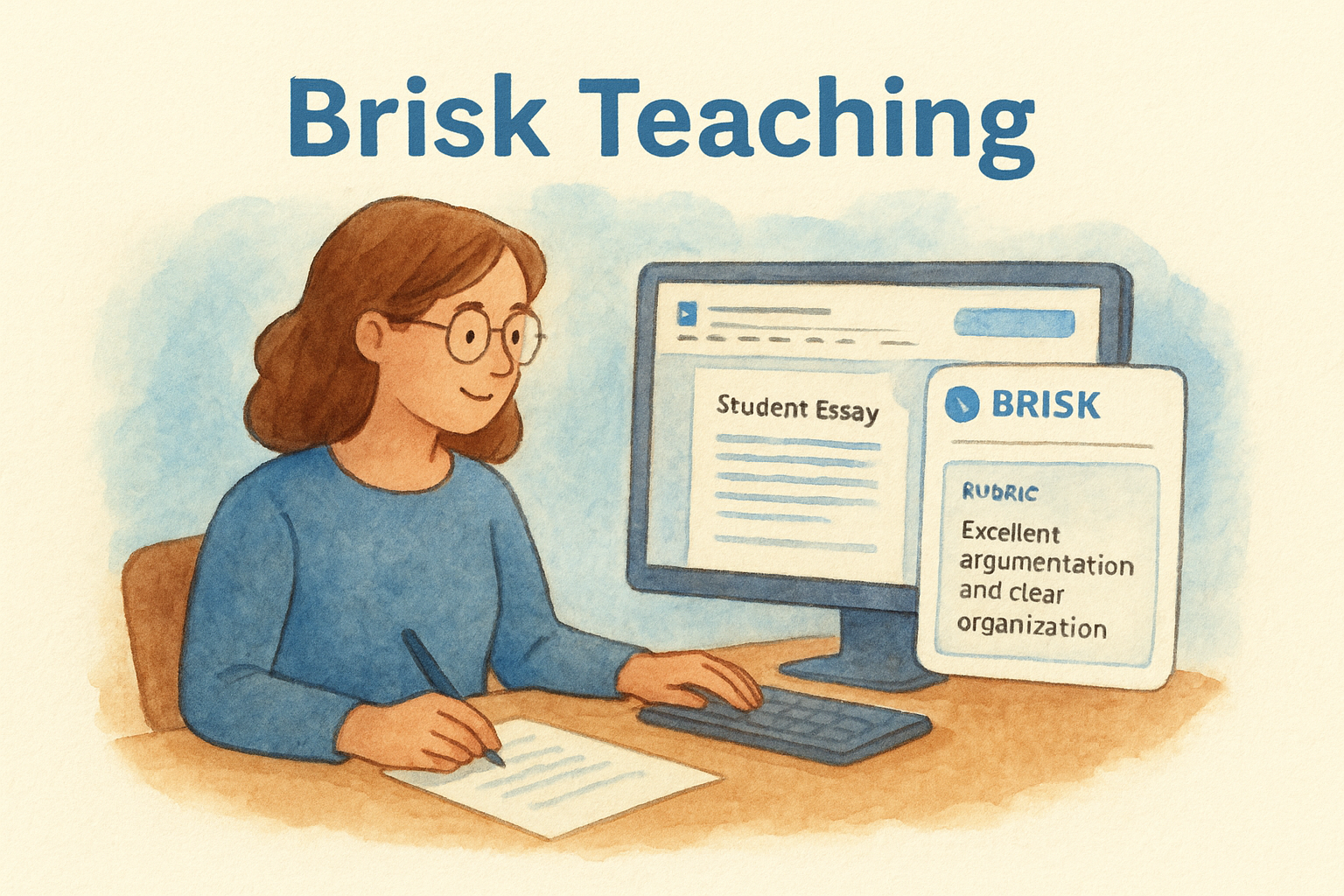
Brisk works as a browser extension that layers onto Google Docs and Google Classroom. Open a student essay, click the Brisk icon, and choose "grade with rubric." The tool reads the document in place, scores it against your uploaded or built-in rubric, and drops comments directly into the margins of the same Google Doc your student already submitted. Nothing leaves the document you’re already working in.
Grading where the writing already lives beats copying essays into a separate dashboard every single time.
Who it’s for
Brisk suits teachers who live inside Google Docs and Classroom and want grading folded into a tool they already use for lesson planning and differentiation. It’s a strong fit for teachers who don’t want a dedicated grading platform but still want AI help on the writing pile.
Key features
- In-document commenting inside Google Docs, no exporting required
- Rubric-based scoring alongside lesson planning and differentiation tools
- Adjustable feedback depth and tone
- Works across subjects, not limited to essays
Pricing
Brisk Teaching offers a free tier covering core grading and lesson tools, with a paid upgrade for higher usage limits and advanced features.
Finding the right fit for your grading pile
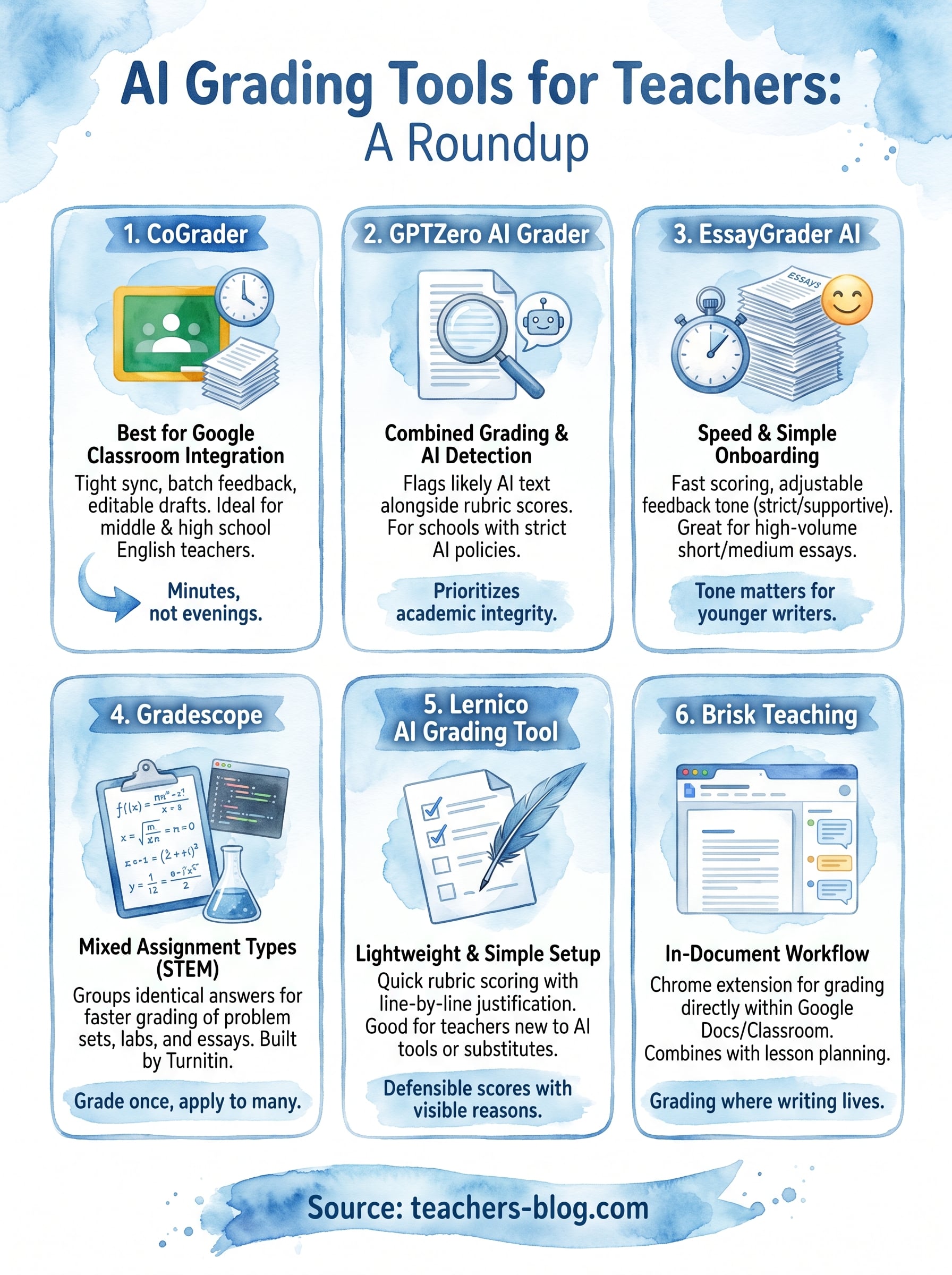
No single tool wins every category. CoGrader makes sense if you live in Google Classroom and want tight integration. GPTZero earns its spot when AI-authorship concerns matter as much as the score itself. EssayGrader AI and Lernico work best for teachers testing the waters with a free plan before committing budget. Gradescope pulls ahead the moment your pile includes math problems or lab reports alongside essays, and Brisk Teaching fits teachers who’d rather grade inside the same Google Doc than open a new dashboard.
Start with whichever tool matches your actual workflow, not the one with the flashiest homepage. Upload one real rubric, run a handful of essays through it, and see if the feedback sounds like something you’d actually write. That test tells you more than any pricing page.
Want more tools like these, plus classroom strategies that don’t require a new login every week? Head over to The Cautiously Optimistic Teacher for the full library.