5 Best AI Checkers for Teachers to Catch AI Writing
You just read an essay that sounds nothing like the kid who sits in your third period. The vocabulary is polished, the structure is textbook-perfect, and something in your gut says a chatbot wrote most of it. You’re not paranoid. You need a reliable ai checker for teachers that actually holds up when you’re building a case, not just a hunch you can’t act on.
The short answer: no detector catches everything, but a handful of tools are accurate enough to trust as a first check before you talk to a student. The best options balance detection accuracy with low false-positive rates, because flagging an honest student’s work as AI-generated damages trust fast and can lead to unfair accusations you can’t take back.
This list breaks down five AI detection tools worth your time, including a few solid free AI detector options for teachers working with tight budgets or no school-issued software. You’ll get what each tool does well, where it falls short, and how to use the results as one piece of evidence rather than a verdict, so you can address academic integrity concerns with confidence instead of guesswork.
1. GPTZero
GPTZero built its reputation on classrooms, not corporate content mills, and that origin still shows. Ask any teacher who’s used AI detection tools for more than a semester and GPTZero usually comes up first, mostly because it was designed from day one to handle student writing rather than marketing copy or blog posts.
How it works
GPTZero analyzes text using two core metrics: perplexity (how predictable the word choices are) and burstiness (how much sentence length and structure vary). Human writing tends to be messier, with short sentences crashing into long ones and word choices that surprise you. AI text is smoother and more uniform. GPTZero flags sentence-by-sentence, so instead of a single score, you get a highlighted document showing exactly which passages look machine-written. That granularity matters when you’re deciding whether one paragraph got pasted in or the whole essay is suspect.
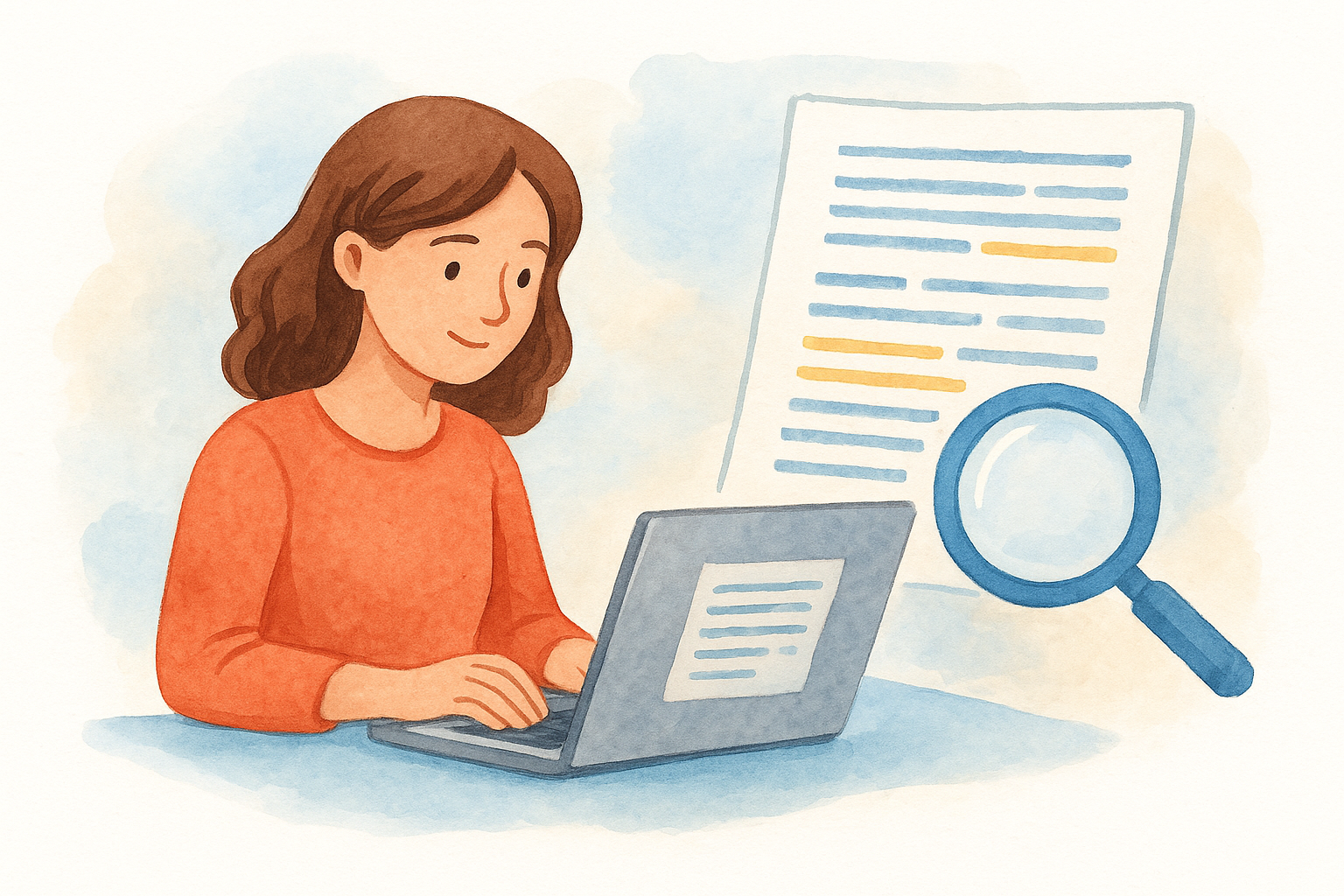
A sentence-level breakdown turns a vague suspicion into a specific, defensible conversation with a student.
Pricing
GPTZero offers a genuinely useful free AI checker for teachers, though it caps how much text you can scan per month. Paid tiers unlock batch uploads, higher word limits, and integration with Google Classroom.
| Plan | Monthly Cost | Word Limit |
|---|---|---|
| Free | $0 | 10,000 words/month |
| Essential | ~$10/month | 150,000 words/month |
| Premium | ~$16/month | 300,000 words/month |
Prices shift periodically, so check current rates before budgeting for a semester.
Best for
Teachers who need to review individual essays quickly, without uploading a whole class set at once, will get the most out of GPTZero’s free tier. It’s also a strong pick if you want a free AI detector for teachers that doesn’t feel like a stripped-down demo. If your district has already invested in Turnitin or Canvas integrations, GPTZero still works well as a second opinion, since running a suspicious essay through two separate detectors gives you more confidence than relying on one algorithm’s judgment alone.
2. Pangram
Pangram entered the AI detection space later than GPTZero, but it closed the gap fast by training its model on a massive dataset of both human and AI writing samples, including essays from actual students rather than just web content. Educators who’ve tested it side by side with older tools often note it catches paraphrased AI text that other detectors miss entirely.
How it works
Unlike detectors that rely mainly on perplexity scoring, Pangram uses a custom-trained classifier built specifically to spot AI patterns even after a student runs the text through a paraphrasing tool. It returns a clear percentage score along with highlighted sections, so you’re not left guessing which parts triggered the flag. The company has published research showing lower false-positive rates than several competitors, which matters when you’re accusing a student of something serious.
A detector that survives paraphrasing attempts is worth more than one that only catches the laziest copy-paste jobs.
Pricing
Pangram doesn’t offer a free tier the way GPTZero does. Pricing runs on a subscription model aimed at schools and districts, typically billed per seat or per document volume, so individual teachers usually need administrative buy-in to access it.
Best for
Departments or entire schools dealing with widespread AI use, especially where students have gotten savvy about paraphrasing, benefit most from Pangram’s stronger resistance to evasion tactics. It suits administrators building a school-wide policy more than a single teacher shopping for a free AI checker for teachers.
3. Turnitin
Chances are your school already pays for Turnitin, since it’s the plagiarism checker most districts adopted years before AI writing became a classroom problem. That existing infrastructure is exactly why it’s on this list: you may not need to shop for a new AI detection tool at all if your administration already has a Turnitin license sitting unused for this purpose.
How it works
Turnitin’s AI detection feature runs alongside its familiar plagiarism-similarity report, scanning submitted documents for patterns consistent with large language model output. It generates a percentage score estimating how much of the document is likely AI-generated, plus highlighted text showing which sentences triggered the flag. Because Turnitin trained its model largely on academic writing, it tends to perform well on formal essays but can struggle with creative writing or shorter responses where sentence patterns don’t give it enough data to work with.
When a school already owns the license, the smartest move is checking with your IT department before paying for a separate detector.
Pricing
Turnitin doesn’t sell to individual teachers. It’s licensed at the institution level, usually bundled into a broader academic integrity package that includes plagiarism detection, and pricing depends on enrollment size and contract terms your district negotiates directly.
Best for
Teachers at schools with an existing Turnitin subscription get the most value here, since the AI checker rides along with tools you’re likely using anyway for essay submissions through your LMS.
4. Copyleaks
Copyleaks started as a plagiarism checker and expanded into AI detection once teachers started asking for it, and that dual function still shapes how it works today. If you’re already scanning student work for copied content, running the same document through Copyleaks for AI patterns saves you a separate upload and a second login.
How it works
Copyleaks scans text and returns a percentage estimate of AI-generated content, along with a breakdown showing which sections triggered the flag. The tool also supports multiple languages, which matters if you teach English learners or work in a dual-language program where student essays mix vocabulary from two languages. Its AI detection software checks documents in bulk, so grading a stack of 30 essays doesn’t mean 30 separate uploads.
A detector built for both plagiarism and AI patterns catches shortcuts a single-purpose tool might miss.
Pricing
Copyleaks offers a limited free trial, but ongoing use requires a paid plan, priced per page scanned rather than a flat monthly fee. Education pricing runs cheaper than the business tier, and district-wide licenses bring the per-page cost down further if your school negotiates a bulk contract.
Best for
Teachers who already use Copyleaks for plagiarism checks get the most value by adding AI detection to the same workflow. It’s a solid pick if you want one AI checker for teachers that handles both jobs instead of juggling two separate subscriptions.
5. Scribbr AI Detector
Scribbr built its name helping students format citations and check papers before submission, and its AI detector grew out of that same student-facing toolkit. Because it was designed for writers checking their own work, not just teachers policing it, the interface stays simple enough that you can hand a student the same tool you use yourself, which opens up honest conversations about how AI detection actually works.
How it works
Scribbr’s detector runs on a licensed version of a widely-used AI detection model, scanning pasted text or uploaded documents and returning a percentage score for likely AI involvement. It doesn’t highlight sentence-by-sentence the way GPTZero does, so you get an overall verdict rather than a granular map of suspicious passages. That makes it faster to use but less useful when you need to point to a specific paragraph during a student conference.
A tool simple enough for students to use themselves builds trust that a black-box scanner never will.
Pricing
Scribbr offers a free AI checker for teachers and students alike, checking short passages at no cost. Longer documents or unlimited checks require a paid plan, billed per document rather than a recurring subscription, which suits teachers who only need occasional checks rather than daily scanning.
Best for
Teachers wanting a quick, no-fuss second opinion, or those hoping to teach students about AI detection transparently, will find Scribbr’s straightforward scoring easiest to explain in class.
Picking the right checker for your classroom
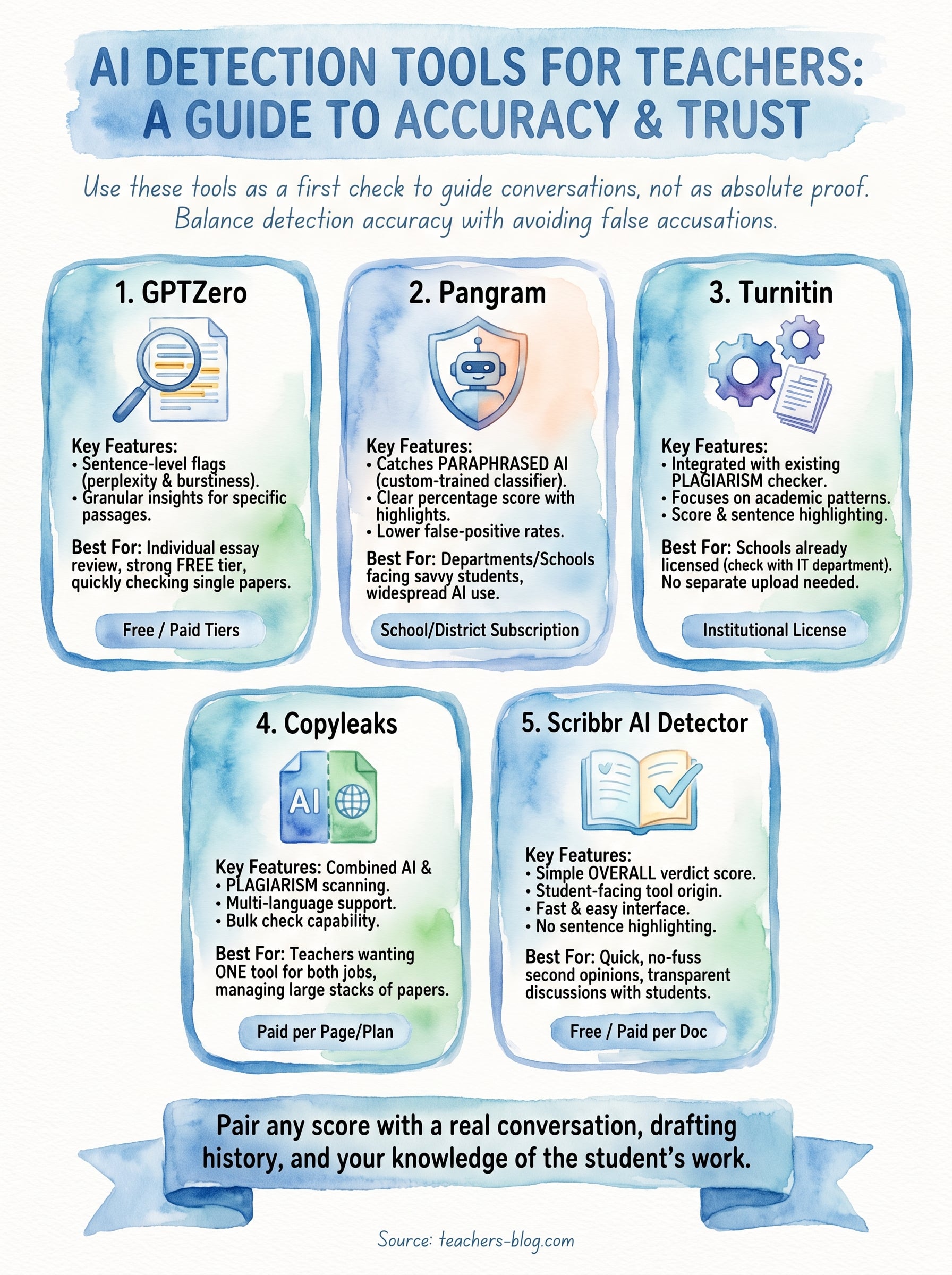
No single AI detector for teachers will settle every case on its own, and treating any score as absolute proof is how honest students end up wrongly accused. Start with a free tier like GPTZero or Scribbr if you’re testing the waters, lean on Turnitin or Copyleaks if your school already pays for them, and consider Pangram when your department needs something built to survive paraphrasing tricks. Whatever you choose, pair the report with a real conversation, a look at the student’s drafting history, and your own knowledge of how they normally write. That combination protects students and gives you the confidence to act when the evidence actually lines up.
Want more classroom-tested strategies for handling AI in student writing, plus tools that make grading and lesson planning faster? Head over to The Cautiously Optimistic Teacher for resources built specifically for teachers navigating this shift.