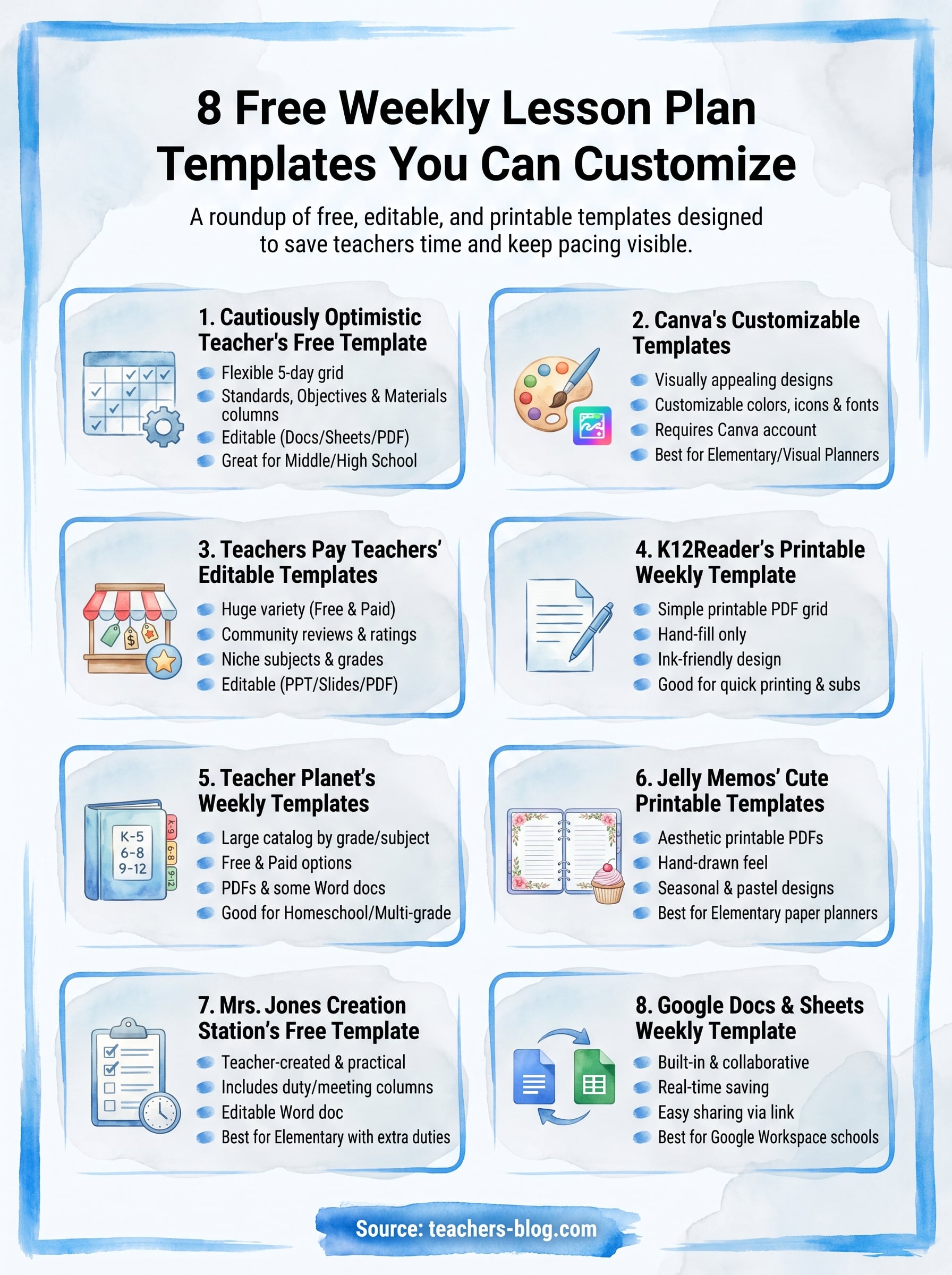
8 Free Weekly Lesson Plan Templates You Can Customize
Sunday night, and you’re staring at a blank planner again, trying to fit five subjects, three preps, and that one assembly into a week that already feels too short. A solid weekly lesson plan template saves you from rebuilding your layout from scratch every time, and it keeps your pacing visible at a glance instead of buried in sticky notes. If you’ve been searching for something you can actually edit and print without wrestling with formatting, you’re in the right place.
This roundup gets straight to what you need: free templates you can open today, tweak to match your subject and grade level, and print or drop into Google Sheets before your next planning period. No sign-up walls, no templates locked behind a paywall, just usable files built for real classrooms.
Below you’ll find eight options, from simple grid layouts for elementary block schedules to more detailed formats built for secondary teachers juggling multiple sections and standards. Some are minimalist, some include space for objectives and differentiation notes, and each one links directly to the download so you can start planning your week in the next five minutes.
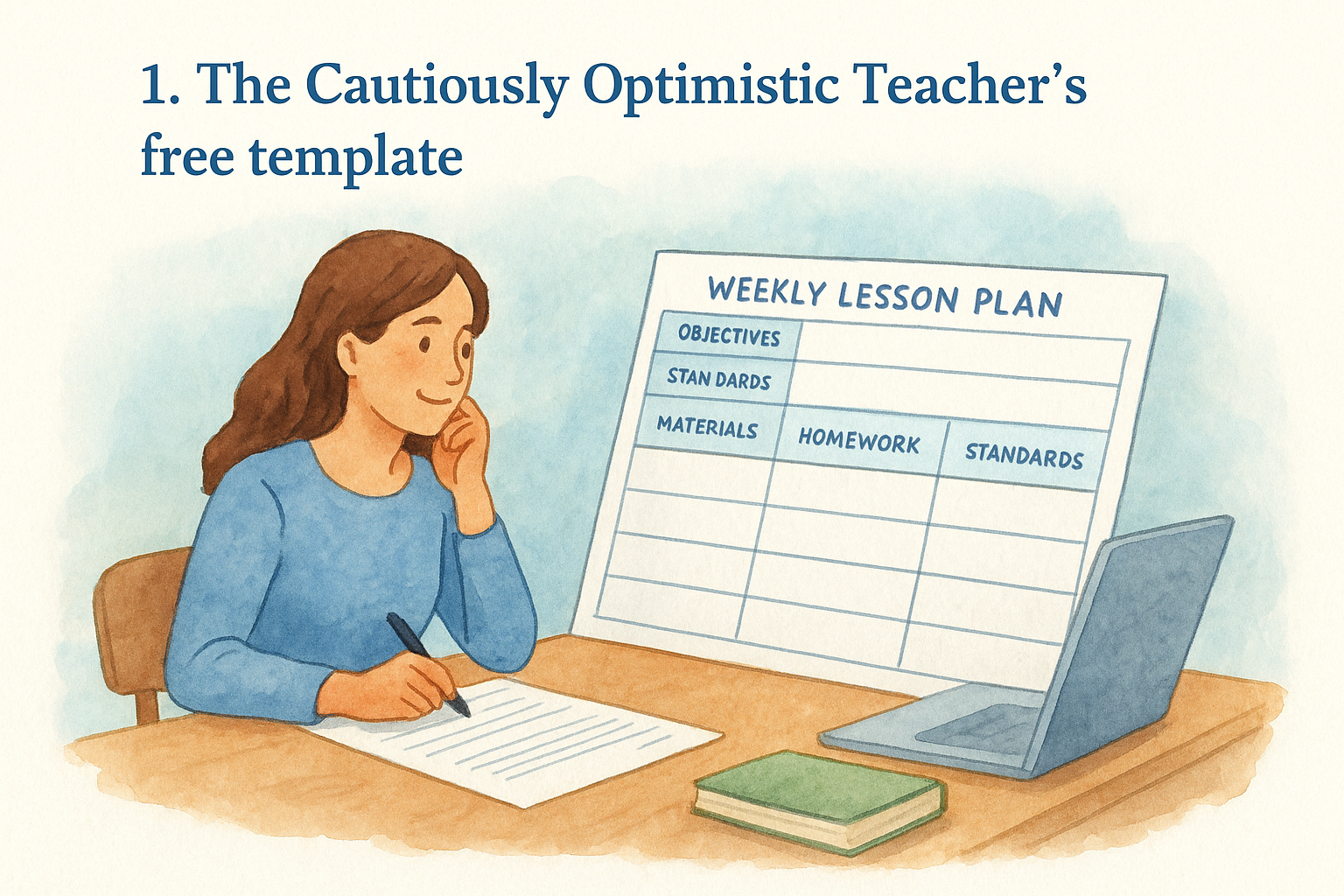
1. The Cautiously Optimistic Teacher’s free template
We built this template because we kept hearing the same complaint from teachers: most planners force you to choose between something too rigid or something too bare. Our weekly lesson plan template splits the difference. It gives you a full five-day grid with dedicated rows for objectives, standards, materials, and homework, but it stays flexible enough to adapt whether you teach one subject all day or rotate through six class periods.
What it offers
The layout breaks each day into clear blocks so you’re not squeezing your warm-up, main activity, and exit ticket into one cramped cell. It also includes a standards-alignment column, which matters if your district requires documentation for observations or curriculum audits. Here’s a quick look at what’s built in:
- Five-day grid with space for multiple periods or subjects
- Dedicated fields for learning objectives and standards
- A materials checklist so you’re not hunting for supplies mid-lesson
- Notes section for differentiation or accommodations
- Editable in Google Docs, Google Sheets, or as a printable PDF
A lesson plan template only earns a spot in your rotation if it saves you time every single week, not just the first time you fill it in.
Best for
This template suits middle and high school teachers managing several class periods with different content each day, since the standards column and materials checklist scale well across sections. It also works for elementary teachers who want more structure than a blank grid but don’t need the complexity of a full unit plan. If you’re already using our Differentiated Instruction Helper or Worksheet Maker, this template gives you a place to log which resources you used and when, so your planning stays connected across tools instead of scattered across five different documents.
How to customize it
Opening the file in Google Docs or Sheets lets you edit everything directly: rename the day columns if your schedule runs on a rotating block, resize rows for subjects that need more room, or delete the standards column entirely if your state doesn’t require it. Teachers who print their plans can adjust the font size before printing to fit more or less detail per box, and the color-coded headers can be swapped to match whatever system you already use for color-coding subjects or units. Because the file lives in Google’s ecosystem, changes save automatically, so you’re never at risk of losing a week’s worth of planning to a crashed browser tab.
Where to download it
You can grab the template directly from our educational blog, where it’s available as a free download alongside our other planning resources, including the UDL Lesson Plan Template if you need something built specifically around universal design for learning. No email required, no login, just click and start editing. If you want a weekly roundup of new templates and tools as we publish them, our newsletter sign-up sits right on the same page.
2. Canva’s customizable weekly lesson plan templates
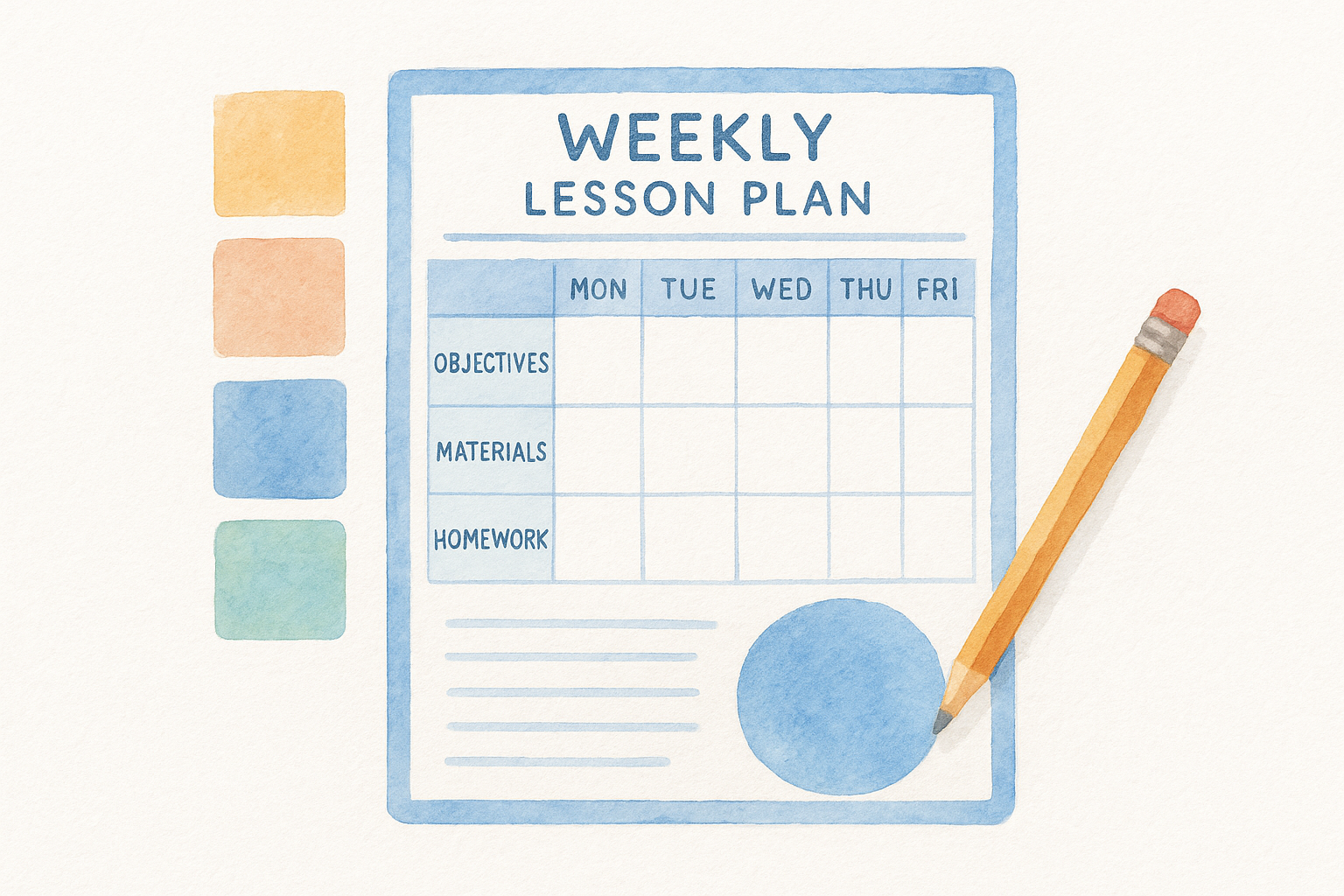
Canva built its name on design, and that shows up in its lesson planning templates too. Instead of a plain grid, you get a weekly lesson plan template with color palettes, icons, and font pairings already chosen for you, so the finished product looks polished without any design skills on your end. If you want something that feels less like a spreadsheet and more like a planner you’d actually enjoy opening every morning, this is worth a look.
What it offers
Searching Canva’s template library for "weekly lesson plan" pulls up dozens of options, from minimalist black-and-white grids to bright, illustrated layouts aimed at elementary classrooms. Most include:
- Pre-built columns for each day and subject
- Space for objectives, materials, and homework
- Decorative headers and icons you can swap or remove
- Drag-and-drop elements for quick rearranging
Design matters less than function, but a template you enjoy using is one you’ll actually keep using.
Best for
This option suits elementary and early childhood teachers who want their planner to double as something visually engaging, especially if it gets posted for parents or displayed in the classroom. It also fits teachers who like customizing colors and fonts to match a personal brand or classroom theme, since Canva’s editor makes those tweaks fast even without design experience.
How to customize it
Every element in a Canva template is editable: click any text box to change wording, drag photos or icons in or out, and adjust the color scheme with a few clicks using Canva’s built-in palette tool. You can resize the whole layout for printing at a different paper size, and once you’re happy with it, export as a PDF for printing or keep it as a live Canva file you edit weekly.
Where to download it
You’ll need a free Canva account to access and edit these templates, which takes about a minute to set up through Canva’s website. Search "weekly lesson plan template" inside the platform to browse the full selection before committing to one.
3. Teachers Pay Teachers’ editable templates
Teachers Pay Teachers works differently from a single downloadable file. It’s a marketplace where thousands of educators sell (and sometimes give away) their own planning resources, so searching "weekly lesson plan template" turns up hundreds of results ranging from free to a few dollars. If you want options tailored to a specific grade band or teaching style, this weekly lesson plan template marketplace beats a one-size-fits-all download.
What it offers
Because every seller designs their own template, you’ll find huge variation in layout, subject focus, and price. Some sellers bundle their weekly template with matching monthly planners or data-tracking sheets. Expect to see:
- Free and paid versions side by side, often from the same seller
- Templates built for specific subjects like reading blocks or math rotations
- Editable PowerPoint or Google Slides files alongside PDFs
- Seller ratings and reviews so you can gauge quality before downloading
With thousands of sellers competing for your download, the ratings and reviews do the vetting work for you.
Best for
This platform suits teachers who want to browse and compare before committing, especially those teaching a niche subject or grade level where a generic template falls short. It also works well for elementary teachers running literacy or math centers, since many sellers design templates specifically around rotation schedules rather than a standard six-period day.
How to customize it
Most templates on Teachers Pay Teachers arrive as editable PowerPoint, Google Slides, or fillable PDF files, so you edit them the same way you’d edit any slide deck: click a text box, type your content, adjust colors through the design menu. Sellers usually list the exact file format and required software in the product description, so check that before buying if you don’t have PowerPoint installed.
Where to download it
Create a free account at Teachers Pay Teachers to browse and download. Filter results by price to show free items only if you want to stick to a zero-cost option, and check the preview thumbnails closely since layout quality varies widely between sellers.
4. K12Reader’s printable weekly template
K12Reader built its reputation on no-frills printable worksheets, and its weekly lesson plan template follows the same philosophy. There’s no account wall, no upsell to a premium tier, just a simple PDF grid you print and fill in by hand. If you’re the type of teacher who plans better with a pen than a keyboard, this option skips the digital editing step entirely and gets straight to paper.
What it offers
The template itself is a single-page, black-and-white grid with rows for each day and columns for subject blocks, so it prints cleanly without burning through color ink. It keeps things basic:
- One-page layout covering Monday through Friday
- Blank subject rows you label by hand
- Small notes column for reminders or materials
- Print-ready formatting that fits standard letter paper
Sometimes the fastest lesson plan is the one you can print and write on in the next two minutes.
Best for
This template suits teachers who prefer handwriting their plans over typing them, particularly elementary teachers who follow a consistent daily subject rotation and don’t need much variation week to week. It also works well as a backup option for substitute folders, since the blank format is easy for someone unfamiliar with your classroom to read at a glance.
How to customize it
Because the file downloads as a static PDF, customizing it means printing extra copies and writing subject labels, times, or notes directly on the page. If you want a digital version, you can open the PDF in a program like Adobe Acrobat and add text boxes over the blank fields, though the layout wasn’t designed with heavy digital editing in mind. Teachers who want more flexibility than paper allows will find the earlier options on this list, including our own editable template, a better fit.
Where to download it
The template is available as a free PDF download directly from K12Reader’s website, no email address or account required. Just open the page, click download, and print.
5. Teacher Planet’s weekly lesson plan templates
Teacher Planet has been around since the early days of teacher resource sites, and its library of weekly lesson plan template downloads reflects that longevity. Instead of one signature design, the site organizes templates by grade band and subject, so you’re browsing a catalog rather than settling for a single generic grid. That range makes it worth a look if the first few options on this list felt either too simple or too specific to fit your schedule.
What it offers
Browsing the planner section turns up dozens of layouts, split between free downloads and a smaller set of premium options bundled with other classroom forms. You’ll typically find:
- Grade-specific templates for elementary, middle, and high school schedules
- Both portrait and landscape grid orientations
- Simple black-and-white versions built for quick printing
- A few themed designs for holidays or specific subjects like science labs
A catalog of templates beats a single template when your schedule changes from unit to unit.
Best for
Homeschool parents and teachers who plan multiple subjects across varying age groups tend to get the most value here, since Teacher Planet’s grade filters make it faster to find a layout that already matches your structure. It also suits teachers who like comparing a few formats side by side before locking in one for the semester, rather than committing to whatever the first search result hands them.
How to customize it
Most files download as PDFs, so editing means printing a blank copy and filling it in by hand, similar to K12Reader’s approach. A handful of templates come as Word documents, which you can open and edit directly, typing over the placeholder text and adjusting column widths to fit longer subject names or block schedules.
Where to download it
Visit Teacher Planet’s website and navigate to the lesson planning section to browse the full catalog. Free templates download instantly as PDFs, while Word-format options are usually labeled clearly in the listing so you know what you’re getting before you click.
6. Jelly Memos’ cute printable templates
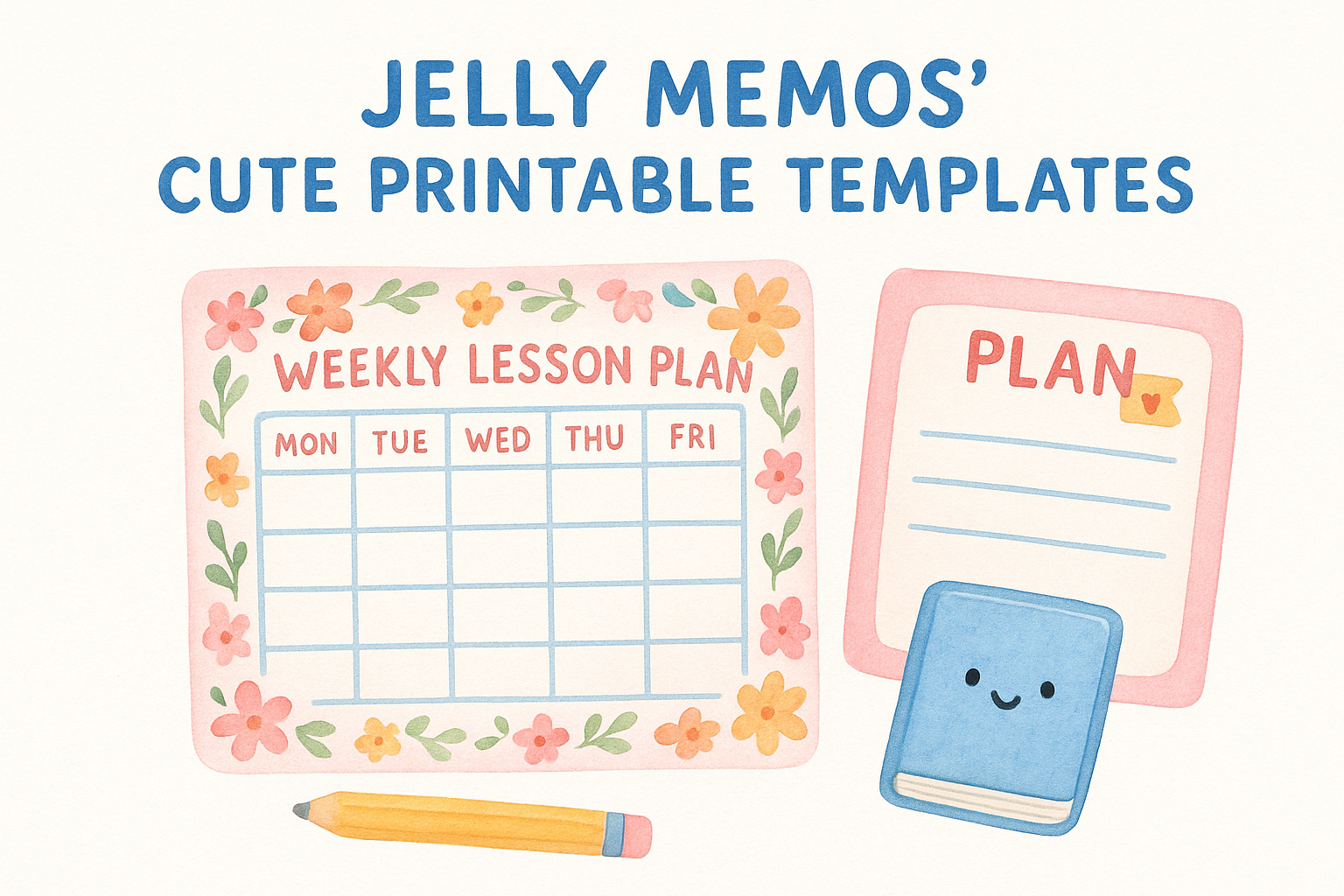
Jelly Memos leans into aesthetics the way Canva does, but without needing an account or design software. Its weekly lesson plan template collection features hand-drawn borders, pastel color schemes, and playful fonts that feel more like a scrapbook page than a spreadsheet. If your planning binder doubles as something you actually enjoy flipping through, this option fills a niche the more utilitarian templates on this list don’t touch.
What it offers
Each download is a static, print-ready design rather than an editable file, so what you see is what you get once it’s on paper. The site rotates its offerings seasonally, so you’ll find:
- Pastel and floral border designs for weekly grids
- Matching daily planner pages for teachers who split weekly and daily views
- Cute icon sets for common subjects like reading, math, and recess
- Both letter-size and half-page print options
A planner you enjoy opening every morning is one small nudge toward actually keeping up with it.
Best for
This template suits elementary teachers who want their planning space to feel warm and personal, especially those who print and display their weekly plan for classroom aides or parent volunteers. It also fits teachers who plan by hand and value a page that’s pleasant to look at over one packed with editable fields, since Jelly Memos prioritizes charm over density.
How to customize it
Because these are static PDF designs, customizing means printing the blank template and filling in subjects, times, and notes by hand, the same approach as K12Reader’s grid. If you want to type your plans instead, you can drop the PDF into an editing tool like Adobe Acrobat and layer text boxes over the blank spaces, though the decorative borders leave less room for lengthy entries than a plain grid would. Teachers juggling six periods of dense content should stick with a more spacious layout, like our template or Teacher Planet’s Word-format options.
Where to download it
Browse the current selection on Jelly Memos’ website, where templates download as free PDFs with no account required. New designs rotate in seasonally, so it’s worth checking back before each semester if you like refreshing your planner’s look.
7. Mrs. Jones Creation Station’s free template
Mrs. Jones Creation Station comes from a classroom teacher who started sharing her own planning system online, and that background shows in the practical touches you won’t find on a generic template site. Her weekly lesson plan template was built to solve her own scheduling headaches first, which means it skips decorative filler in favor of fields real teachers actually fill in every week, like tracking substitute notes and duty schedules alongside the standard subject blocks.
What it offers
The template centers on a clean weekly grid, but it adds a few extras that set it apart from the more basic printable options earlier on this list:
- Weekly grid with rows for each subject or period
- A dedicated duty and hall-monitoring schedule column
- Space to note upcoming meetings or parent conferences
- Small icon key for marking early dismissal or assembly days
A template built by a teacher for her own week tends to solve problems a generic form never anticipated.
Best for
This option suits elementary teachers who juggle non-teaching duties like recess supervision or lunch monitoring alongside their instructional blocks, since most templates ignore that part of the day entirely. It also fits teachers who want one document that captures both the academic week and the logistical one, rather than tracking meetings and duty rotations in a separate planner.
How to customize it
The file downloads as an editable Word document, so you type directly into the fields, adjust column widths for longer subject names, and delete the duty column if your school doesn’t require one. Because it’s a standard .docx file, you can also copy and paste the grid into a different template if you only want to borrow the duty-tracking idea rather than the full layout.
Where to download it
You’ll find the free download on Mrs. Jones Creation Station’s blog, listed among her other classroom management printables. No account or email sign-up is required to grab the file, though browsing her broader blog is worth the extra few minutes if you’re looking for matching forms.
8. Google Docs and Sheets weekly template
Google’s own template gallery includes a built-in weekly lesson plan template that lives inside Docs and Sheets, so there’s nothing to download or convert before you start typing. If your school already runs on Google Workspace for Education, this option skips the file-compatibility headaches that come with PDFs or PowerPoint templates built for other software.
What it offers
Built directly into Google’s template gallery, the layout gives you a plain but functional weekly grid with columns for each day and rows you label by subject or period. It’s less decorated than Canva’s options but more flexible than a static PDF:
- Native Google Sheets grid with adjustable rows and columns
- Real-time collaboration if you co-plan with a teaching partner
- Automatic saving to Google Drive
- Easy sharing with administrators or substitutes via a link
A template that lives where your school already works beats one you have to import, convert, or email around.
Best for
Teachers already working inside Google Workspace for Education get the most value here, especially those who co-teach or plan alongside a grade-level team, since multiple people can edit the same sheet at once. It also suits teachers who want to share their weekly plan with a principal or substitute through a simple link instead of a printed packet.
How to customize it
Open the template, then edit it the same way you’d edit any spreadsheet: click a cell to type, drag column borders to resize, and use Sheets’ formatting toolbar to add color-coded headers for each subject. Because it saves automatically to your Google Drive, you can duplicate the file each week using File > Make a copy, keeping a running archive of past plans without extra folders to manage.
Where to download it
Search "lesson plan" inside the Google Docs and Sheets template gallery from your Google account, or search Google directly for the same term to find the gallery link. No download required since the file opens straight into your Drive.
Finding the right fit for your week
Eight templates, eight different ways to solve the same Sunday-night problem. If you teach multiple periods and need standards documentation built in, our own weekly lesson plan template does that work for you. If you’d rather browse a catalog until something clicks, Teacher Planet or Teachers Pay Teachers give you room to compare. And if paper beats a screen for you, K12Reader or Jelly Memos get you printing in minutes.
Don’t feel locked into one choice for the whole year. Your fall schedule might call for a simple grid, while a spring unit with heavier standards tracking might push you toward something more detailed. Keep two or three of these bookmarked and swap between them as your week demands.
If you want a template that grows with you, along with the AI tools and unit plans that pair with it, browse more free resources on our blog and build a planning system that actually holds up past week one.