

LITERACY DIAGNOSTICS • ONLINE LITERACY ASSESSMENT
Literacy Assessment Software for Teachers
A clearer picture of student literacy—one classroom assessment at a time.
Assess six core literacy areas. Review individual and class results. Identify strengths and areas that may need more attention. Students join with a simple access code—no student accounts required.
Understand literacy performance at the classroom level
LiteracyCheck is literacy assessment software for teachers who need more than a single overall mark. Use it as a classroom diagnostic to see which literacy skills students can demonstrate, where gaps remain, and what to prioritize before an upcoming test.
It brings diagnostic assessment tasks, scoring, student literacy profiles and class-level reporting together in one teacher-controlled workspace. The results help teachers plan targeted instruction and review based on the skills students actually need to strengthen.
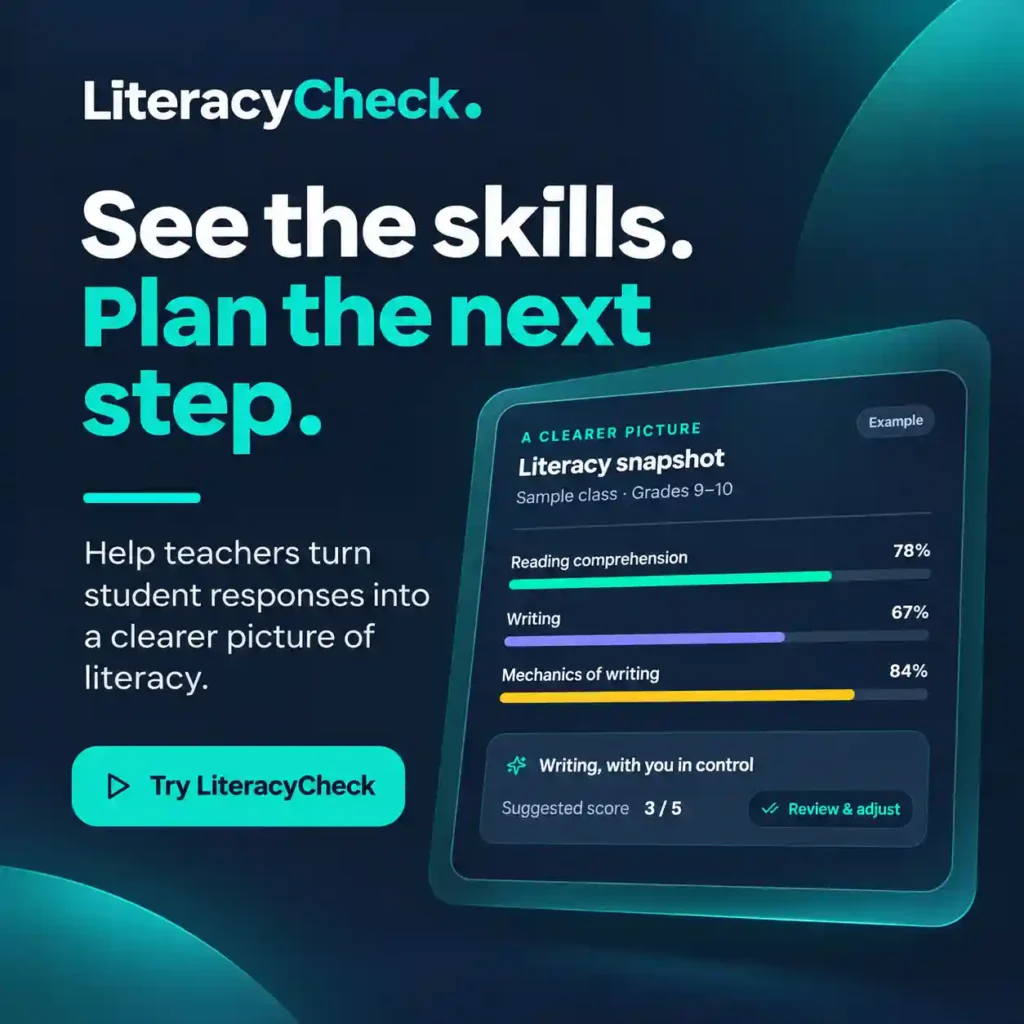
Assessment insight, built for real classrooms
LiteracyCheck brings the assessment process together in one teacher-managed workspace. Students enter a session code and their names; teachers stay in control of the assessment, scoring and reports.
- Assess six literacy skill areas and General Literacy
- Automatically score objective questions
- Use AI-assisted scoring suggestions for written responses, with teacher review and final control
- Review student profiles and class-level patterns
- Keep assessment history to help monitor progress
Assess meaningful skills
Use focused literacy assessments to check comprehension, vocabulary, inference, central ideas, text structure, written communication and writing mechanics.
See more than an overall score
Review individual results and classroom patterns by literacy category. Objective questions are scored automatically, while AI-assisted scoring can suggest marks for written responses. Teachers review the evidence and retain control of the final score.
Monitor performance over time
Compare assessment results before and after targeted instruction or test-preparation review. Teachers can notice growth, identify skills that still need attention and plan what to address next.
Six core areas of literacy
Select focused assessments to identify strengths and gaps across six literacy skill areas. LiteracyCheck supports Grades 2–12.
01 / LITERACY SKILL
Reading Comprehension
Assess understanding of texts, main ideas, inference, details and evidence.
02 / LITERACY SKILL
Writing
Examine clarity, organization, development of ideas and written evidence.
03 / LITERACY SKILL
Mechanics of Writing
Check grammar, punctuation, capitalization and sentence structure.
04 / LITERACY SKILL
Vocabulary and Word Knowledge
Explore word meanings, context clues and relationships between words.
05 / LITERACY SKILL
Media and Information Literacy
Examine purpose, perspective, source credibility and interpretation of information.
06 / LITERACY SKILL
Foundational Literacy
Check age-appropriate basic reading and word-level skills.
General Literacy
For a broader diagnostic picture, choose a General Literacy assessment. It brings together evidence across literacy skills and helps teachers decide which areas need more focused assessment or instruction.
FROM ASSESSMENT TO ACTION
Turn a diagnostic snapshot into a plan for improvement
A score is a starting point, not the finish line. LiteracyCheck helps teachers see where to focus next, then use follow-up assessments to check for progress.
STEP 1
Find the starting point
Use an assessment to see what students can already do across six literacy skill areas.
STEP 2
Identify priority skills
Use student profiles and class patterns to identify skills that may need additional instruction or review.
STEP 3
Teach, review and reassess
Plan targeted lessons, practice and review. Then assess again to see where students have improved and what still needs attention.
Teachers use the results to choose the next instructional steps. LiteracyCheck provides the assessment evidence and progress information; it does not automatically prescribe a personalized lesson plan.
A MORE PURPOSEFUL WAY TO PREPARE
Make upcoming test preparation more targeted
Instead of reviewing every literacy skill in the same way, use diagnostic assessment results to decide where students may benefit from more attention before an upcoming test, exam or assessment window.
Before the review period
Establish a baseline. Find out which literacy skills students are demonstrating confidently and which may need more attention.
During test preparation
Prioritize review. Use individual and class results to guide mini-lessons, small-group instruction and practice in the areas that need it most.
After targeted review
Check for growth. Reassess key skills and compare results to see whether students are making progress and where further support may be useful.
Useful for: classroom tests, end-of-unit assessments, end-of-term exams and preparation for larger literacy assessments.
LiteracyCheck helps teachers identify skills to review; it does not predict official test scores or replace the preparation and instruction required for a particular examination.
SIMPLE FOR STUDENTS. CLEAR FOR TEACHERS.
A straightforward classroom workflow
The student experience is deliberately simple. Teachers control the assessment session, while students join with a code rather than creating an account.
01
Create an assessment
The teacher signs in, chooses the assessment and starts a session.
02
Share the access code
Students enter the randomly generated code and their names on the student screen.
03
Students complete the tasks
Students work through the assessment without needing a separate email address or password.
04
Review the results
The teacher reviews objective scores, written-response suggestions and individual or class reports.
Reports that help teachers decide what to do next
Move beyond a single class average. Look at individual student profiles and patterns across the group.
Individual student profiles
- Results organized by literacy category and skill area
- A clearer view of individual strengths and areas for growth
- Assessment history to help monitor progress over time
- Downloadable summaries for teacher reference
Classroom-level insights
- Class summaries showing common strengths and gaps
- Patterns that can inform whole-class or small-group review
- Teacher-reviewed written-response scores and comments
- PDF exports for classroom records and planning
AI-assisted scoring, with the teacher in control
Objective questions are scored automatically. For written responses, AI-assisted scoring can suggest a mark using the assessment rubric. Teachers review the response and can adjust the suggested score before it becomes part of the student’s results.
Student privacy is built into the workflow
Students do not need individual accounts. They join an active assessment with a code and enter their names. They do not provide email addresses or create passwords.
- Teacher accounts control access to classes and assessment records
- Student names are encrypted
- Student email addresses are not required
- Assessment records remain within the teacher-managed classroom workflow
Frequently asked questions
Is LiteracyCheck a diagnostic tool?
Yes. It is designed as a classroom diagnostic literacy assessment tool. It helps teachers gauge student performance across six literacy skill areas, identify areas that may need attention, and use the results to plan next steps. It is not a clinical diagnostic instrument.
Can it help students prepare for upcoming tests?
Yes. Teachers can use an assessment before a test-preparation period to identify skills that need review, focus instruction and practice, and reassess to check for progress. It does not predict official test scores or replace preparation for a specific examination.
What areas of literacy does it assess?
Reading Comprehension, Writing, Mechanics of Writing, Vocabulary and Word Knowledge, Media and Information Literacy, and Foundational Literacy. General Literacy assessments provide a broader picture across skills. Results help teachers see more than an overall score.
Does it automatically create personalized practice activities?
No. LiteracyCheck provides assessment results and reports. Teachers use that information to select targeted lessons, review and practice that match their students’ needs.
Do students need their own accounts?
No. Teachers have accounts. Students join an active assessment with a randomly generated access code and enter their names. They do not need an email address or password.
How are written responses scored?
Objective questions are scored automatically. AI-assisted scoring can suggest marks for written responses using the assessment rubric. Teachers review and retain control of the final score.
Does it replace standardized testing?
No. LiteracyCheck is an independent classroom assessment tool. It is not an official provincial or state examination and does not replace required standardized assessments.
Can teachers monitor improvement?
Yes. Teachers can compare assessment results over time using individual profiles and classroom summaries. This can help show which skills are improving and where further support may be useful.
START WITH A CLEARER PICTURE
Make your next literacy assessment more purposeful
Use LiteracyCheck to gauge student literacy, identify skills to strengthen and make more informed decisions about what to review before the next test.