
How Online PDF Tools Can Make Document Work Easier for Teachers
Teachers work with documents every day. Lesson plans, worksheets, reading materials, handouts, forms, reports and classroom resources often end up as PDF files.
PDF is a useful format because it keeps the layout stable. A worksheet usually looks the same for students, parents and colleagues, no matter which device they open it on. But the problem starts when a teacher needs to change something quickly.
A file may be too large to upload. Several handouts may need to be combined. A worksheet may need to be converted, shared or prepared before class. These small tasks can take more time than expected, especially during a busy school day.
That is why online PDF tools can be helpful for teachers who want to manage documents directly in the browser without installing extra software.
Why PDF files are so common in schools
PDF files are easy to share. Teachers use them for printable worksheets, lesson resources, reading passages, permission slips, classroom guides and revision materials.
They are also useful because the formatting stays consistent. A table, image, worksheet layout or set of questions is less likely to move around when the file is opened on another computer.
This makes PDF a practical choice for schools. But it also means teachers often need simple tools to work with these files.
Common PDF problems teachers face
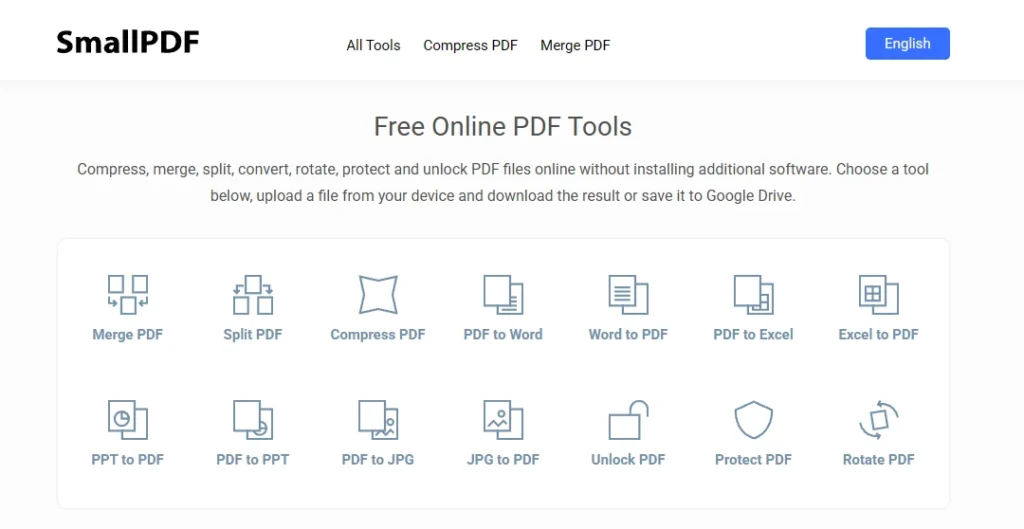
Many PDF tasks are small, but they still interrupt the day.
A teacher may need to:
- reduce a large file before uploading it;
- combine several worksheets into one document;
- split a long PDF into smaller parts;
- convert a document into PDF;
- prepare a file for students or parents;
- send a resource by email without the attachment being too large.
These are not complicated jobs, but they can become frustrating when the right tool is not available.
Why browser-based tools are useful
Teachers do not always have time to install new software or learn a complicated program. A browser-based tool is easier because it can be opened when needed.
This is useful at school, at home or when working from a shared computer. It also helps when a task only needs to be done once or twice, rather than every day.
For many teachers, the best tool is not the most advanced one. It is the one that solves a simple problem quickly.
Compressing large PDFs
One of the most common issues is file size. A PDF may be too large to send by email, upload to a learning platform or share with students.
This often happens with scanned documents, image-heavy worksheets, presentations saved as PDFs or files with many pages.
In that situation, a tool like Compress PDF can help reduce the file size and make the document easier to share.
This can save time, especially when a teacher needs to send materials quickly before a lesson or upload them for students after class.
Useful for worksheets and classroom resources
PDF tools are especially helpful when preparing worksheets. A teacher may create materials in one program, save them as PDF and then need to adjust the final file.
For example, several short worksheets can be merged into one packet. A long resource can be split into smaller sections. A large file can be compressed before uploading.
These small steps make classroom materials easier to organise and share.
Helpful for communication with parents and colleagues
PDF files are also common outside the classroom. Teachers may send forms, newsletters, reports, schedules or notices to parents and colleagues.
A clean, smaller PDF is easier to open and forward. It also reduces problems for people using phones or slower internet connections.
This is another reason why simple PDF tools can be useful in everyday school communication.
What teachers should look for in a PDF tool
A good PDF tool should be simple. Teachers should be able to choose the task, upload the file and finish the process without wasting time.
Clear navigation matters. So does speed. A tool that takes too long or feels confusing will not be used often, even if it has many features.
For school use, the main value is practical: the tool should help teachers prepare and share documents with less effort.
Final thoughts
PDF files are part of everyday teaching. They are used for worksheets, lesson materials, reports, forms and communication with students, parents and colleagues.
Online PDF tools can make this work easier by helping teachers handle common file tasks in the browser. Whether the goal is to compress, combine, convert or organise documents, simple tools can save time during a busy school day.
For teachers, even small time savings matter. When document work becomes easier, there is more time left for planning, teaching and supporting students.