10 Google Docs Lesson Plan Templates You Can Customize
You know the drill. Sunday night, empty planning period, and you’re staring at a blank document trying to remember what worked last year. A solid google docs lesson plan template fixes that problem fast, because it gives you a structure to fill in instead of a blinking cursor to stare at. No software to install, no formatting headaches, just a doc you can copy and start typing into within minutes.
This list gets straight to what you’re actually searching for: ten free, editable templates built for Google Docs, covering everything from quick daily plans to detailed unit outlines. Each one is designed so you can duplicate and customize it right away, swapping in your own standards, objectives, and activities without rebuilding the layout from scratch.
Below, you’ll find templates suited to different teaching styles and grade levels, whether you want a simple one-page format for a busy week or something more detailed for differentiated instruction. We’ll also point out which templates pair well with tools like our Differentiated Instruction Helper, so your planning stays efficient without sacrificing quality.
1. UDL lesson plan template for inclusive teaching
Universal Design for Learning starts with a simple idea: build flexibility into the lesson from the start instead of retrofitting accommodations later. A UDL lesson plan template organizes your planning around the three UDL principles, engagement, representation, and action/expression, so you’re prompted to think about barriers before you ever step in front of the class. Instead of writing one path through a lesson and hoping everyone keeps up, you plan multiple entry points from day one.
A UDL template forces you to plan for every learner before the lesson starts, not after someone falls behind.
What’s included
The template usually opens with standard fields, objective, standards alignment, and materials, then breaks into sections mapped directly to UDL guidelines. You’ll typically see space for:
- Multiple means of engagement: how you’ll hook different interest levels and motivation styles
- Multiple means of representation: how content gets delivered (visual, auditory, text, hands-on)
- Multiple means of action/expression: how students demonstrate learning (writing, speaking, building, presenting)
- A checklist section for anticipated barriers and the specific supports you’ll offer
- An assessment area that separates formative checks from the final product
That structure keeps you from defaulting to one teaching mode and calling it a lesson.
Who it’s for
This one’s built for teachers in inclusive classrooms with a wide range of learners, general education teachers with IEP or 504 students mixed in, co-teachers splitting instructional duties, and anyone required to document differentiation for administrators or instructional coaches. If your school has adopted UDL as a framework or you’re preparing for an observation focused on accessibility, this template gives you documentation that matches what evaluators are trained to look for. It’s also useful if you’re new to UDL and want the structure to teach yourself the framework while you plan.
How to customize it in Google Docs
Open the template, then go to File > Make a copy so you’re never editing the master version. From there, customization is straightforward:
1. Rename the file with your unit and date (e.g.,
## 2. Weekly lesson plan template for busy teachers
Some weeks call for less detail and more speed. A **weekly lesson plan template** lays out Monday through Friday on a single page or a simple table, so you can see your whole week at a glance instead of flipping between five separate documents. It's the format most teachers actually reach for once the school year settles into a rhythm, because it trades depth for **quick visibility** across every subject or period you teach.
> When you're planning five days at once, a grid beats a stack of separate documents every time.
### What's included
The layout is usually a table with days across the top and rows underneath for objective, activities, materials, and homework or assessment. You'll often find:
- A header row for the week's date range and unit or theme
- Columns for each weekday with row space for standards, activities, and materials
- A notes row at the bottom for reminders, absences, or schedule changes
- Optional color coding by subject if you teach multiple content areas
### Who it's for
This template suits **elementary generalists** juggling several subjects a day, as well as secondary teachers who want one document per week instead of one per class period. It's also a good fit if your admin requires weekly plans submitted in advance, since the whole week sits on one page ready to print or share.
### How to customize it in Google Docs
Make your copy first, then adjust the table to match your schedule. Delete columns for days you don't teach, or add rows if you run more than four class blocks daily. Use **Format > Table** to resize columns so Monday's block schedule doesn't get squeezed next to a shorter Friday. Save a blank copy as your master, then duplicate it weekly so you're never rebuilding the grid from scratch.
## 3. Daily lesson plan template for single-lesson focus
Sometimes you don't need a week mapped out, you need one lesson planned well. A **daily lesson plan template** zooms in on a single class period or subject block, giving you room to detail the warm-up, direct instruction, practice, and closure without cramming everything into a tiny grid cell. Teachers who plan lesson by lesson, rather than by week, tend to reach for this format because it matches how they actually think through a class.
> One lesson, fully planned, beats five lessons sketched in shorthand.
### What's included
Expect a top section for the date, subject, and standard, followed by a **timed breakdown** of the period itself. Common sections include:
- Warm-up or bell ringer with time allotted
- Direct instruction notes and key talking points
- Guided or independent practice activity
- Closure or exit ticket
- Materials list and any tech needed
Because the template only covers one lesson, there's space to jot down pacing notes you'd never fit into a weekly grid.
### Who it's for
This format fits **new teachers** still building their timing instincts, as well as veteran teachers planning a complex lesson that needs extra detail, a lab, a Socratic seminar, a multi-step project launch. It also works well for **specialist teachers** like art, music, or PE, who see each class for a short, self-contained block and don't need a weekly overview.
### How to customize it in Google Docs
Copy the template, then adjust the time blocks to match your actual period length, 45 minutes looks different from 90. Use **Insert > Table** if you want to add a pacing column down the side, and delete any section that doesn't apply, like homework, for classes that don't assign it.
## 4. Preschool lesson plan template for early learners
Preschool planning looks nothing like a high school block schedule. A **preschool lesson plan template** breaks the day into short, rotating activities, circle time, centers, snack, outdoor play, rather than subject periods, because that's how a three or four-year-old's day actually runs. Instead of standards and objectives dominating the page, this template puts **developmental goals** front and center: fine motor skills, social-emotional growth, early literacy exposure, and sensory play.
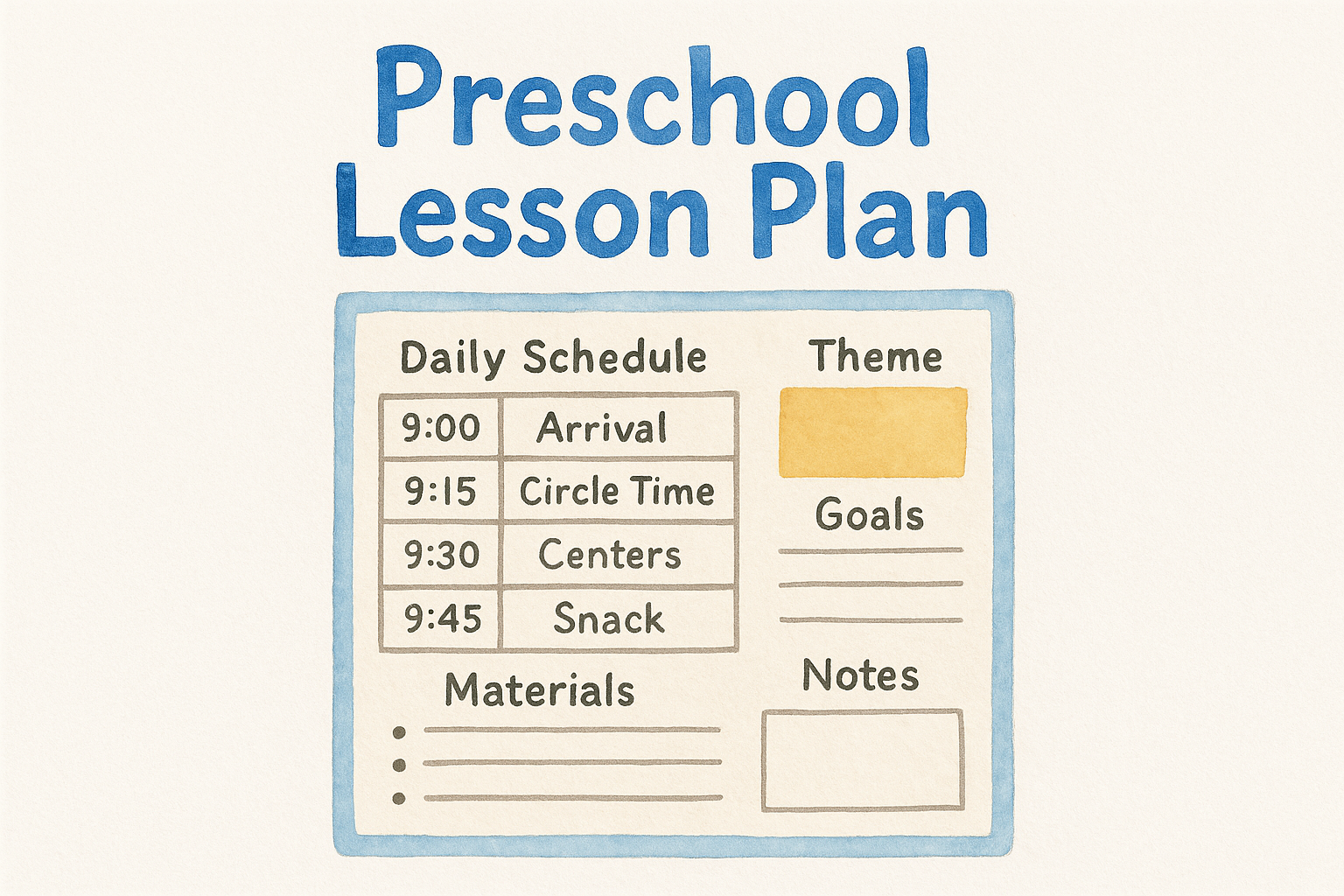
> Preschoolers learn through routine and play, so the template has to plan for both.
### What's included
Most versions organize the day in blocks of 15 to 30 minutes rather than full class periods. You'll typically find:
- A daily schedule grid with time blocks for arrival, circle time, centers, snack, outdoor play, and rest
- A theme or skill focus for the week (colors, shapes, letters, seasons)
- Space for developmental goals tied to each activity, motor skills, language, social skills
- A materials list broken down by center or station
- A notes section for tracking which kids need extra support during transitions
That structure keeps the day moving without leaving gaps where kids lose focus.
### Who it's for
This template fits **preschool and pre-K teachers** running a full day of rotating activities, as well as childcare providers who need documentation for licensing or parent handouts. It also works for **co-teachers or aides** splitting stations, since each block is clearly assigned and easy to hand off mid-day.
### How to customize it in Google Docs
Make your copy, then adjust the time blocks to match your actual daily schedule, some programs run half-day, others full-day with a nap block built in. Swap the weekly theme and materials list each Monday, and use **Insert > Image** to drop in visual schedules for kids who read pictures better than text.
## 5. Elementary lesson plan template for multi-subject days
Elementary teachers don't teach one subject, they teach five or six in a single morning. An **elementary lesson plan template** accounts for that reality by breaking the day into subject blocks (reading, math, writing, science or social studies, specials) rather than one long class period. Instead of forcing your whole day into a single narrative, this template gives each subject its own mini-plan, so switching from a read-aloud to a math lesson doesn't mean flipping through pages of unrelated notes.
> Five subjects a day need five clear sections, not one crowded page.
### What's included
The layout usually stacks subject blocks vertically down the page, each with its own short set of fields. You'll typically find:
- A subject header with time allotted and standard covered
- A quick objective line stating what students should know or do by the end
- Activity notes broken into whole group, small group, and independent work
- A materials list specific to that subject block
- A transition note for moving kids between activities without losing minutes
That repeated structure means you can scan straight to the block you need without rereading the whole day.
### Who it's for
This template suits **self-contained classroom teachers** covering every core subject themselves, as well as **specialist teachers** who rotate through multiple classrooms and need a consistent format regardless of grade level. It also works well for **student teachers** learning to juggle several subjects in one day, since the separated blocks make it easier to get feedback on one subject at a time.
### How to customize it in Google Docs
Copy the template, then rename each subject header to match your actual schedule, some elementary teachers add a dedicated block for morning meeting or SEL time. Use **Format > Headings** to keep subject titles consistent, and duplicate the subject block if you teach a subject twice a day, like reading in the morning and a second literacy block after lunch.
## 6. High school lesson plan template for block schedules
Block schedules change everything about how you plan a period. When a class runs 90 minutes instead of 45, you can't just stretch a short lesson thin and hope it fills the time. A **high school lesson plan template** built for block scheduling gives you room to sequence multiple activities inside one long period, so you're not scrambling to fill dead air or cramming three activities into a plan meant for a shorter class.
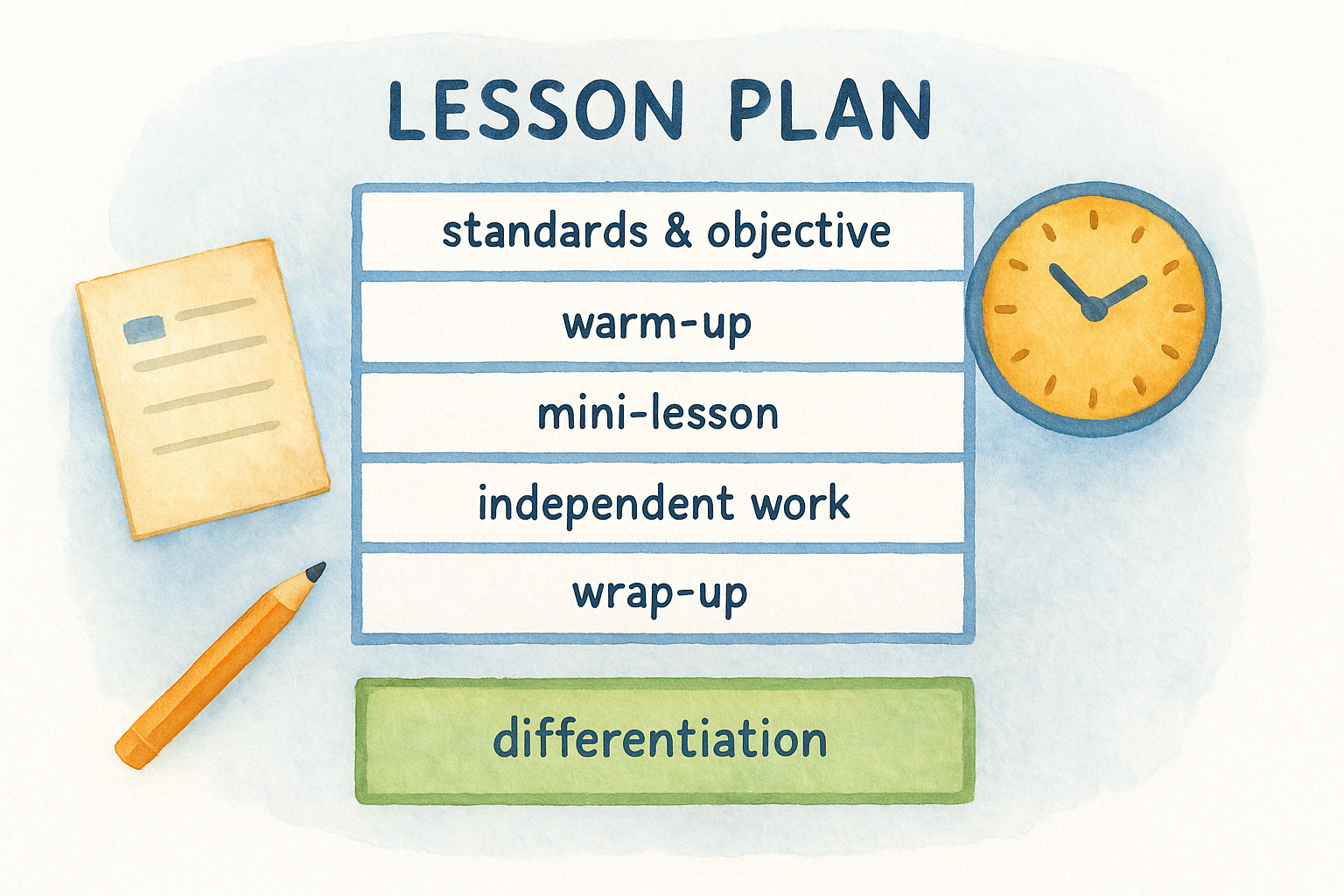
> A 90-minute block needs its own pacing plan, not a stretched-out version of a 45-minute one.
### What's included
The template usually splits the block into distinct phases rather than one continuous lesson. You'll typically find:
- A **pacing timeline** breaking the 90 minutes into segments, warm-up, mini-lesson, independent or group work, wrap-up
- Space for a mid-block transition or brain break, since attention drops around the 40-minute mark
- A standards and objective section at the top, matching what most high schools require for documentation
- A differentiation note field for adjusting pace between sections that move fast and sections that stall
- An exit ticket or formative check built into the closing segment
That pacing structure keeps a long period from sagging in the middle.
### Who it's for
This template fits **high school teachers** on A/B block schedules, alternating-day schedules, or any format where periods run 80 minutes or longer. It also suits **department teams** that plan collaboratively, since the shared pacing format makes it easy to compare how each teacher is using block time across sections.
### How to customize it in Google Docs
Copy the template, then adjust the timeline to match your actual block length, some schools run 85 minutes, others 100. Use **Insert > Table** to build out the pacing segments if the default layout doesn't match your rotation, and delete the mid-block break section for classes that don't need one.
## 7. Homeschool lesson plan template for parent educators
Teaching your own kids at the kitchen table means you're the curriculum director, teacher, and record-keeper all at once. A **homeschool lesson plan template** in Google Docs helps you track multiple subjects and multiple children without losing your place, since most states require some form of documentation for attendance or progress. Unlike a classroom template built around a single grade level, this one flexes to cover several kids at different levels within the same document.
> Homeschooling means you're the whole school district, so your plan has to double as your paper trail.
### What's included
The layout typically separates by child first, then by subject, since siblings often work on different material at the same time. Expect to find:
- A weekly overview with subject blocks per child
- Space for curriculum or resource names used that week
- A progress or mastery note field for tracking skills over time
- A field for field trips, co-op days, or outside activities
- A simple attendance log for state reporting requirements
That separation keeps you from mixing up which kid finished which lesson.
### Who it's for
This template suits **homeschool parents** managing one or several children across different grade levels, plus co-op leaders who need a shared format for multiple families teaching the same unit. It also works for **parents new to homeschooling** who want a structure that doubles as a checklist while they figure out their state's documentation rules.
### How to customize it in Google Docs
Make your copy, then add a subject column or section for each child using **Insert > Table**. Rename headers to match your curriculum's terminology, some programs call units "modules" or "lessons," and keep a running master copy you duplicate weekly so your attendance log stays continuous across the whole semester.
## 8. ESL lesson plan template for language learners
Teaching content to students who are still learning the language you're teaching it in requires a different plan than a general classroom lesson. An **ESL lesson plan template** builds language objectives right alongside content objectives, so you're not just asking what students should know, but also what vocabulary and sentence structures they'll need to say it. Instead of assuming comprehension, this template forces you to plan the scaffolds that get students there.
> A content objective without a language objective leaves half your ESL students guessing at what you actually meant.
### What's included
The template usually pairs each content goal with a matching language goal, then builds scaffolding around both. You'll typically find:
- A dual objective section: content objective and language objective side by side
- A **key vocabulary** list with student-friendly definitions and visuals
- Sentence frames or stems for speaking and writing tasks
- A scaffolding section noting supports by proficiency level, beginner, intermediate, advanced
- A formative check that separates language production from content mastery
That pairing keeps you from grading content understanding when the real barrier was vocabulary.
### Who it's for
This template fits **ESL and ELL specialists** running pull-out or push-in support, as well as **content teachers** with English learners mixed into a mainstream class. It also works for **dual-language program teachers** who need to track language goals in two languages within the same lesson.
### How to customize it in Google Docs
Copy the template, then fill in proficiency levels using your state's ELL framework, WIDA levels work well here. Use **Insert > Table** to add sentence frames per level, and swap vocabulary lists each unit so the language scaffolding matches whatever content you're covering that week.
## 9. Special education lesson plan template for IEP alignment
Writing a lesson that serves both the general curriculum and a stack of individualized goals takes more than a standard plan can hold. A **special education lesson plan template** builds space for IEP goals directly into the planning document, so accommodations and modifications aren't an afterthought scribbled in the margins. Instead of writing one lesson and mentally tracking which student needs what, this template ties each support to the specific student and goal it addresses.
> When accommodations live inside the lesson plan itself, nobody has to guess who needs what during the lesson.
### What's included
The layout usually starts with the same content fields as a general template, then adds a dedicated section for individualized supports. Expect to see:
- A **goal alignment** row linking the lesson to specific IEP objectives
- Separate columns for accommodations versus modifications, since they're legally distinct
- A **related services** note for pull-out therapy or push-in support during the lesson
- A data collection field for tracking progress toward measurable goals
- A section for paraprofessional or co-teacher roles during the lesson
That structure gives you documentation ready for an IEP meeting without extra paperwork later.
### Who it's for
This template suits **special education teachers** managing caseloads across multiple grade levels, plus co-teachers splitting instruction with a general education partner. It also works well for **resource room teachers** who need to show measurable progress data every time a goal comes up for review.
### How to customize it in Google Docs
Copy the template, then list each student's initials next to their specific goals so the plan works for a mixed-ability group. Use **Insert > Table** to expand the data collection section if you're tracking multiple goals per student, and update the accommodations column each grading period as goals shift.
## 10. Substitute lesson plan template for emergency coverage
A sick day shouldn't mean your class loses a whole period to confusion. A **substitute lesson plan template** hands a stranger everything they need to run your room without knowing your students, your routines, or where you keep the stapler. Unlike your regular planning documents, this one assumes zero background knowledge, so nothing gets left to guesswork when you're not there to answer questions.
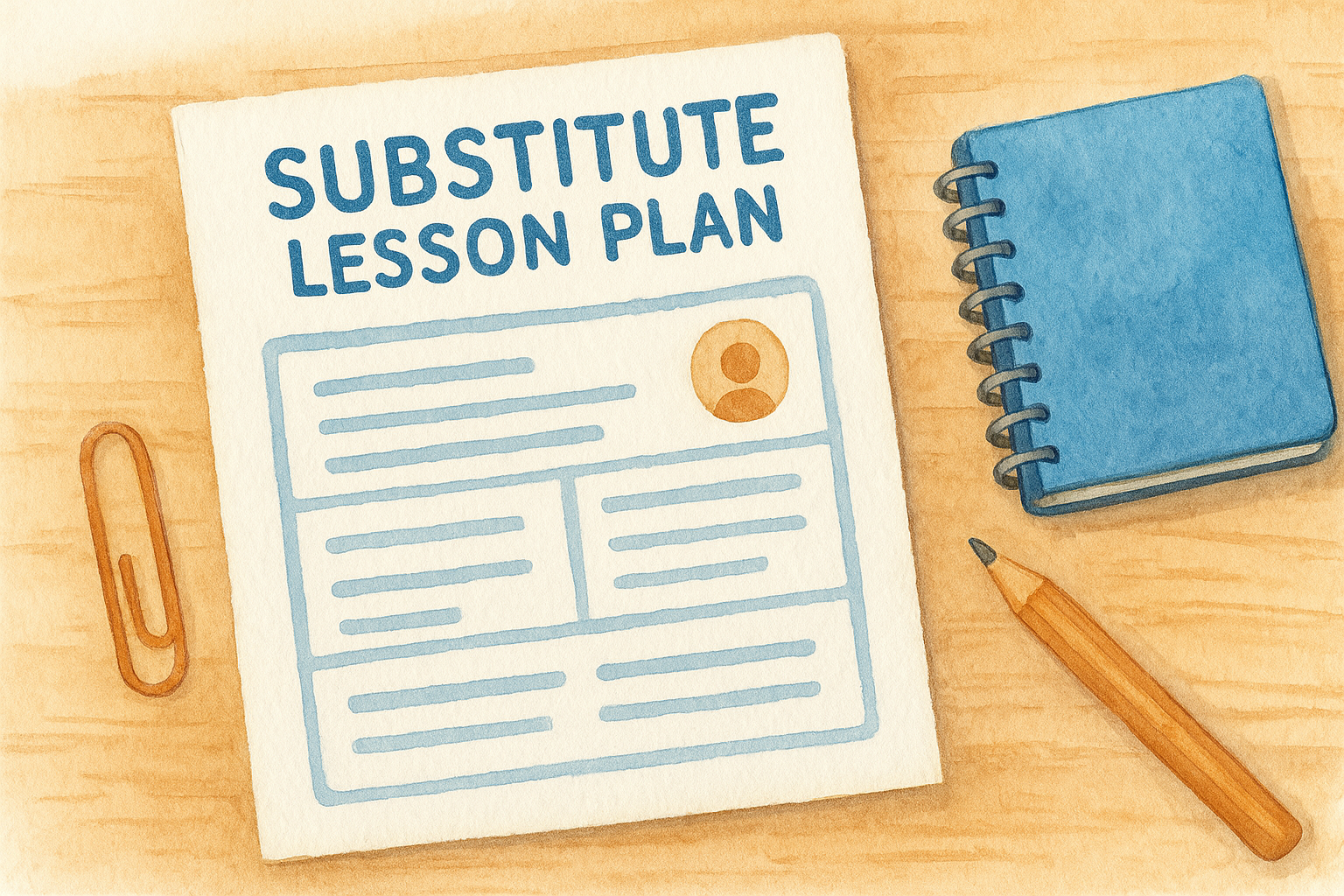
> A sub plan works only if a total stranger could run your class from it without asking a single question.
### What's included
The template usually front-loads logistics before it even gets to the lesson itself, since a substitute's first problem is finding the bathroom key, not teaching content. You'll typically find:
- A **class roster and seating chart** with notes on students who need extra attention
- Bell schedule, fire drill procedure, and where to find the sign-in sheet
- Step-by-step lesson instructions written for someone with no context
- A backup activity in case the main lesson runs short
- A feedback section for the sub to leave notes about how the day went
That backup activity matters more than it sounds, since a bored class after 20 minutes causes more problems than a lesson that runs long.
### Who it's for
This template fits **any teacher planning an absence**, whether it's a scheduled personal day or a last-minute illness, plus department chairs who keep a shared emergency folder ready for any teacher out sick. It also works for **new teachers** building their first sub folder, since the checklist format catches details veterans forget to write down.
### How to customize it in Google Docs
Copy the template, then fill in your roster and routines once and update only the lesson section each time you're out. Keep a **shared drive folder** with three ready-made backup lessons so you're never scrambling the morning you wake up sick.
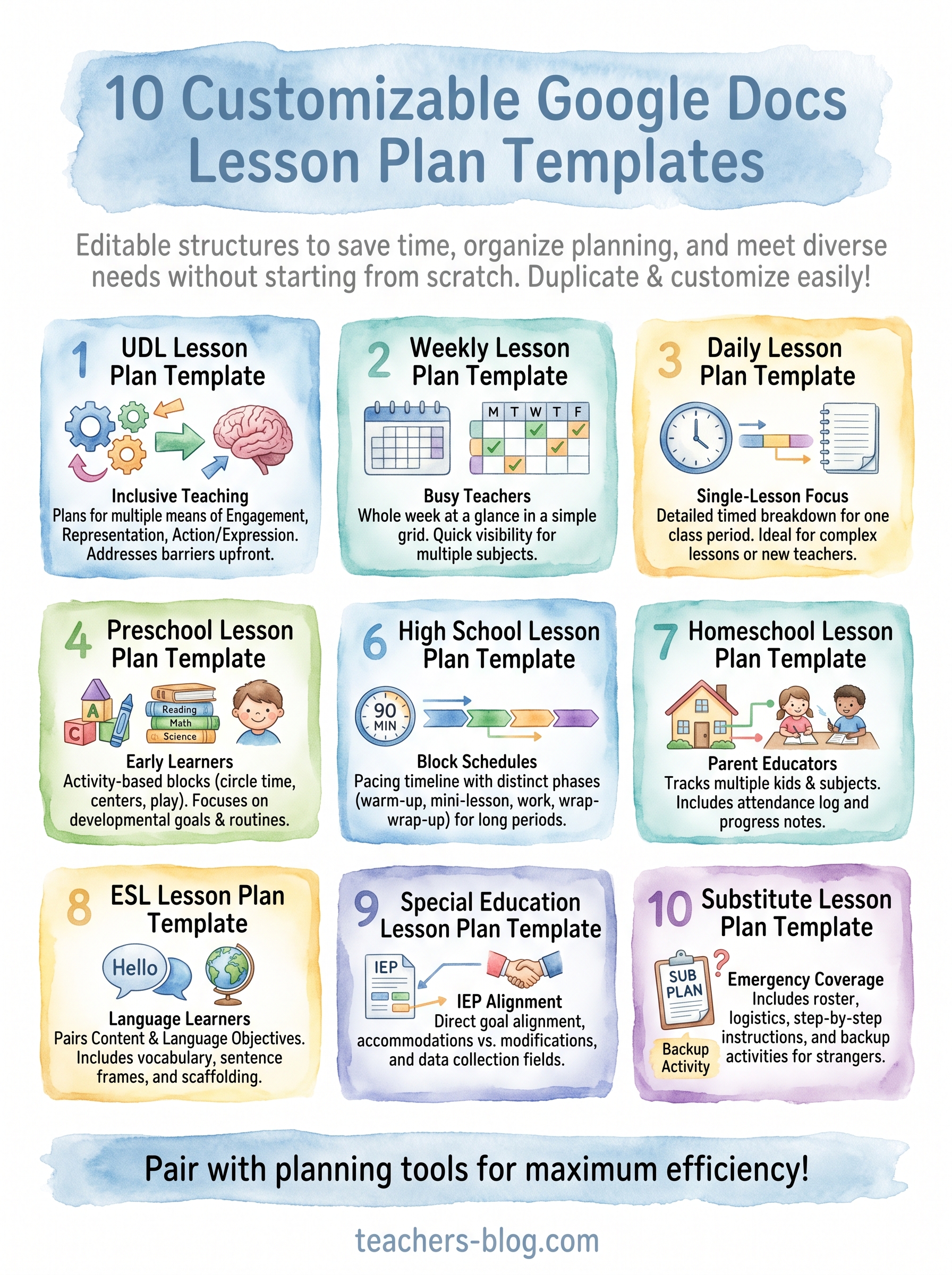
## Picking the right template for your classroom
Ten templates, one goal: less time formatting, more time teaching. Match the template to your actual week instead of forcing your schedule into a format that doesn't fit. A **block schedule teacher** grabbing the daily single-lesson template will end up fighting the layout every time, and a homeschool parent trying to use a weekly generalist grid will lose track of which kid finished what. Start with whichever template matches your grade level and schedule, then keep two or three others saved for the weeks that don't run normal, sub days, IEP reviews, or a preschool theme week.
Once you've picked your **base template**, the real time savings show up when you pair it with tools built for the planning itself. Head over to [The Cautiously Optimistic Teacher](https://teachers-blog.com) to try our Differentiated Instruction Helper and Worksheet Maker alongside these templates, and get your planning period back.